

M365 License Optimization Insights
Use this when you are paying for Microsoft 365 seats that nobody is using as a desktop suite. The report estimates a monthly savings opportunity from three groups: inactive users, functional accounts, and frontline candidates.
It is built from MDM data. The card on NEO Reports carries an MDM badge. User-level rows, the accounts behind the counts, are in the M365 License Optimization report. This page is the written summary.
Open the report
Section titled “Open the report”- Click Reports, then NEO Reports.
- Click M365 License Optimization Insights.
At a glance
Section titled “At a glance”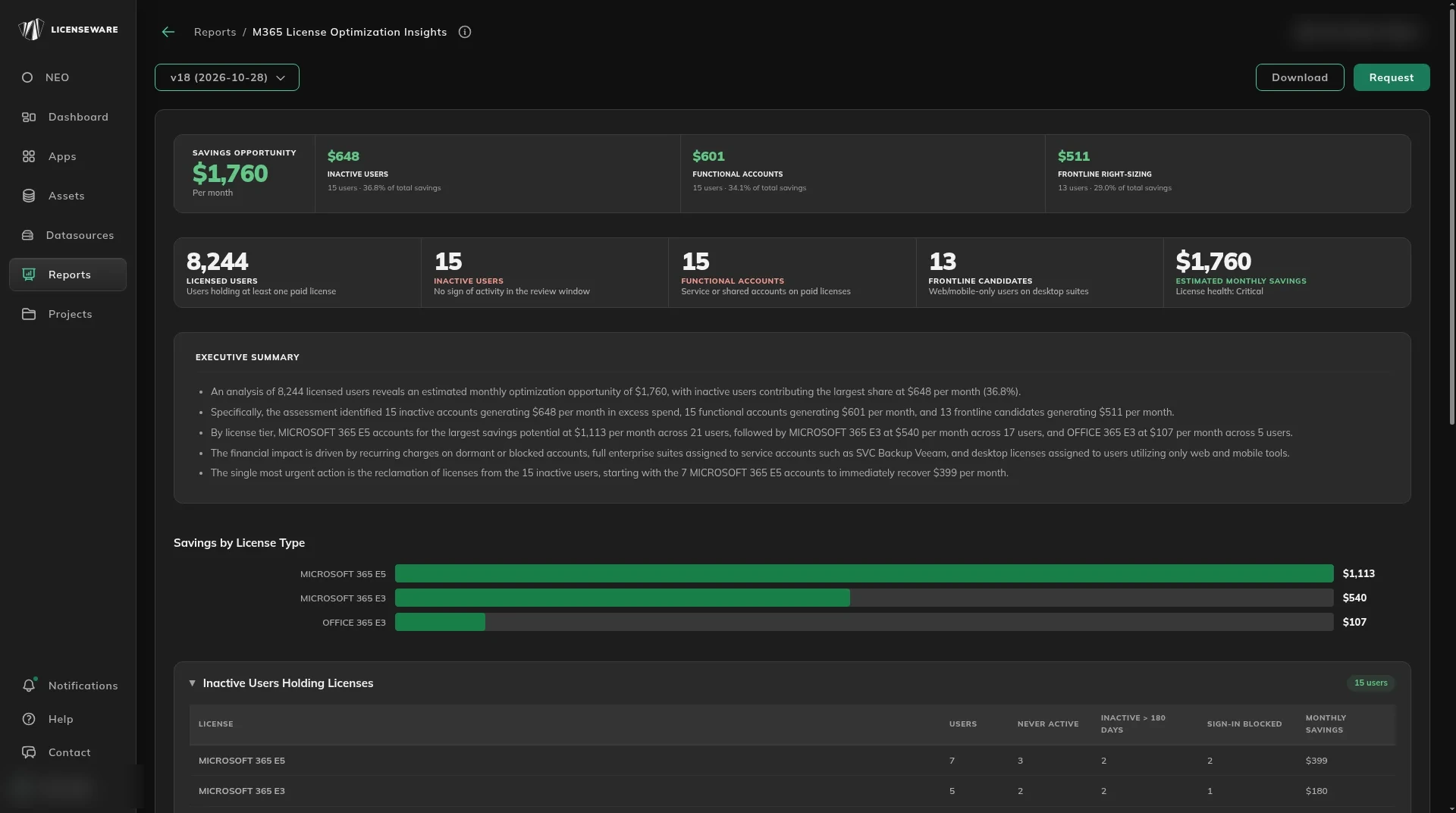
Read the savings
Section titled “Read the savings”The banner is Savings opportunity, per month, split into three parts. Each part shows the monthly amount, the number of users, and its share of the total.
| Opportunity | Who it is |
|---|---|
| Inactive users | Paid licenses with no sign of activity in the review window. |
| Functional accounts | Service or shared accounts on paid licenses. |
| Frontline right-sizing | Web or mobile-only users on a desktop suite. |
Tiles under that repeat the counts: Licensed users (at least one paid license), Inactive users, Functional accounts, Frontline candidates, and Estimated monthly savings, with a license health label.
Savings by License Type is a bar chart of that monthly amount by license, such as Microsoft 365 E5, Microsoft 365 E3 and Office 365 E3.
Executive summary is the short narrative of where the savings sit and what to do first.
Read the tables
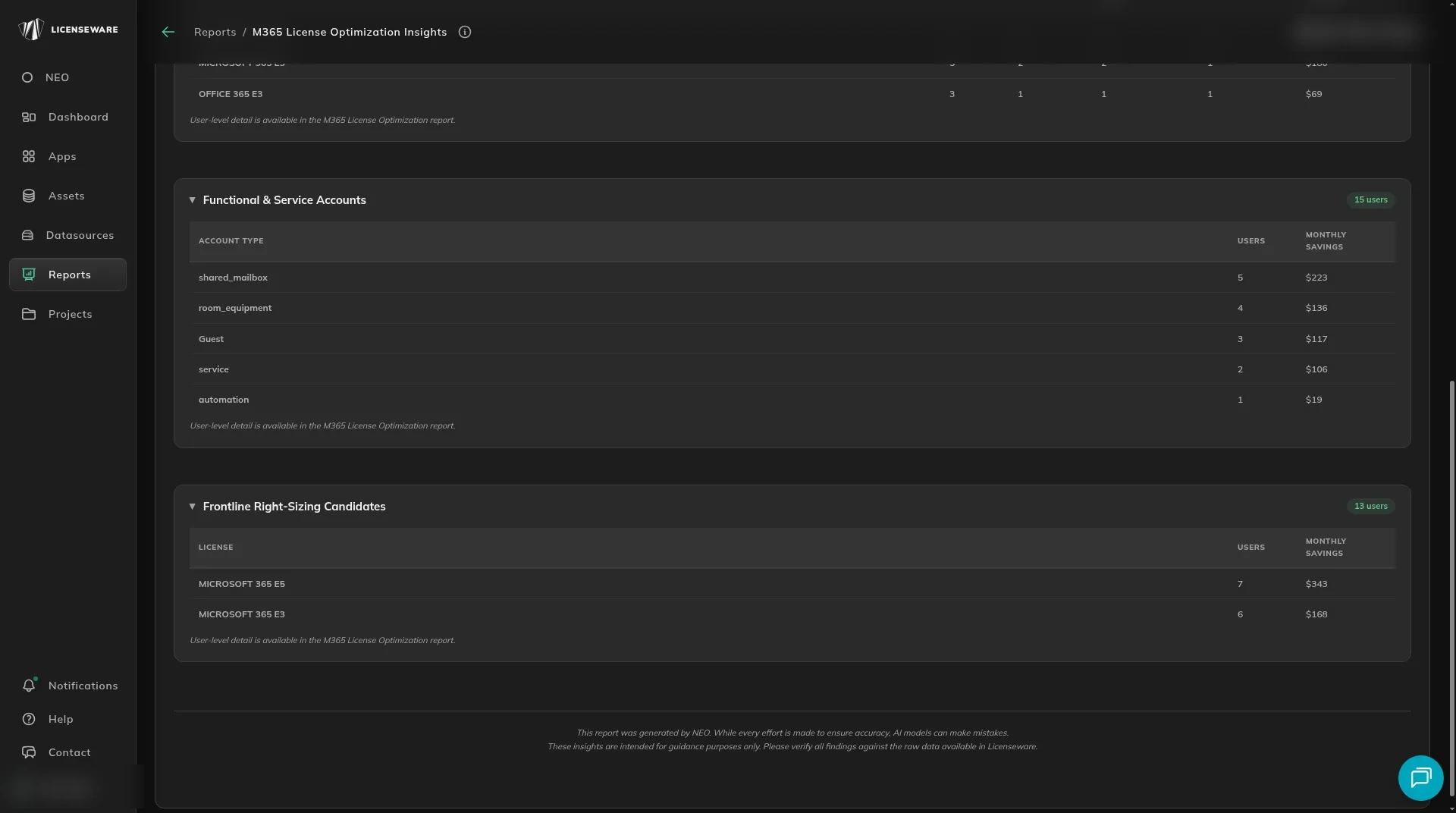
Section titled “Read the tables”Each section is collapsible and ends by pointing at the M365 License Optimization report for the user-level detail.
| Table | Columns |
|---|---|
| Inactive Users Holding Licenses | License, Users, Never active, Inactive > 180 days, Sign-in blocked, Monthly savings. |
| Functional & Service Accounts | Account type, Users, Monthly savings. Account types include shared mailbox, room and equipment, guest, service and automation. |
| Frontline Right-Sizing Candidates | License, Users, Monthly savings. |
What to do next
Section titled “What to do next”Open M365 License Optimization for the people behind the counts.