

App Rationalization & Consolidation
Use this when the estate has several tools for one job and none of them has been retired. The report names the crowded categories and marks one product as the one to keep. Use it before a renewal, during a cost-saving drive, when you are getting ready for an audit, or when two estates are being combined.
It is also the link from inventory to the entitlements and contracts: the install list on its own is not the long-term position.
It is built from SIM. The card carries a SIM badge. Install counts in SIM are on Reduce overlapping tools. This page is the recommendation.
Open the report
Section titled “Open the report”- Click Reports, then NEO Reports.
- Click App Rationalization & Consolidation.
At a glance
Section titled “At a glance”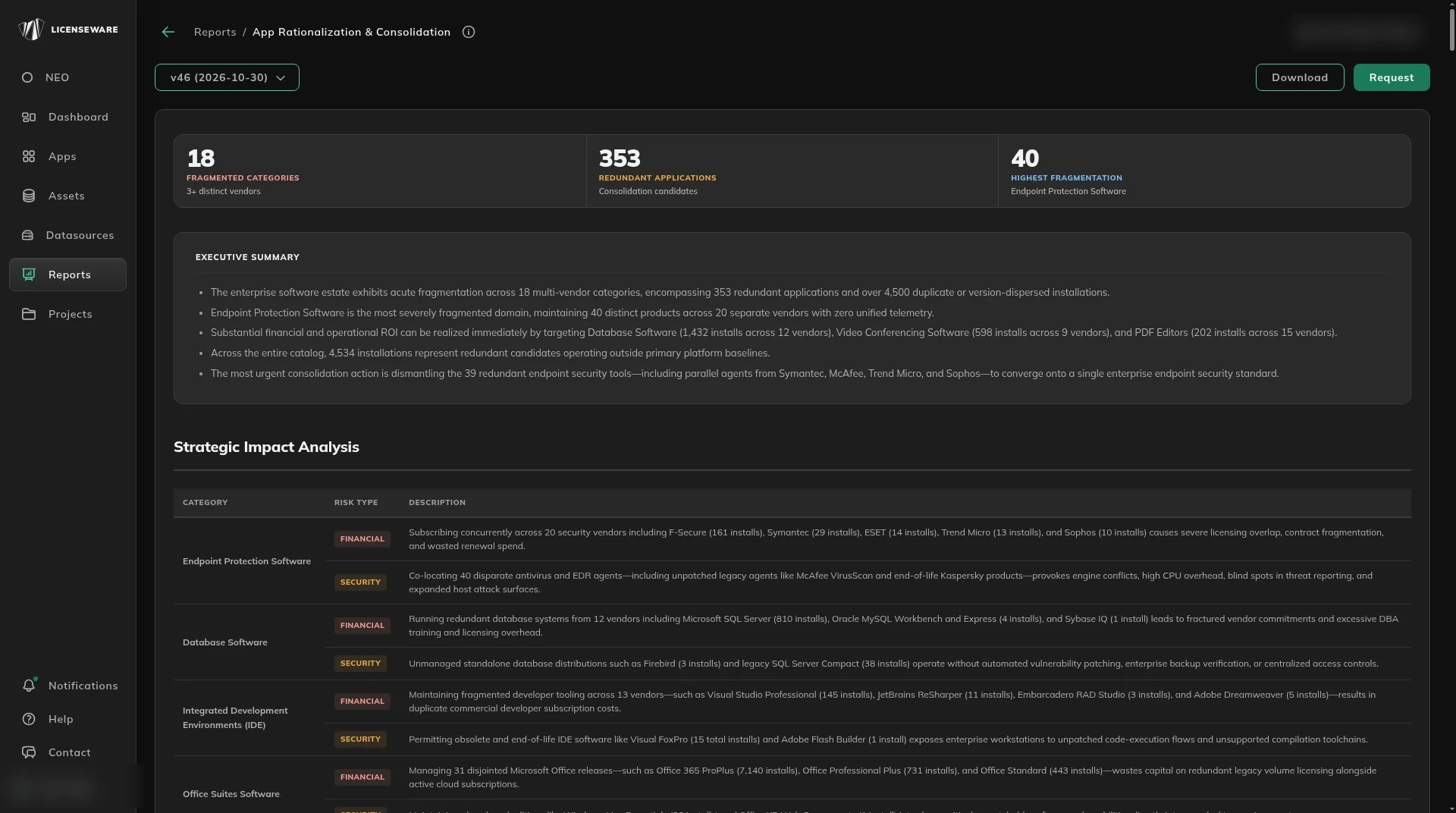
Read the headline
Section titled “Read the headline”| Figure | What it means |
|---|---|
| Fragmented categories | Categories with three or more vendors. |
| Redundant applications | Products the report treats as consolidation candidates. |
| Highest fragmentation | The category with the most distinct products. |
Executive summary is the short narrative: how split the estate is, and where to consolidate first.
Strategic impact
Section titled “Strategic impact”Strategic Impact Analysis is a table of the most fragmented categories.
| Column | What it is |
|---|---|
| Category | The job, such as endpoint protection, databases or office suites. |
| Risk type | Financial or Security. |
| Description | Why leaving the overlap in place matters. |
Financial is overlapping spend. Security is tools left unmanaged. The label is on the row. This page does not add a security assessment of its own.
The Rule of One
Section titled “The Rule of One”Category Analysis: The Rule of One is a set of collapsible tables, one per category. The header shows the category and how many vendors and products it contains.
| Column | What it is |
|---|---|
| Role | Incumbent, the product to keep, or Redundant. |
| Product name and Vendor | The product from the inventory. |
| Install count | How many installs. |
| Rationalization opportunity | The suggested move, such as consolidate, phase out, or review whether you need it. |
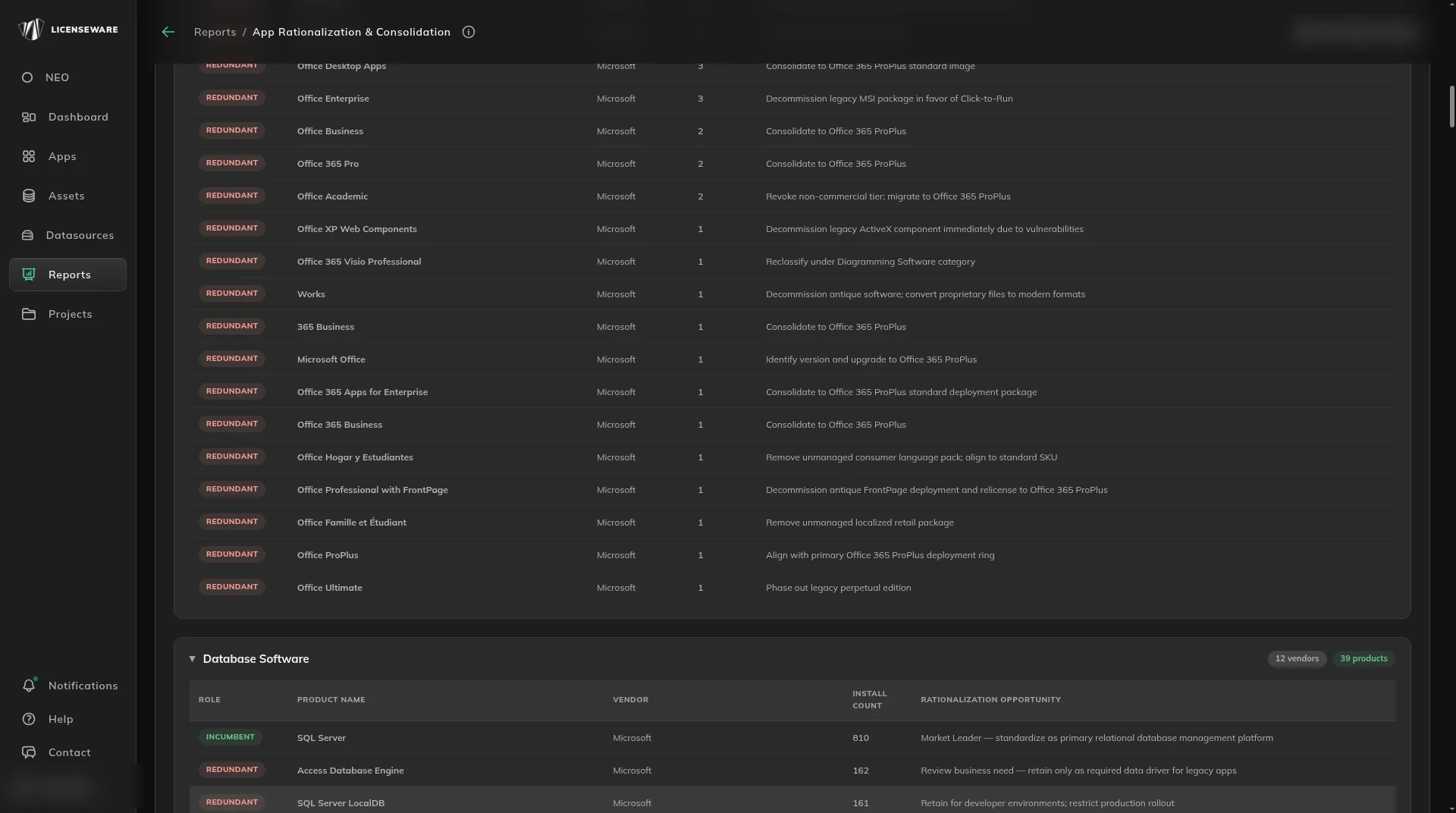
Download a category table for one row per device, with the user. See Using reports.
Categories you will see include office suites, databases, browsers, endpoint protection, PDF editors and remote desktop. The list follows the inventory.
What to do next
Section titled “What to do next”Check usage before you retire a redundant product. Find unused software to reclaim. If it is paid, check the renewal in License and Contracts Manager.