
With NEO Insights, you get a human-understandable breakdown of your software estate, compliance risks, and potential optimization opportunities, helping you make smarter decisions with confidence.
Available Reports in App
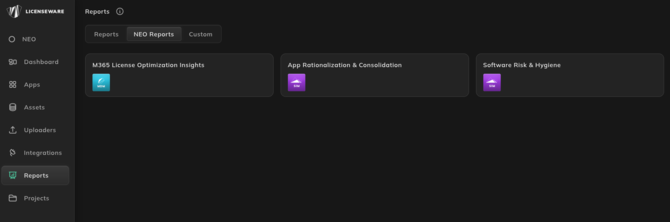
Find the NEO Reports section here
|
Name |
Description | App |
|
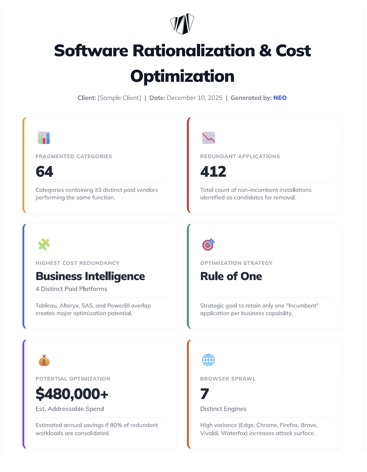
Software Rationalization & Cost Optimization |
Analyzes software inventory to uncover redundancies, functional overlap, and financial waste. Provides actionable recommendations for consolidating vendors (e.g., "Rule of One") and reducing software sprawl to drive immediate cost savings.
|
SIM |
|
Software Risk & Hygiene |
Analyzes software inventory to detect End-of-Life (EOL) software, security threats, unauthorized tools (Shadow IT), and productivity drainers. Provides recommendations for hardening the security posture and removing non-compliant software.
|
SIM |
|
M365 Optimization |
Analyzes M365 stack usage to identify inactive accounts for reharvesting, F3 optimisation potential based on web only usage, and non-human accounts having ilogical license allocations.
|
MDM |