
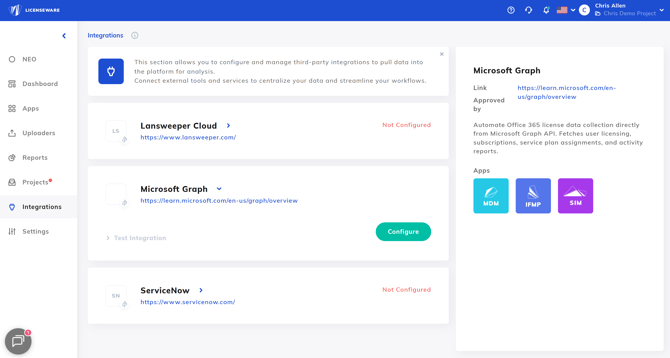
The Microsoft Graph API integration is designed to:
-
Collect Microsoft usage and activity reports
-
Retrieve device inventory data from Entra ID and Intune
- Automate Microsoft 365 user and subscription analysis
The integration is API-based and does not require agent deployment.
The integration operates with read-only permissions. No changes are made to the customer tenant.
Granted Permissions
-
Read all users’ full profiles
-
Read organization information
-
Read all usage reports
-
Read all devices
-
Read Microsoft Intune managed devices
-
Read directory data (Microsoft Entra ID)
-
Read group memberships
This ensures:
-
No write access
-
No modification of tenant configuration
-
No impact to production systems
-
Secure and compliant data ingestion
What Data Is Collected
1. User & Directory Data (Microsoft Entra ID)
Used for Microsoft 365 license position analysis.
Includes:
-
User profiles
-
Assigned licenses
-
Service plan assignments
-
Group memberships
-
Tenant organization metadata
Purpose:
-
Identify assigned vs unassigned licenses
-
Detect inactive users consuming licenses
-
Analyse group-based license assignments
-
Build effective license position (ELP) models
2. Usage & Activity Reports (Microsoft 365)
Used for optimization and cost control.
Includes:
-
Microsoft 365 service usage
-
Activity reporting
-
Workload-level engagement (where available)
Purpose:
-
Identify underutilised subscriptions
-
Support downgrade recommendations
-
Detect dormant accounts
3. Device Inventory Data (Microsoft Entra ID & Intune)
Supports both Microsoft analysis and SIM software recognition.
Includes:
-
Entra ID joined devices
-
Hybrid Entra ID devices
-
Microsoft Intune managed devices
-
Device metadata (OS, ownership, compliance state, etc.)
Purpose:
-
Cross-checking user-device relationships
-
Feeding SIM and other applications for software inventory enrichment
Configuration
Step 1 – Navigate to Integrations
Go to:
Integrations → Microsoft Graph
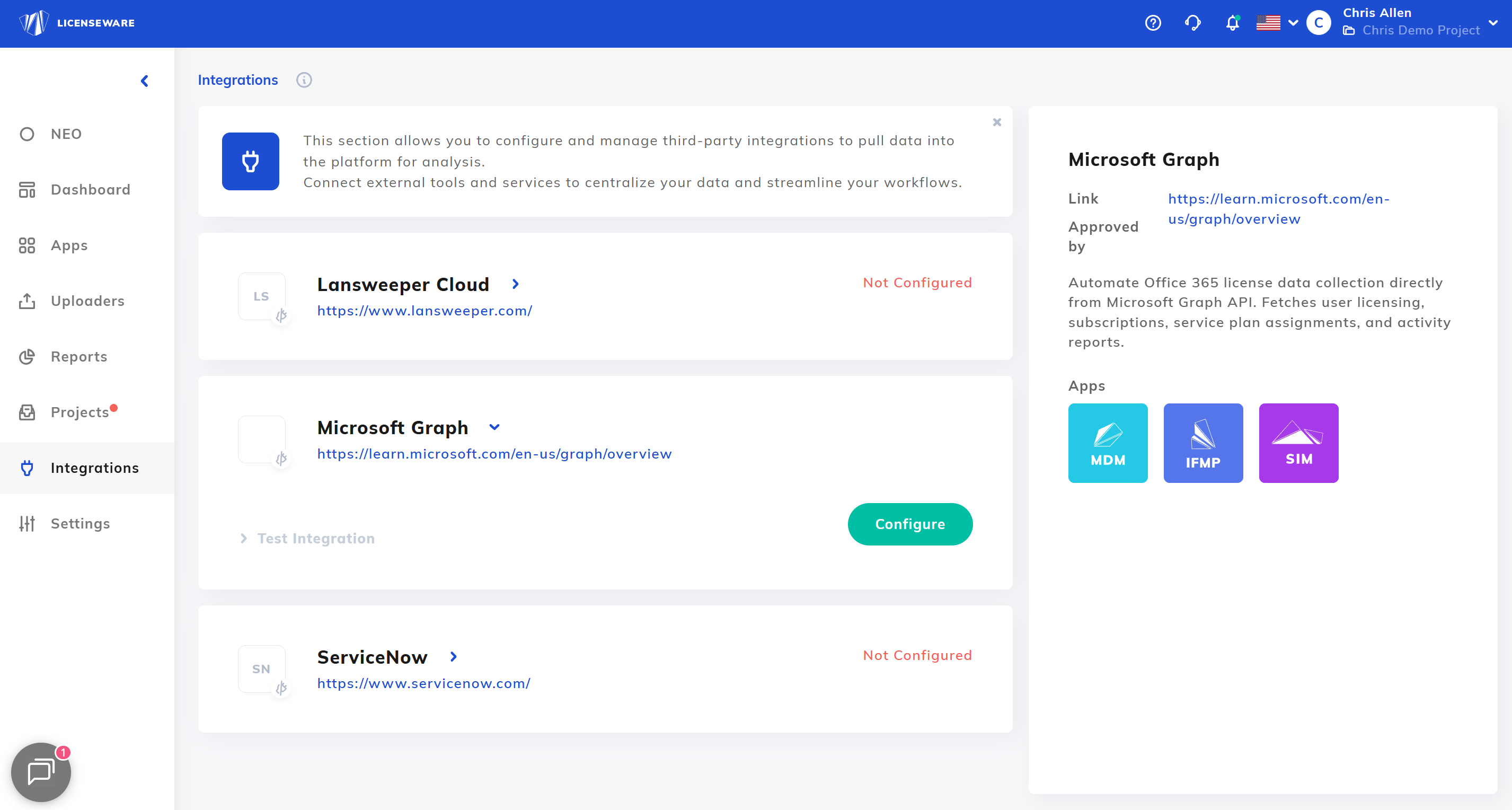
Select Configure.
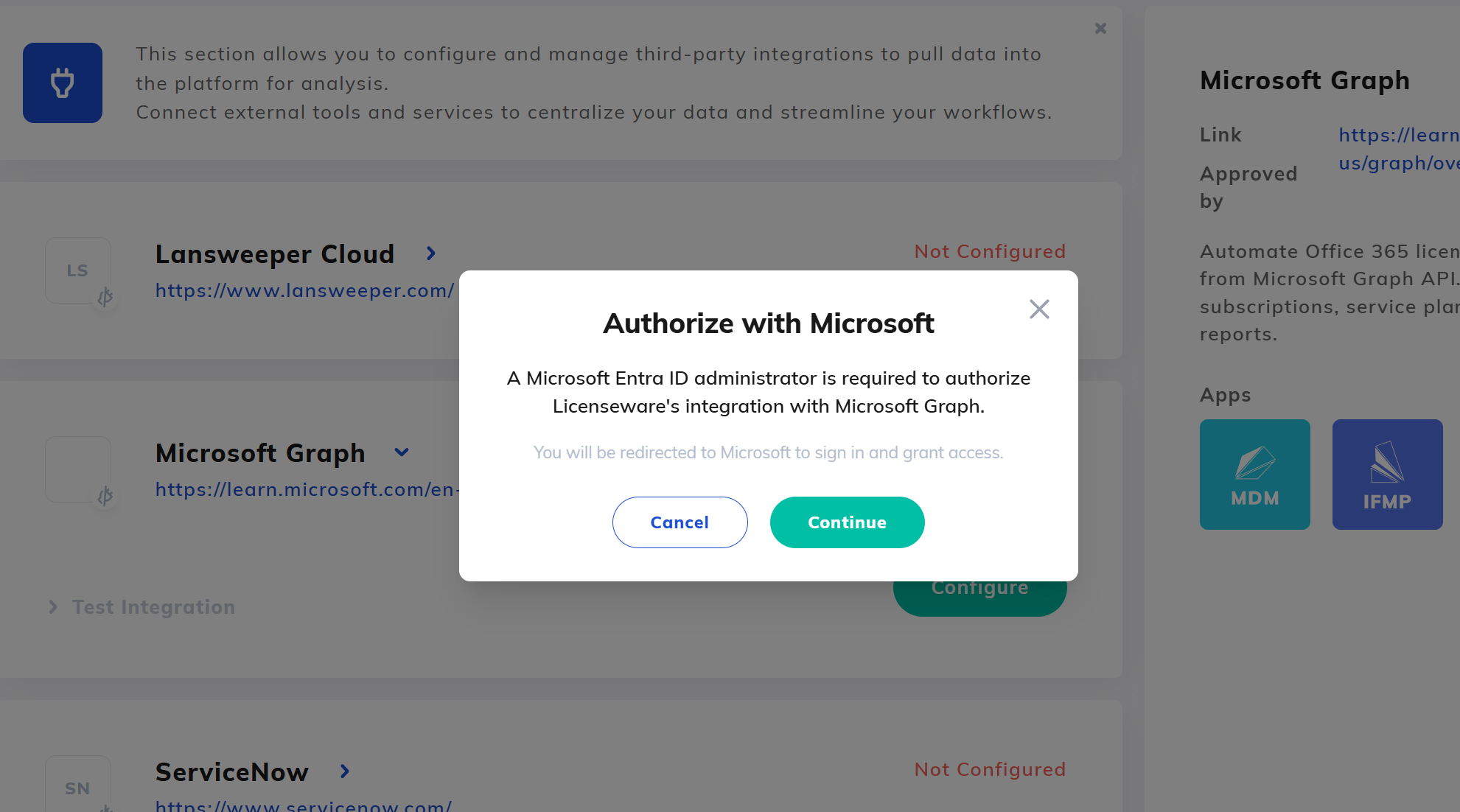
Step 2 – Authorize Tenant
-
Sign in with a Administrator or appropriate delegated role.
-
Review requested read-only permissions.
-
Grant tenant consent.