
Software assets
The Software tab on Assets lists every product found in the project, the raw install entries behind it, and any Oracle data. Mapping, classification and exclusions done here apply to every app.
When two sources report different software data for a device, Source Priority decides which one wins. It is set on the Hardware tab.
The Software view lists every product found in your project, the raw install entries behind it, and any Oracle data.
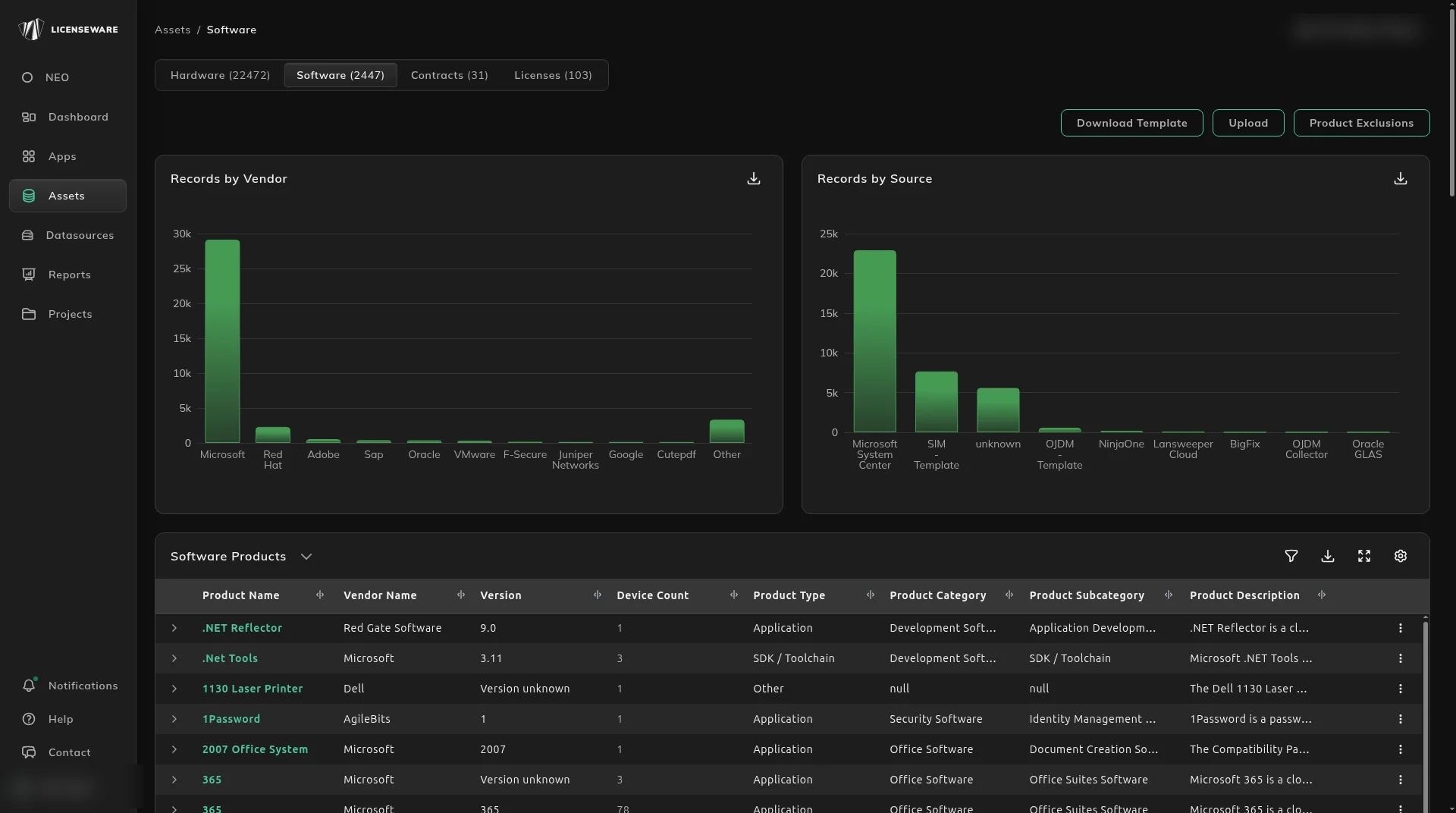
- Records by Vendor shows how many software records you have from each vendor, such as Microsoft, Red Hat or Adobe.
- Records by Source shows how many records each data source contributed, such as SCCM Queries, SIM - Template or NinjaOne.
- Download Template and Upload let you add software records in bulk, and Product Exclusions excludes products across the whole project (see below).
Below the charts are the software tables.
Bulk edit via template
Section titled “Bulk edit via template”Software works the same way: click Download Template, edit the data, and click Upload to send it back. Licenseware keeps track of your changes. Use it, for example, to standardize vendor or product names across your sources.
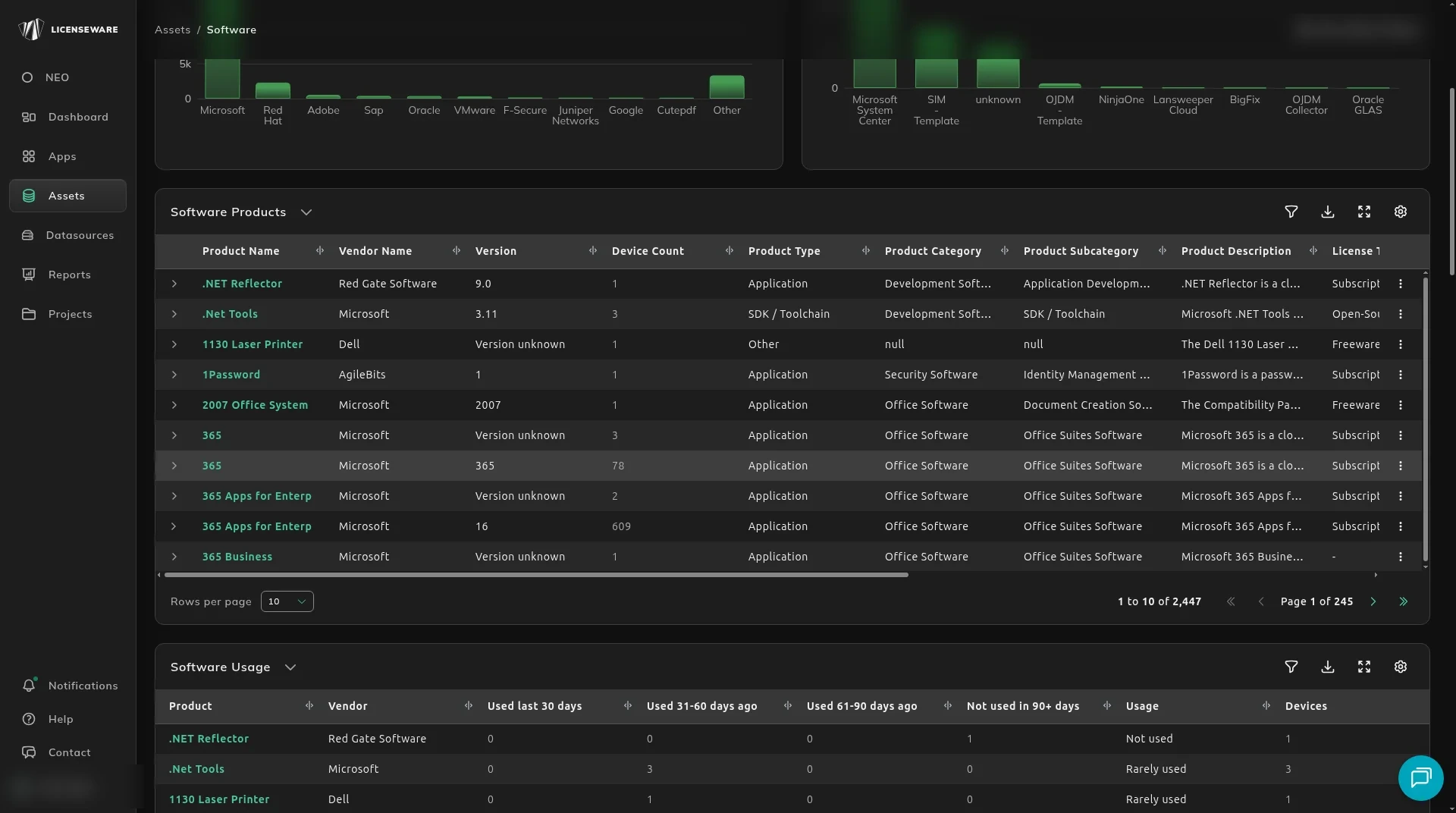
Software Products
Section titled “Software Products”Every recognized product, one row per product and version. The counts those products feed are on the Software Inventory report.
The ⋮ menu on a Software Products row is Exclude only. Mapping an install that never matched a product is Map unmatched software to the right product.
Software Usage
Section titled “Software Usage”How recently each product was used. The windows are exclusive. How to read them is on Find unused software to reclaim.
Excluded Software Products
Section titled “Excluded Software Products”Products that have been excluded, with the Reason (such as Excluded by user) and who excluded them, Excluded By. Excluded products stay listed here but are left out of every licensing calculation.
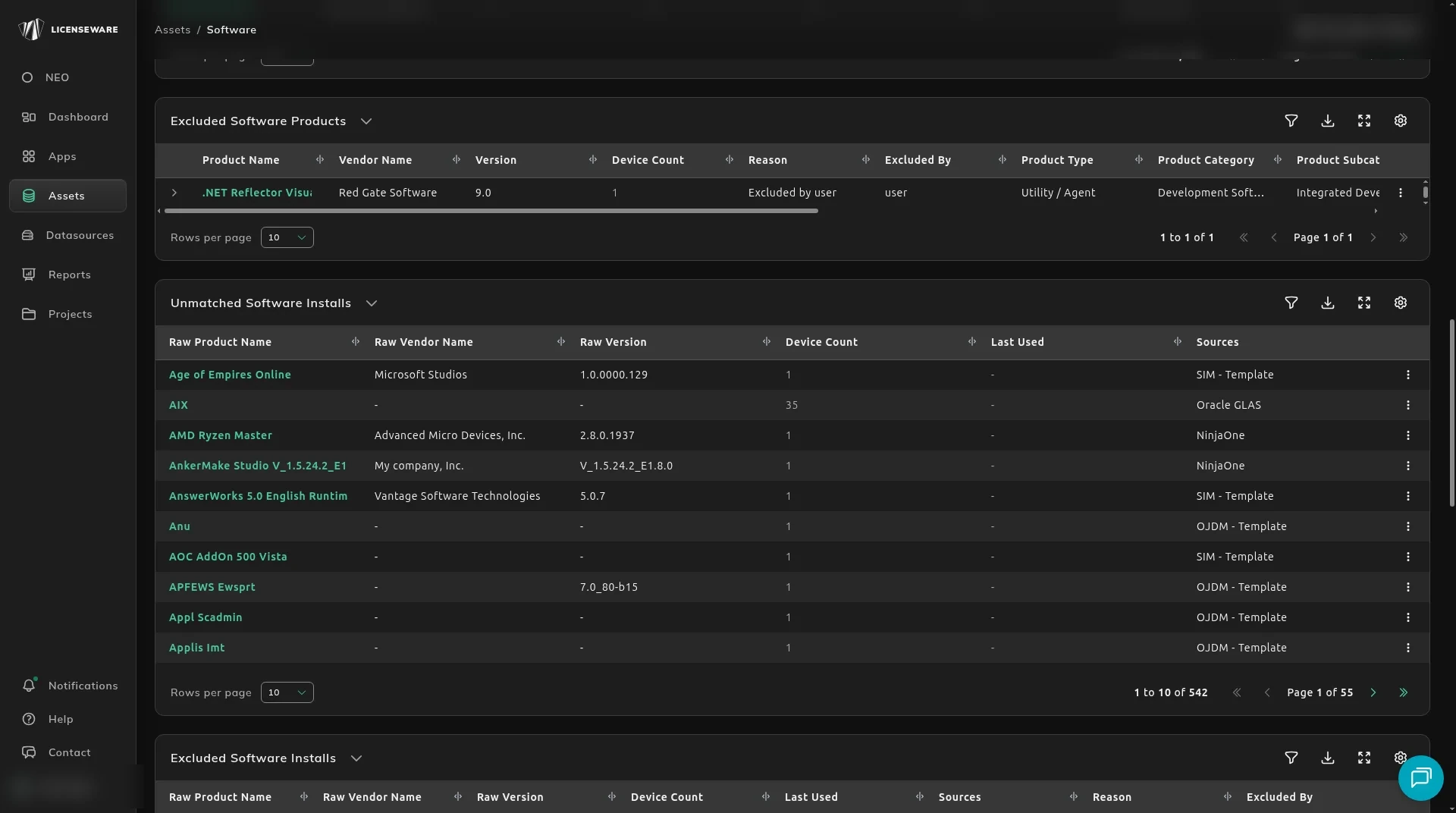
Unmatched Software Installs
Section titled “Unmatched Software Installs”Raw install entries that did not match a catalog product. Map them from the row menu. See Map unmatched software to the right product.
Excluded Software Installs
Section titled “Excluded Software Installs”Raw install entries that are left out of analysis, with the Reason they were excluded (such as .NET framework component) and who or what excluded them, Excluded By, such as catalog or user.
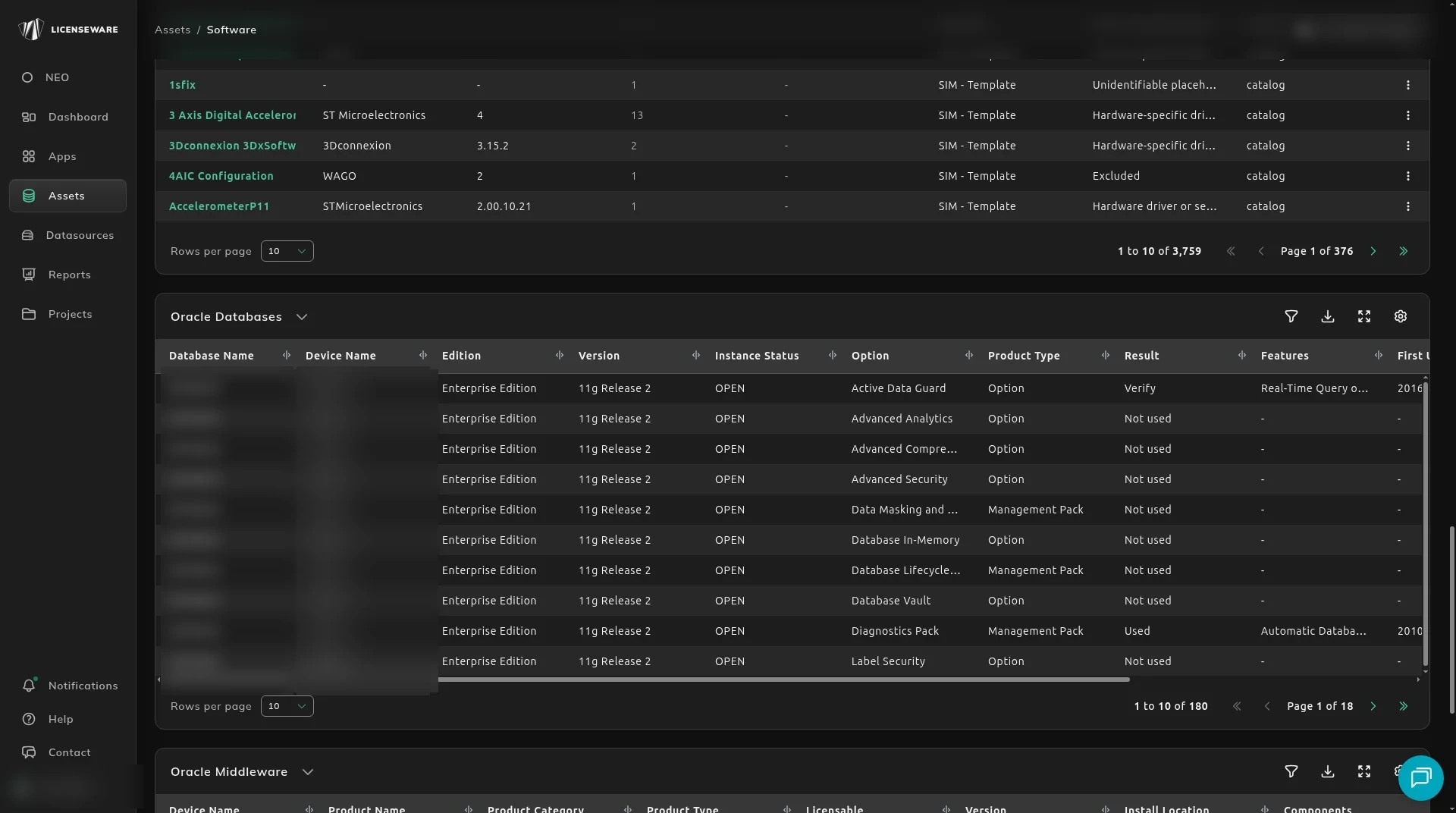
Oracle Databases
Section titled “Oracle Databases”Each Oracle database option and management pack found, per database: Database Name, Device Name, Edition, Version, Instance Status, the Option or pack, its Product Type, the usage Result (such as Verify or Not used), the Features used, First and Last Usage Date, and Source.
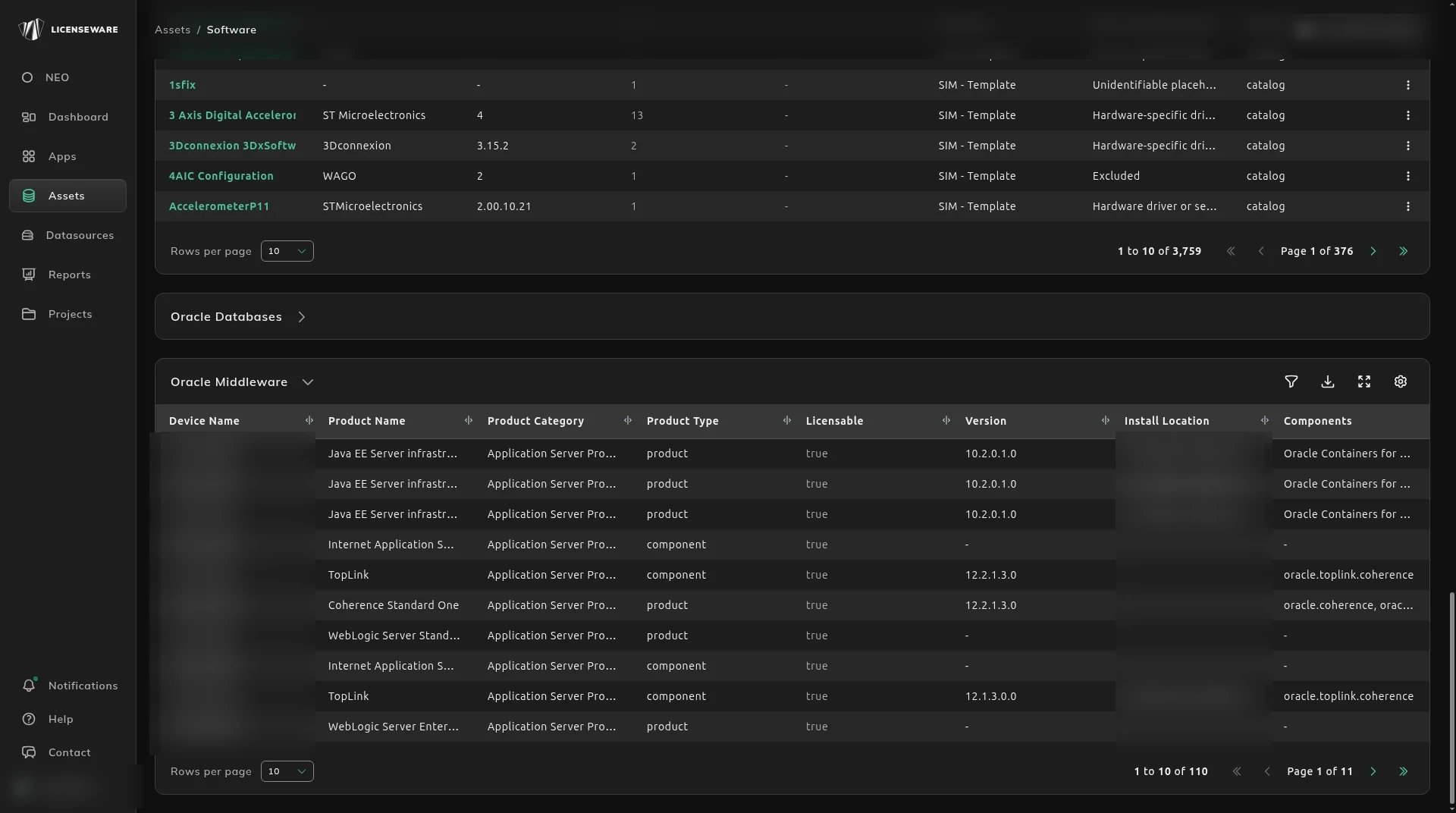
Oracle Middleware
Section titled “Oracle Middleware”Oracle Middleware installations per device: Product Name, Product Category, Product Type (product or component), whether it’s Licensable, Version, Install Location and Components.
Where the software tasks are written up
Section titled “Where the software tasks are written up”Mapping, classification and exclusions are done on this tab and apply to every app in the project. The steps are with SIM:
| Task | Guide |
|---|---|
| Map an unmatched install | Map unmatched software to the right product |
| Change type, category, metric or price | Fix how a product is classified |
| Leave a product out of licensing calculations | Exclude software from analysis |