
Notifications
Notifications tells you when Licenseware has finished processing data, newest first. Use it to confirm an upload or a sync has gone through before you open the reports.
Notifications
Open your notifications
Section titled “Open your notifications”Click Notifications at the bottom of the sidebar.
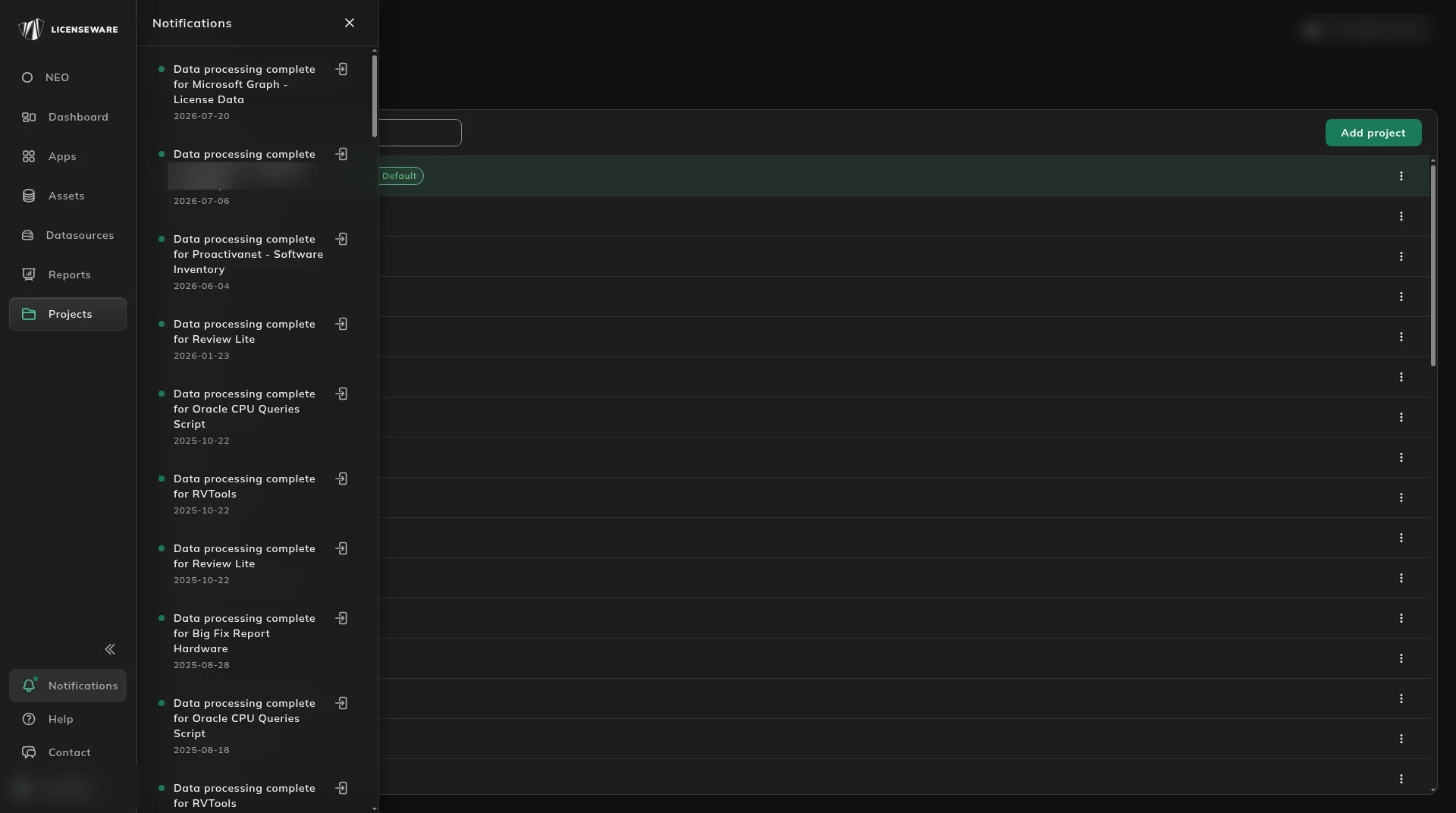
Each notification shows:
- What finished, for example Data processing complete for RVTools. For API connections it also names the kind of data, such as Microsoft Graph - License Data or NinjaOne - Software Inventory.
- When it finished.
- An open icon that takes you to that data source, to see its upload history or upload again.
When to check it
Section titled “When to check it”- After an upload, to confirm it was processed before you look at the reports.
- After an API sync, to see what it brought in.
- When several people upload to the same project, to see what has been processed recently. That list is how a multi-user or service-provider project stays transparent when more than one person uploads.