
Dashboard
The Dashboard is the first page you see in Licenseware. It shows the main figures for the project on one screen, before you open a detailed report. Open it any time from Dashboard in the sidebar.
Dashboard
Customize the dashboard
Section titled “Customize the dashboard”- Click Dashboard at the top right to open the Dashboard Builder.
- In the Available components panel on the right, use Search to find a component.
- Drag the component onto the grid.
- Drag the cards to arrange them.
- Click Save to keep the layout, or Back to leave the builder.
Example layout
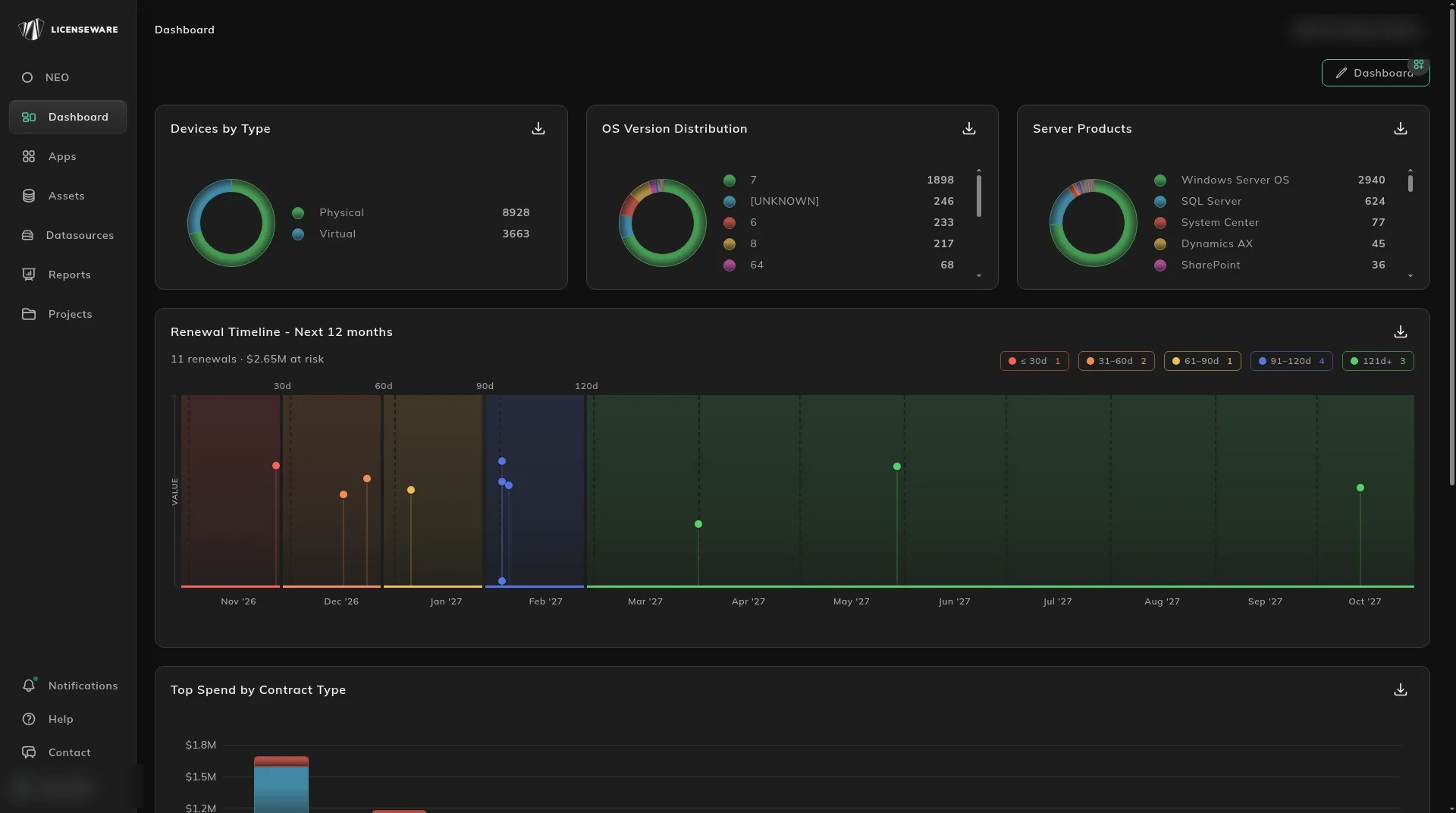
Section titled “Example layout”This layout uses five components.
| Tile | What it shows |
|---|---|
| Devices by Type | How many of your devices are Physical and how many are Virtual. |
| OS Version Distribution | Your devices by operating system version. |
| Server Products | The server products installed across your estate, such as Windows Server OS, SQL Server and System Center. |
| Renewal Timeline - Next 12 months | Upcoming contract renewals by month, with the number of renewals and the value at risk. |
| Top Spend by Contract Type | Spend per vendor, split by contract type. |
Each tile has a download icon at its top right to export its data. For the detail behind a tile, open the matching report from Reports.