
Assets overview
Assets is the consolidated inventory view for a project. It shows every hardware and software record collected from all connected sources, plus the contracts and licenses uploaded to the project, before any application-specific analysis is applied.
Assets sits between your data sources and the application pipelines (SIM, MDM, OJDM, RDM, IFMP). Changes made here, such as exclusions, source priority and bulk edits, apply to the data every application reads, not to a single report.
| Section | Contents | Actions available |
|---|---|---|
| Hardware | Devices from every source (SCCM, SIM and MDM templates, NinjaOne, BigFix, collectors) | Device Exclusions, Source Priority, Download Template and Upload |
| Software | Recognized products, grouped by product and vendor, plus unmatched and excluded installs | Download Template, Upload and Product Exclusions |
| Contracts | Contracts in the project, with a renewal timeline | Add a contract, filter, download |
| Licenses | License entitlements in the project, with a renewal timeline | Add a license, filter, download |
Source Priority is on the Hardware tab and decides which source wins for both hardware and software data.
Each section’s tab shows the number of records it holds in the project.
Contracts
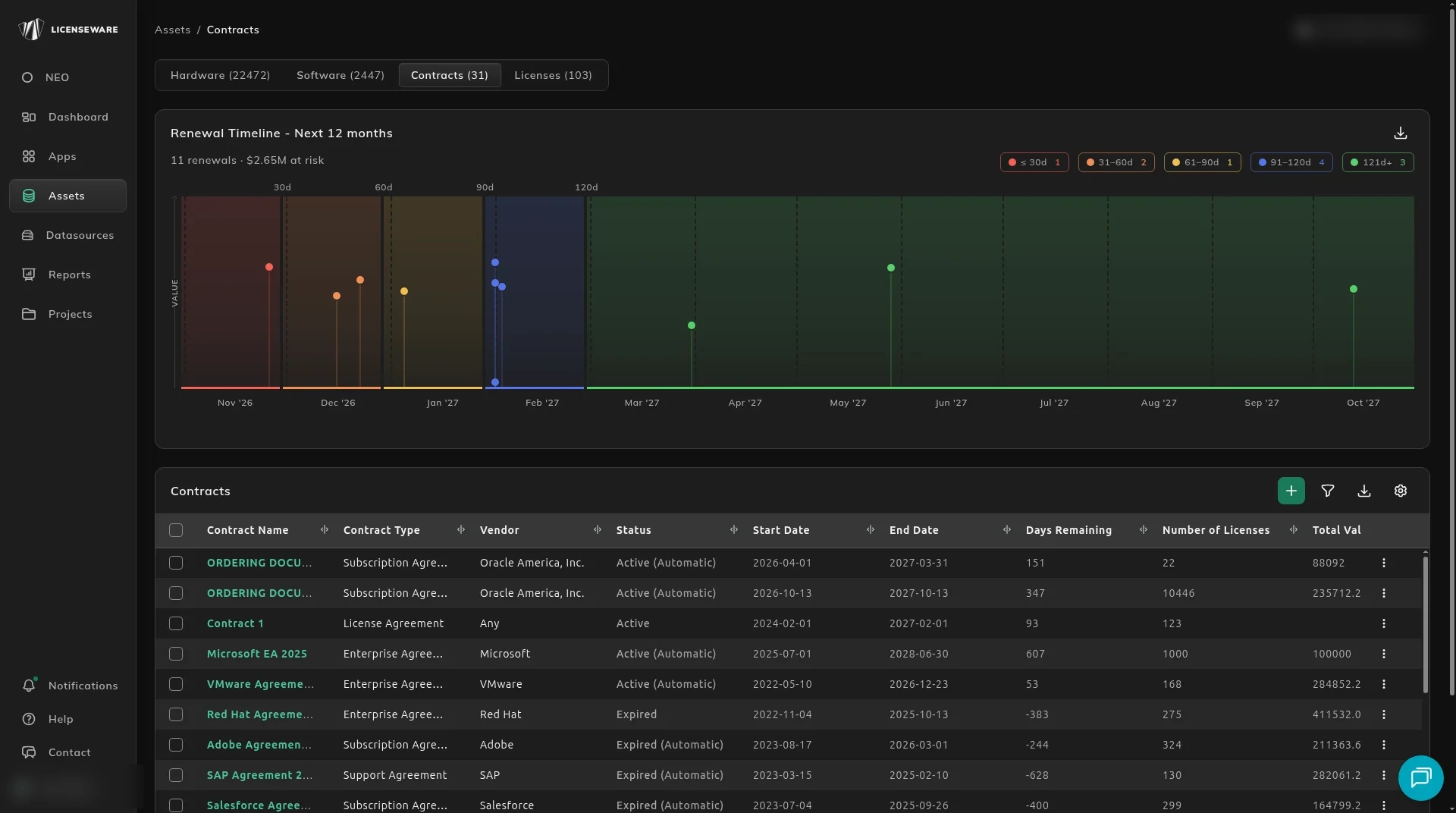
Section titled “Contracts”The Contracts view shows every contract in the project and when each one is up for renewal.
Renewal Timeline
Section titled “Renewal Timeline”Renewal Timeline - Next 12 months plots each contract renewal by month, with the number of renewals and the value at risk above the chart, for example 11 renewals. The timeline is shaded by renewal window, ≤30d, 31–60d, 61–90d, 91–120d and 121d+, with the number of renewals in each window at the top right.
Contracts table
Section titled “Contracts table”One row per contract, with its Contract Name, Contract Type (such as Enterprise Agreement or Subscription Agreement), Vendor, Status (Active or Expired), Start Date and End Date, Days Remaining until it ends (negative once it has expired), Number of Licenses, Total Value and Currency.
Click + at the top right of the table to add a contract, and use the other icons to filter, download or configure the table. Contracts are managed in the License and Contracts Manager.
Licenses
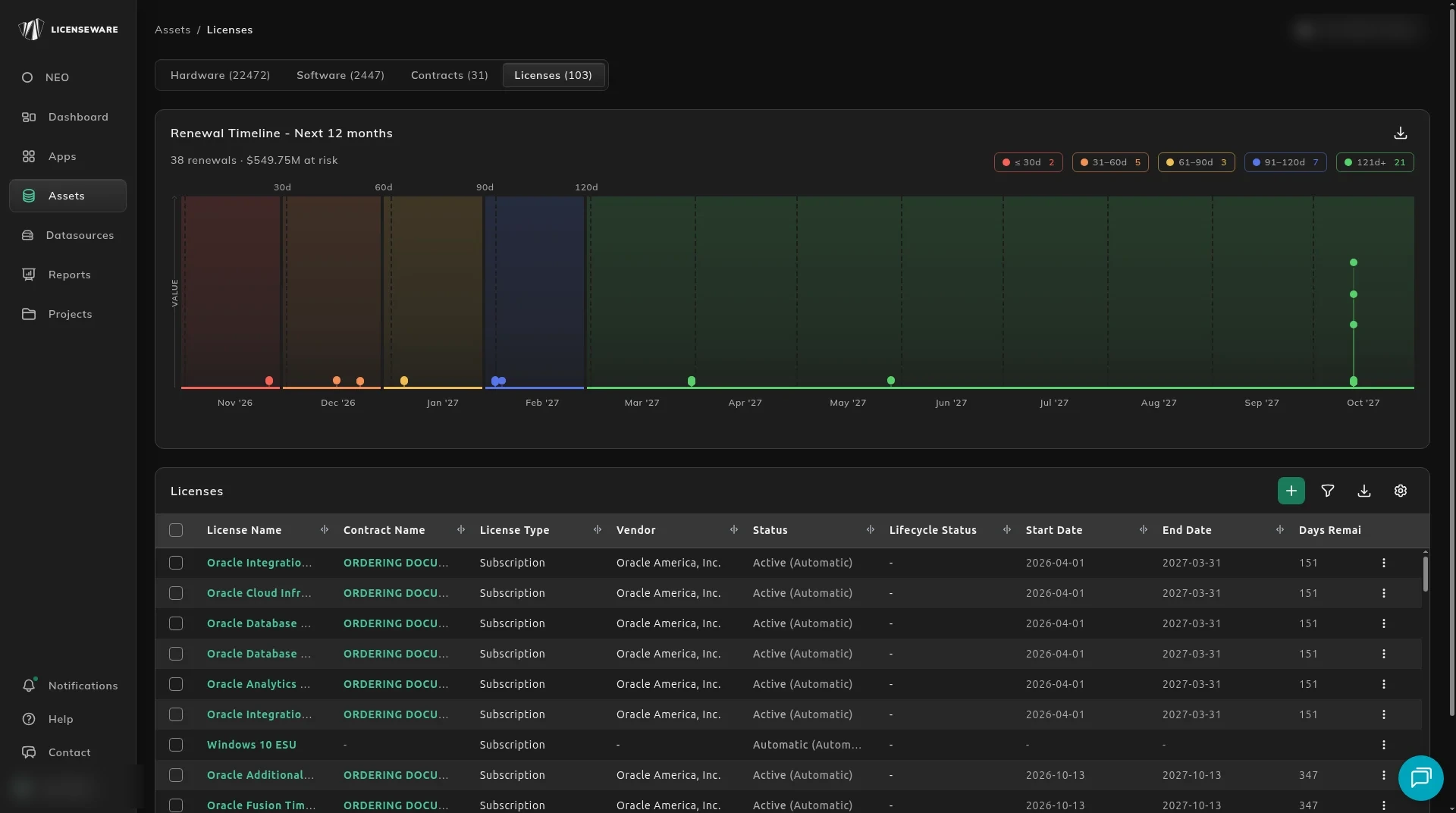
Section titled “Licenses”The Licenses view shows every license entitlement in the project and when each one is up for renewal.
Renewal Timeline
Section titled “Renewal Timeline”The same Renewal Timeline - Next 12 months as on Contracts, for licenses: each license renewal by month, the number of renewals and value at risk, and the count in each renewal window.
Licenses table
Section titled “Licenses table”One row per license, with its License Name, the Contract Name it belongs to (or - for a license that isn’t under a contract), License Type, Vendor, Status, Start Date and End Date, Days Remaining, Total Quantity, Total Value and Currency.
Click + at the top right of the table to add a license, and use the other icons to filter, download or configure the table. Licenses are managed in the License and Contracts Manager.