
What is Licenseware
Licenseware is a modular software asset management platform. It provides continuous license optimization, contract intelligence and audit defense on the data you already have: connect the inventory tools you already run, add your contracts, and every app reads the same inventory.
Bring the data in
Section titled “Bring the data in”Do these in order.
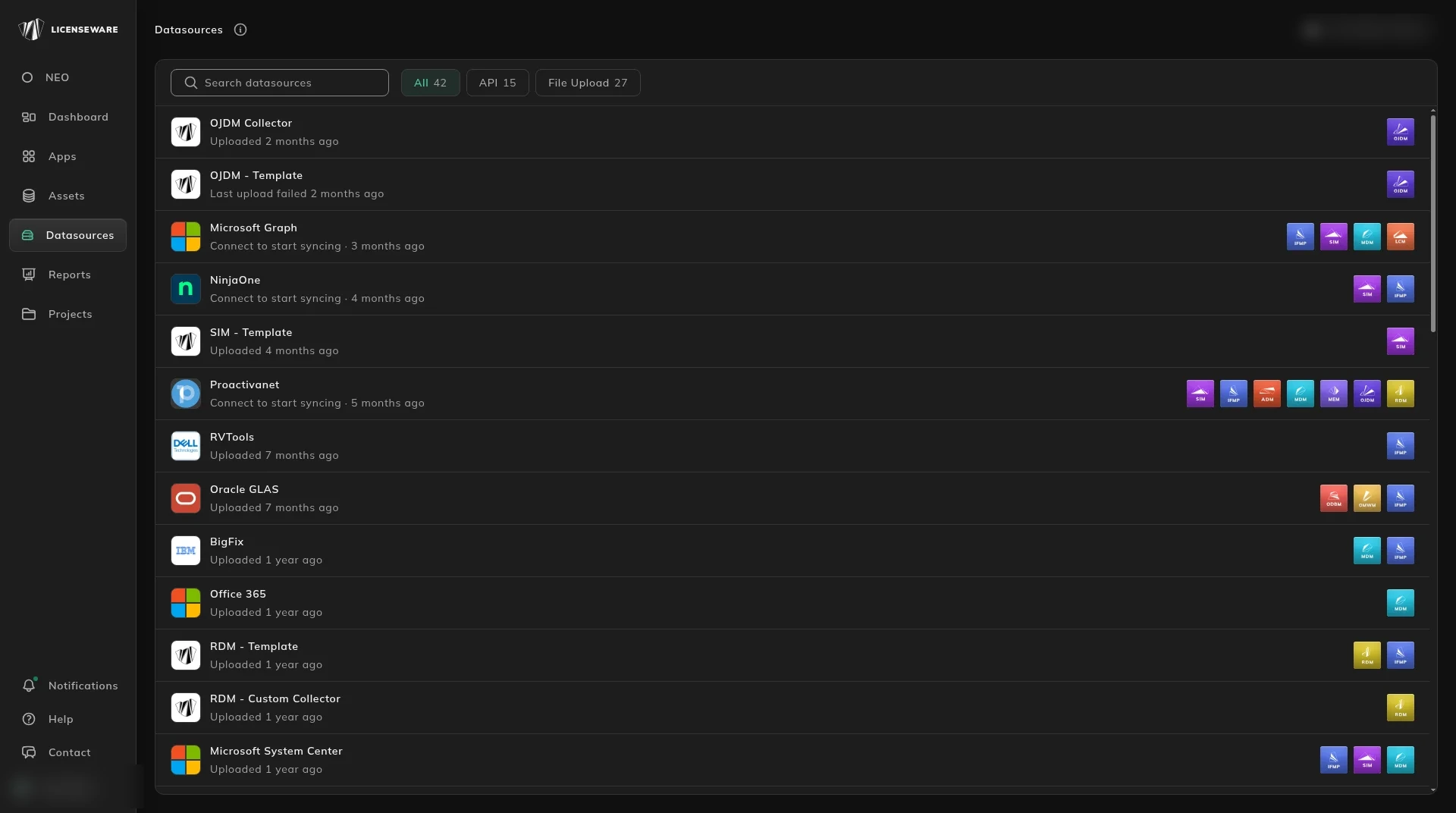
- Connect an API integration. In the app, open Datasources and connect a tool you already run, such as Lansweeper, Microsoft Graph, NinjaOne, or another connector on that page (see Data sources). It syncs on a schedule. You only need one to start.
- Deploy the Collector on your servers and client PCs (laptops, desktops, VDI and Docker containers). Licenseware recommends it for every project, alongside the integration. Its main use is software metering: it records when software is actually run, so you can reclaim licenses nobody uses. It also sends hardware and software inventory, including machines the integration does not see. See Install Collector agents.
- Upload a file for a tool that has no API connection. Templates and tool exports are on Upload & manage data. A spreadsheet of installs uses the SIM template.
Open a report
Section titled “Open a report”When the data has processed, open Reports.
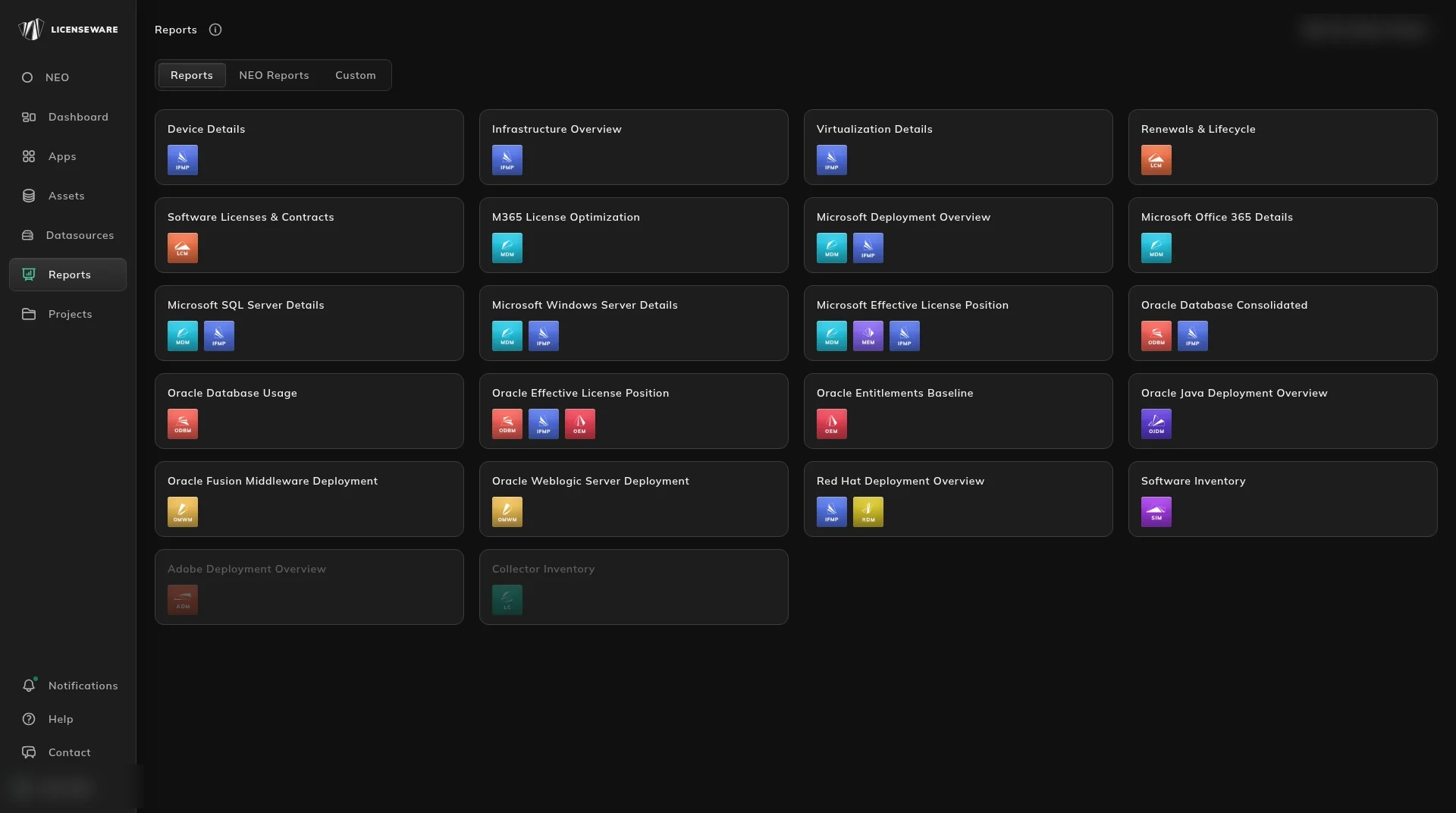
If the data is software inventory, from an API integration, the Collector, or a file, start with the Software Inventory report. It shows what is installed, what is paid, what is out of support, and where several tools do the same job.
Other first reports, once that vendor’s data is in:
| You brought in | Open |
|---|---|
| Microsoft inventory or Microsoft 365 | Microsoft Deployment Overview |
| Contracts and entitlements | Renewals & Lifecycle |
| Oracle, Red Hat, Adobe, Java, or middleware | That app’s overview, from the table below |
Ask NEO
Section titled “Ask NEO”NEO reads the same project. Open NEO Reports for a written finding, or ask a licensing question.
Find the report
Section titled “Find the report”| Question | Page |
|---|---|
| Windows Server edition and cores | Microsoft Windows Server Details |
| SQL Server edition and cores | Microsoft SQL Server Details |
| Microsoft 365 seats you can drop | M365 License Optimization |
| Oracle Database options and the position | Oracle Database Manager |
| Which Java installs need a license | Oracle Java Deployment Manager |
| WebLogic and Fusion Middleware processors | Oracle Middleware Manager |
| Red Hat subscriptions, including backdated gaps | Red Hat Deployment Manager |
| Adobe bundles against what is installed | Adobe Deployment Manager |
| AIX and IBM Power entitled capacity | Device Details |
| A guest counted on the wrong host | Virtualization Details |
The apps
Section titled “The apps”| App | What it is for | Page |
|---|---|---|
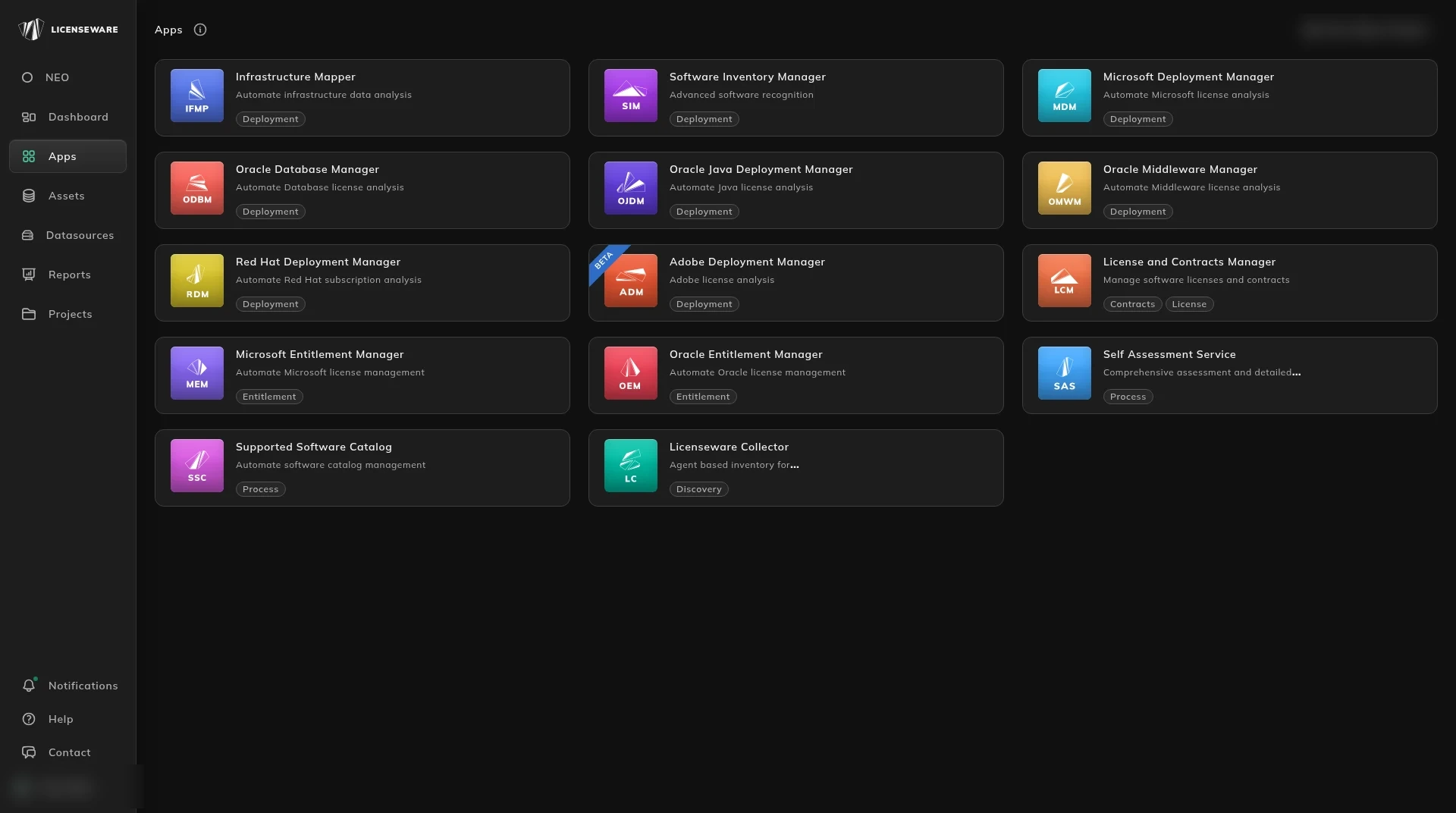
| Software Inventory Manager | Recognize and classify the install list | Overview |
| Microsoft Deployment Manager | Microsoft requirements and Microsoft 365 seats | Overview |
| Oracle Database Manager | Database options and the license requirement | Overview |
| Oracle Middleware Manager | Fusion Middleware and WebLogic | Overview |
| Oracle Java Deployment Manager | Which Java installs need a license | Overview |
| Red Hat Deployment Manager | RHEL subscriptions | Overview |
| Adobe Deployment Manager | Adobe installs and bundles | Overview |
| Infrastructure Mapper | Hosts, clusters and guests | Overview |
| License and Contracts Manager | Agreements, licenses and renewals | Overview |
| Licenseware Collector | Inventory and software metering | Overview |
| NEO | Questions and the three insight reports | Overview |
| Supported Software Catalog | What you allow people to install | Overview |
| Self Assessment Service | ITAM maturity questions and scores | Overview |
The longer setup path, including an account and contracts, is the quickstart. Setting up the Collector next to your API is on Use the Collector. Lansweeper Cloud setup is on Lansweeper.
When the product changes, the notes are on Release notes.
Start, or talk to us
Section titled “Start, or talk to us”Start free creates your account on the EU instance. For the US or AU instance, sign up at us.licenseware.io or au.licenseware.io. See pricing.