
Red Hat template
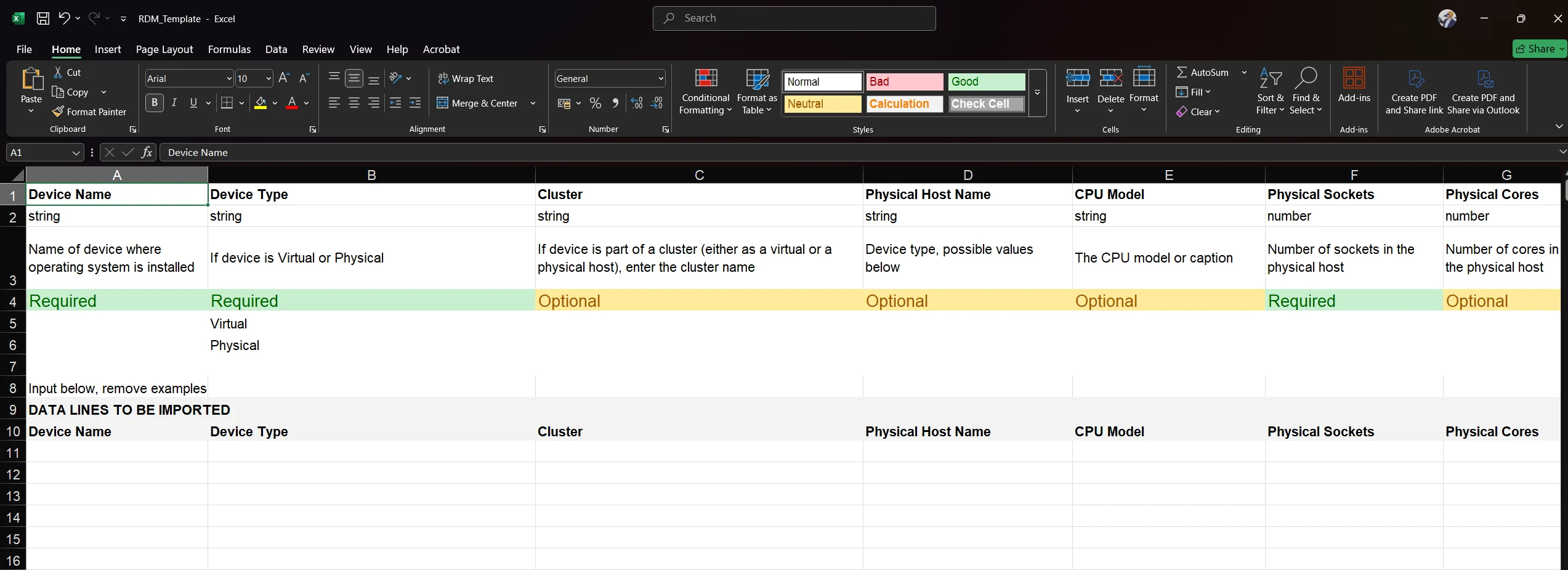
Use the RDM template to run Red Hat subscription analysis when structured data is unavailable, for a manual inventory or for supplemental reporting.
Red Hat Deployment Manager (RDM) enables the automated analysis of Red Hat Enterprise Linux (RHEL) subscription requirements using deployment data. One of the accepted data sources is the RDM Template, which provides a standardized way to input system details when inventory tools are unavailable.
When to use the template
Section titled “When to use the template”Use the RDM Template when:
- You don’t have access to existing discovery or inventory tools.
- You want to model environments manually.
- You wish to complement automated data with manually verified input.
- Data has been collected from spreadsheets or exports and needs standardizing.
Accessing the Template
Download the template from its data source: open Datasources, click RDM - Template, then click Download Template. Download a fresh copy each time, as templates are updated.
Required Fields
The RDM Template includes several fields to ensure accurate subscription mapping. The following fields are required for processing:
- Hostname
- Operating System
- Architecture
- CPU Socket Count
- CPU Core Count
- Is Virtualized
- Virtual Host
- Is RHEL
- Subscription Type (Optional but recommended)
Make sure the original column headers are maintained, and all mandatory fields are populated correctly.
Upload the template
Section titled “Upload the template”Save the file as .xlsx or .csv, then:
- In Licenseware, open Datasources and click RDM - Template.
- Drag your completed file into the upload area, or click Upload.
- Check that it was processed in the source’s upload history.
To replace earlier data rather than add to it, use Reset data on the data source’s page first. See Upload & manage data.
Troubleshooting
Section titled “Troubleshooting”If the file fails to upload or process, double-check:
- The file format is .xlsx or .csv.
- Fill data beneath the DATA LINES TO BE IMPORTED line. Leave the header rows above it in place.
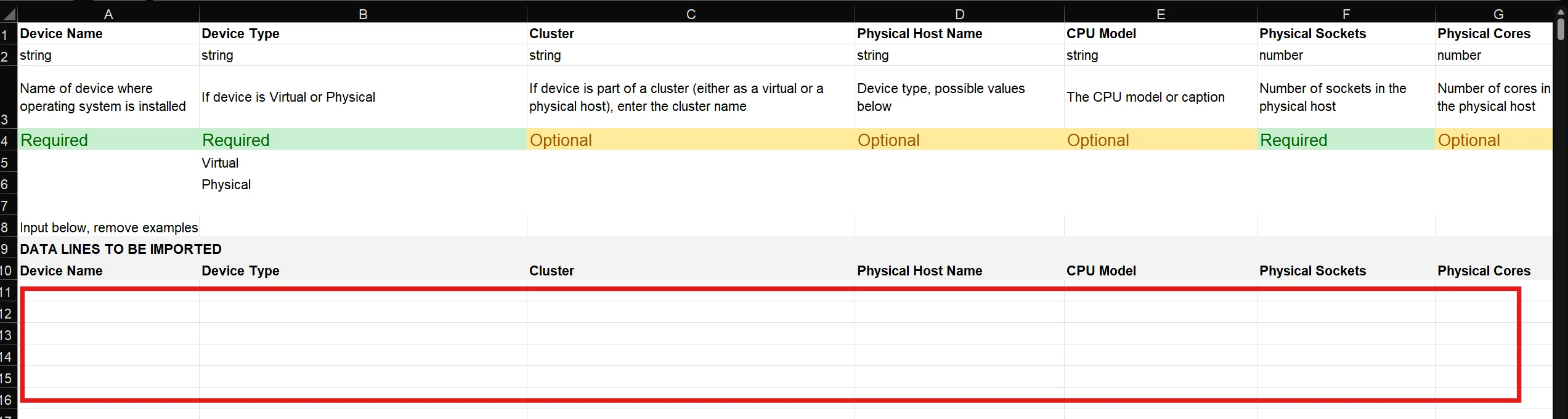
- Column headers are unchanged.
- Required fields are not empty.
- Data types are consistent (e.g. numeric values for cores/sockets).
Any errors are listed in the data source’s upload history.