
Data sources
Datasources lists every source that brings data into your project. Open it from the sidebar.
Connect an API integration and deploy the Collector, which Licenseware recommends for every project because it meters software use. Use a File Upload for a tool that has no API connection.
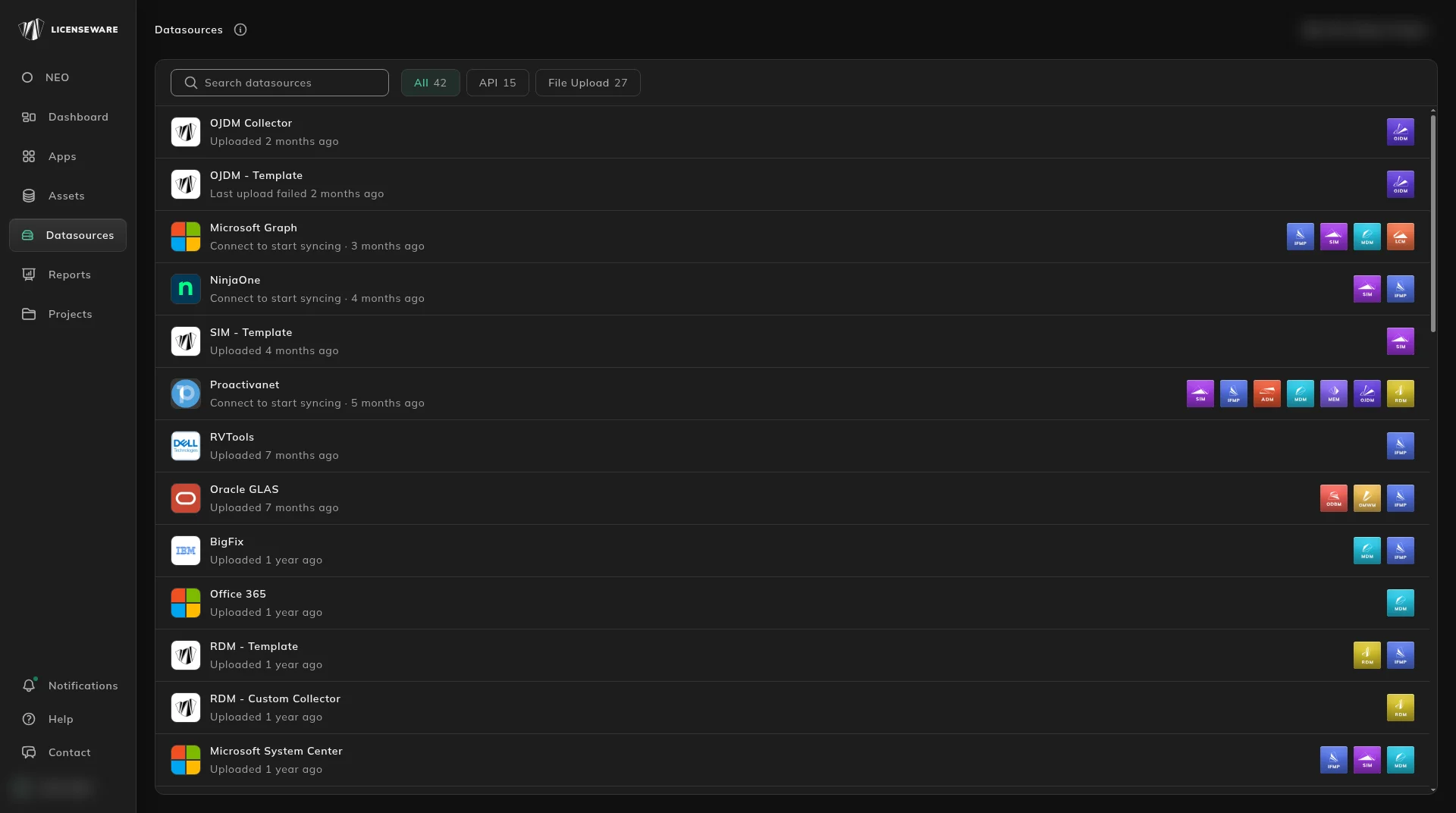
Two kinds of data source on this page
Section titled “Two kinds of data source on this page”| Kind | What it is |
|---|---|
| API | A live connection to another tool. Licenseware pulls data from it automatically on a schedule. |
| File Upload | A file you export or fill in yourself and upload, such as a Licenseware template or a tool export. |
Use the filter tabs at the top to switch between API and File Upload sources, or All for both. Each tab shows how many sources it holds. The search box is Search datasources.
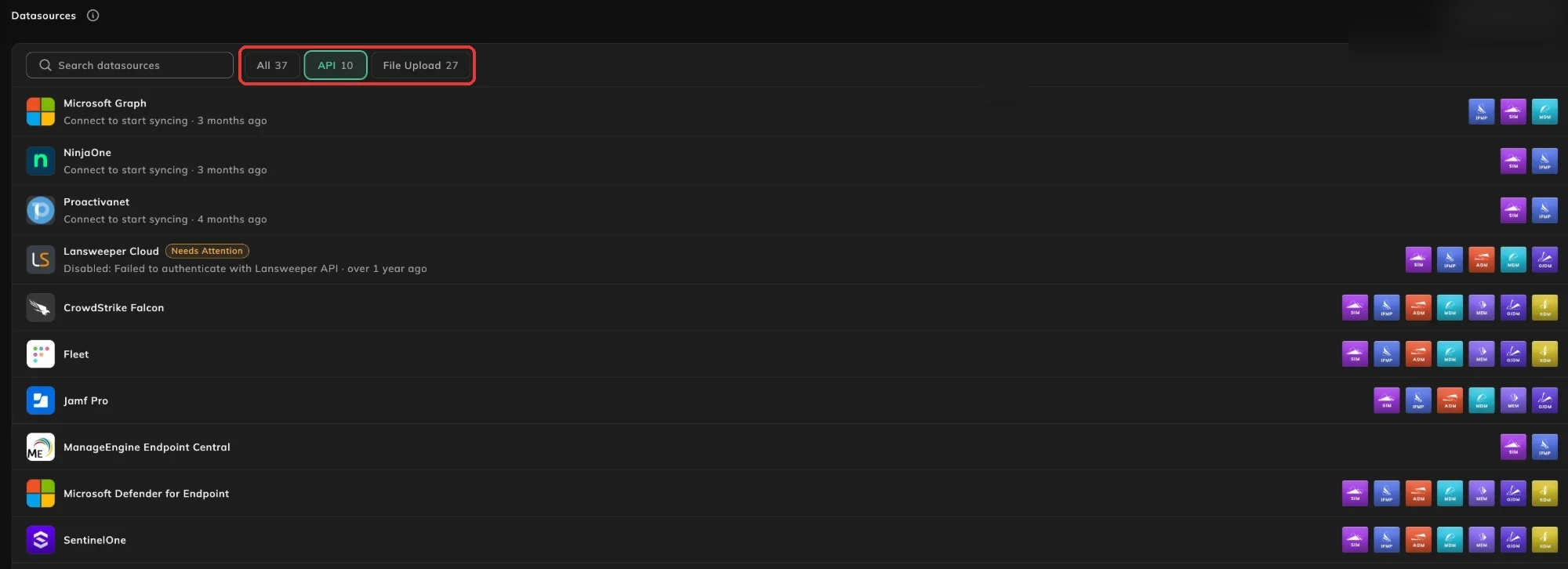
The API and File Upload sources:
| Source | Type | Setup guide |
|---|---|---|
| CrowdStrike Falcon | API | CrowdStrike |
| Fleet | API | Fleet |
| Freshservice | API | Freshservice |
| Ivanti Neurons for ITAM | API | Ivanti |
| Jamf Pro | API | Jamf Pro |
| Jira Service Management Assets | API | Jira Service Management |
| Lansweeper Cloud | API | Lansweeper |
| ManageEngine Endpoint Central | API | ManageEngine |
| Microsoft Defender for Endpoint | API | Microsoft Defender for Endpoint |
| Microsoft Graph | API | Microsoft Graph |
| NinjaOne | API | NinjaOne |
| Proactivanet | API | Proactivanet |
| SentinelOne | API | SentinelOne |
| TOPdesk | API | TOPdesk |
| Wiz | API | Wiz |
| BigFix | File Upload | HCL BigFix |
| Flexera | File Upload | Flexera FNMS |
| IFMP - Template | File Upload | IFMP template |
| JDowser | File Upload | JDowser on GitHub |
| Lansweeper (on-premise) | File Upload | Lansweeper On-Prem export |
| LCM - Template | File Upload | LCM template |
| Licenseware Oracle Collector | File Upload | Oracle database collector |
| MAP Toolkit | File Upload | MAP Toolkit |
| MDM - Template | File Upload | MDM template |
| MEM - Template | File Upload | Microsoft entitlements template |
| Microsoft License Statement | File Upload | Request it from your Microsoft LSP (Licensing Solution Partner), then upload it |
| Microsoft System Center | File Upload | Microsoft System Center (SCCM), SCCM - Export for SIM template |
| Office 365 | File Upload | Microsoft 365 Admin Portal |
| OJDM - Template and OJDM Collector | File Upload | OJDM template, Java collector |
| Oracle Entitlements Baseline CSV Template | File Upload | Oracle entitlements template |
| Oracle GLAS | File Upload | Flexera LMS Archive, Flexera Oracle Infrastructure |
| Oracle LMS Export | File Upload | Oracle LMS scripts |
| RDM - Template and RDM - Custom Collector | File Upload | Red Hat template, Red Hat collector |
| RHEL Discovery | File Upload | Red Hat Discovery documentation |
| RVTools | File Upload | RVTools |
| ServiceNow | File Upload | ServiceNow |
| SIM - Template | File Upload | SIM template |
| Snow | File Upload | Snow Software |
| VMware PowerCLI | File Upload | VMware PowerCLI |
Each row shows:
- The source’s name and its latest activity, for example Uploaded 2 months ago, Last upload failed 2 months ago, or Connect to start syncing for an API connection that isn’t set up yet.
- A green Configured badge once an API connection is set up, with when it last synced.
- A Needs Attention badge when something has gone wrong, with the reason underneath, such as Disabled: Failed to authenticate with Lansweeper API.
- A type badge that marks the source as API or File Upload. It is an icon only, with no text label.

Static data extraction guides
Section titled “Static data extraction guides”These guides show how to take a static data extract from tools that don’t have their own source on Datasources, ready to upload through the SIM template (or the template named in the guide).
| Tool | Guide |
|---|---|
| Device42 | Extraction guide |
| Find Oracle databases with Nmap | Extraction guide |
| HaloITSM | Extraction guide |
| Hyper-V script | Extraction guide |
| Microsoft Intune | Extraction guide |
| Oracle options pack usage | Extraction guide |
| Oracle Review Lite | Extraction guide |
| PDQ Inventory | Extraction guide |
| Qualys | Extraction guide |
| Sophos | Extraction guide |
| Spiceworks | Extraction guide |
| SQL Server Management Studio | Extraction guide |
| Tanium | Extraction guide |
| Virtualization & hardware | Extraction guide |
| VMware Carbon Black | Extraction guide |
Find a source
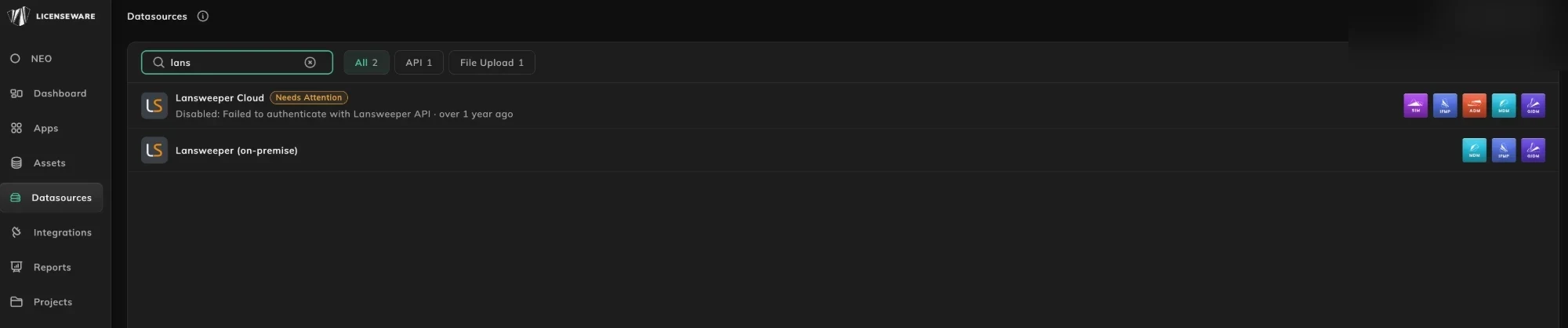
Section titled “Find a source”Type in Search datasources to narrow the list. The filter counts update to match.
Check an API connection
Section titled “Check an API connection”Click an API connection to open its page. It shows when the source last synced and what it brought in, its sync schedule, its run history and any errors, and buttons to sync it, update or verify its credentials, reset its data or delete it. API connections sync automatically twice a week, Mon & Wed at 22:00 UTC.
Set up a source
Section titled “Set up a source”Connect an API integration first: Lansweeper, Microsoft Graph, NinjaOne, or any other source marked API in the table above. Deploy the Collector as well, for software metering. For a tool with no API connection, use a source marked File Upload above, or follow one of the static data extraction guides. Upload & manage data explains how uploads work.
Supported Software Catalog also takes a Users Catalog template. Ask support@licenseware.io for the file. ServiceNow catalogs can be exported, or connected by API. That connection is set up by support, not from this list.