

Collector Inventory
Collector Inventory is the estate the agent can see: which machines enrolled, what software is on them, and the hardware those license counts depend on. A machine that never enrolled is missing from every report that reads this inventory.
Open it from Apps, then Licenseware Collector, on the Reports tab.
At a glance
Section titled “At a glance”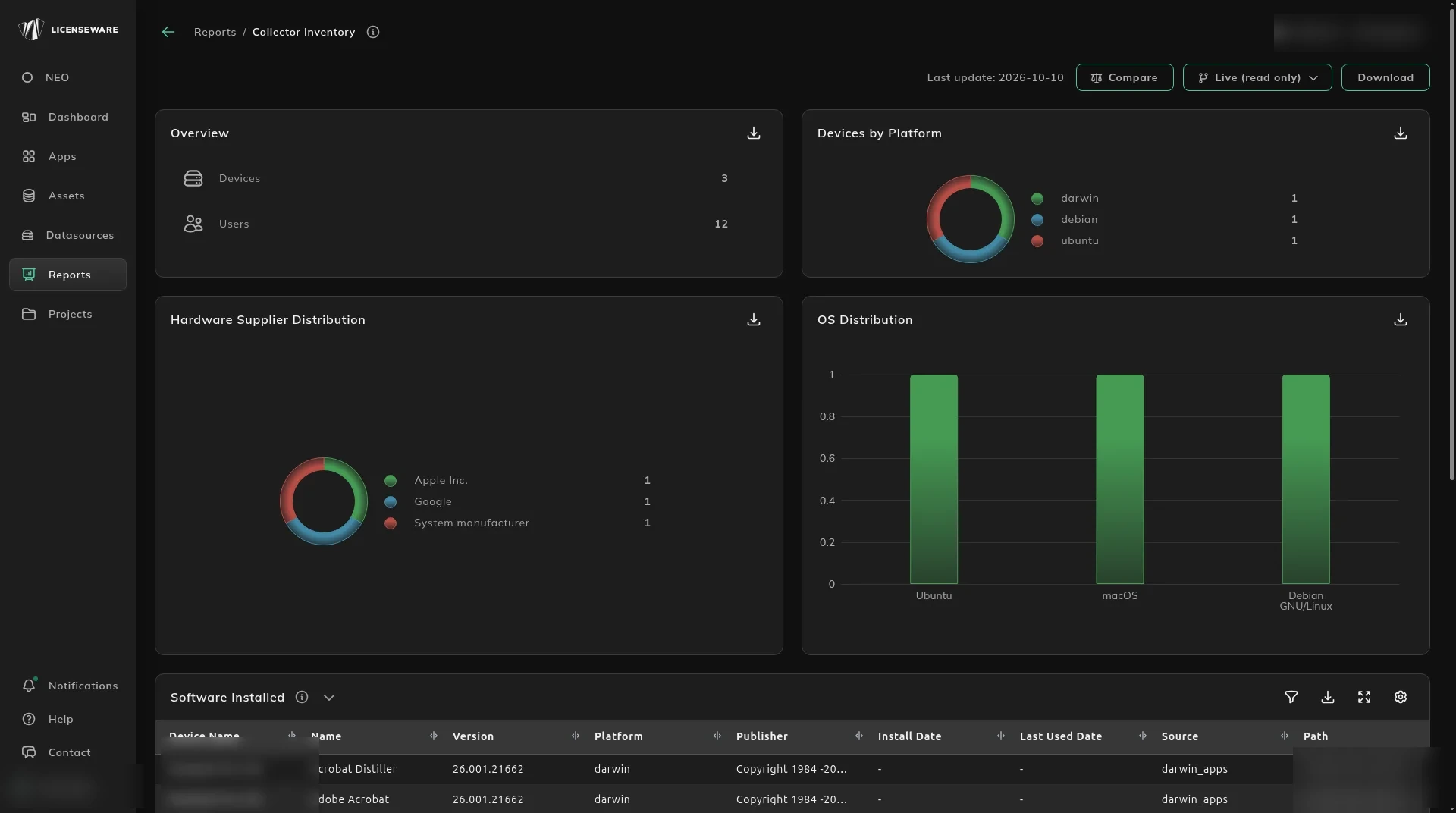
The charts are the size and shape of the covered estate, not a licensing position.
- Overview is Devices and Users.
- Devices by Platform, Hardware Supplier Distribution and OS Distribution split that device count. A platform or OS you expected to see, and do not, is a coverage gap, not a zero install.
What is installed, and on what hardware
Section titled “What is installed, and on what hardware”Software Installed is the install list: device name, software name, version, platform, publisher, install date, last used date, source and path. That list is what SIM and the vendor apps can recognize once the data is in the project.
Hardware Inventory is the machine behind the install: device name, user name, serial number, manufacturer, model, CPU cores, CPU sockets and FQDN. Core and socket counts are what a per-processor license is calculated from. A row with no cores is a machine you cannot size.
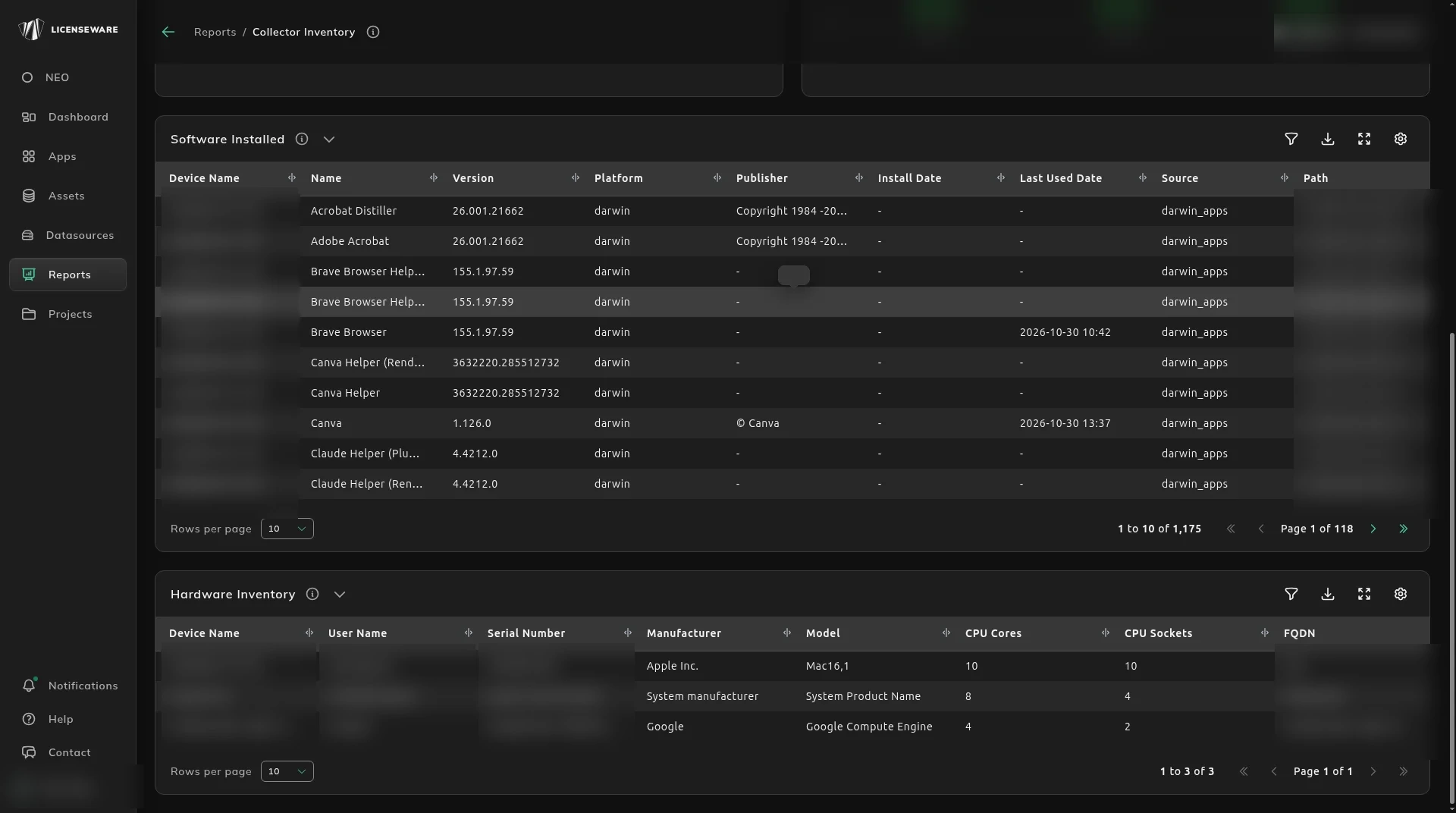
The same machines are on Assets, with Licenseware Collector as the source. To collect again from a machine, use Manage Collector agents.
The last used date on Software Installed is the metering data. It fills Software Usage on Assets, which Find unused software to reclaim explains. The license position is worked out by the apps that read this inventory.