
Hash columns with the Licenseware Encryptor
The Licenseware Encryptor is a PowerShell script, Licenseware_Encryptor.ps1. It hashes the columns you choose in Excel and CSV files, so the same original value always becomes the same hashed value, and writes a keymap so you can look the originals up later.
You run it on Windows, on the files, before you upload them. Use it when you need to share data with Licenseware or another party without exposing the sensitive values. Encrypt each data source in its own run. Do not mix two sources in one Input folder.
What you need
Section titled “What you need”- Windows with PowerShell 5.1 or later.
- The script file
Licenseware_Encryptor.ps1. - The ImportExcel module, once per machine. In PowerShell:
Install-Module -Name ImportExcel -Scope CurrentUser -ForceSet up the folders
Section titled “Set up the folders”- Create a folder for the job, for example
C:\DataScrubber. - Save
Licenseware_Encryptor.ps1in that folder. - Create a subfolder named
Input. - Put the Excel and CSV files in
Input.
Choose the columns
Section titled “Choose the columns”Generate a catalog of every column header in those files:
powershell.exe -ExecutionPolicy Bypass -File ".\Licenseware_Encryptor.ps1" -Mode GenerateCatalogThat writes Column_Catalog_To_Edit.csv in the main folder, with ColumnName and Encrypt. For each column you want hashed, put yes in Encrypt. y, encrypt, and obfuscate also work. Leave Encrypt blank to keep the column as it is. Save the file.
Run it
Section titled “Run it”powershell.exe -ExecutionPolicy Bypass -File ".\Licenseware_Encryptor.ps1" -Mode ObfuscateThe script asks for a secret key.
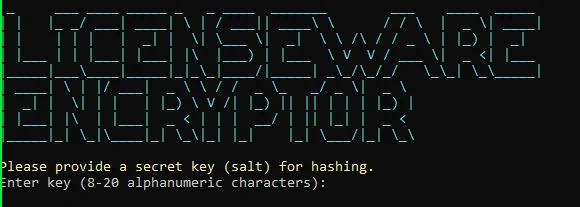
- 8 to 20 characters.
- Letters and numbers only.
- Use the same key when you hash more files and you need the values to match. The keymap is the lookup if you do not have the key.
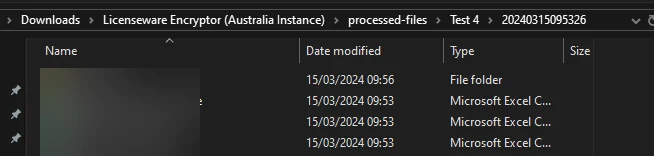
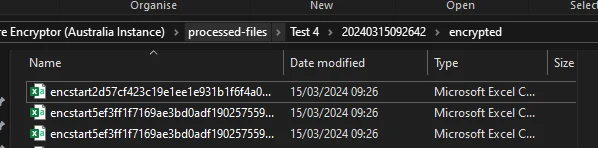
The script creates an Output folder:
| File | What it is |
|---|---|
ENCRYPTED_ files | Copies of your files, with the marked columns hashed. |
_KeyMap.csv | OriginalValue and ObfuscatedValue. Keep this. It is how you identify the original values. |
The script uses SHA-256. The key is the salt mixed in before the hash.
If PowerShell blocks the script
Section titled “If PowerShell blocks the script”If you see “File cannot be loaded… not digitally signed”, open PowerShell as administrator and run:
Set-ExecutionPolicy -ExecutionPolicy RemoteSigned -Scope CurrentUserConfirm with Y, close that window, and run the script again from a normal PowerShell window.
What to do next
Section titled “What to do next”Upload the ENCRYPTED_ files as you would any other file. Questions about the script: support@licenseware.io.