

What the Supported Software Catalog is for
Supported Software Catalog (SSC) is the list of software you allow, and the requests people make against that list. The catalog is both the software in use and the software you support but have not installed yet.
Use it when “what are we allowed to install” lives in a spreadsheet:
- Which titles are on a catalog, and which catalog does a team see?
- Who has asked for software, and what did you answer?
- Who can administer a catalog, and who can only request?
Open it from Apps, then Supported Software Catalog. Three tabs: Catalogs, Requests and Users.
Catalogs
Section titled “Catalogs”Catalogs is the lists themselves. Each card shows the catalog name and how many items it holds. A card can also show a contract number, a renewal date, and a yearly cost, when those were entered.
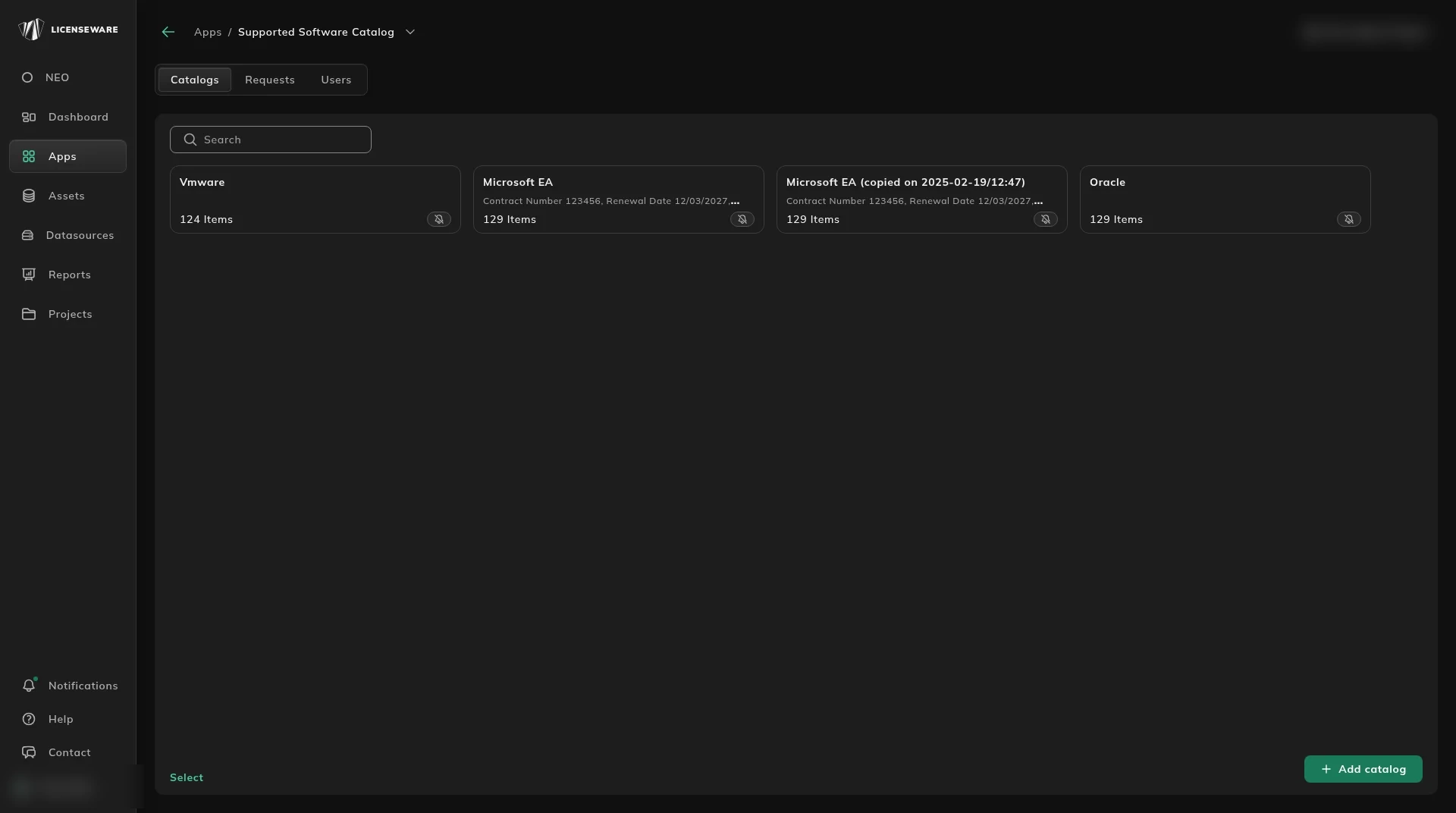
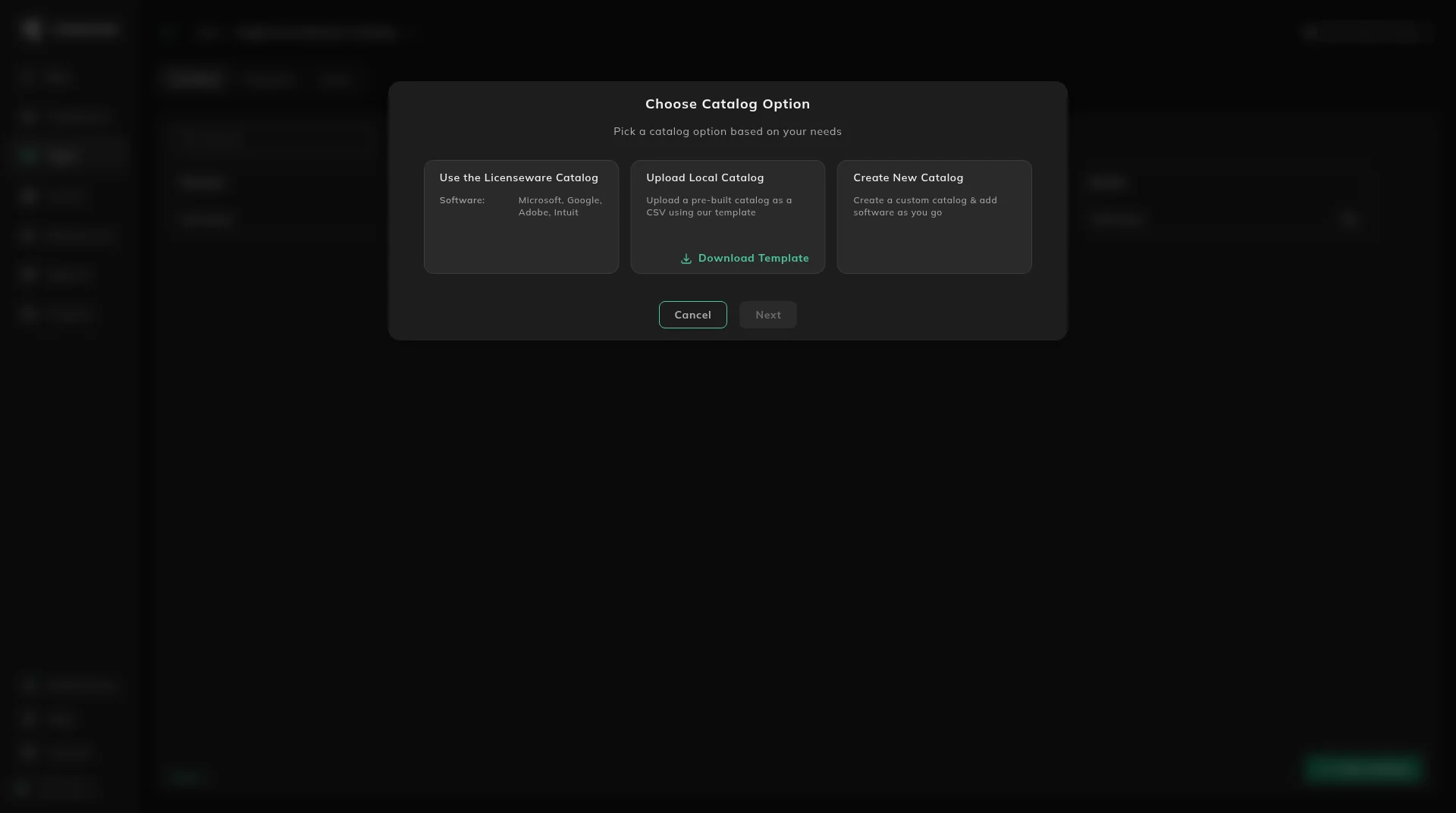
Add catalog opens Choose Catalog Option. The cards are:
- Use the Licenseware Catalog. The card lists Microsoft, Google, Adobe and Intuit.
- Upload Local Catalog. Upload a catalog you already have as a CSV. Download Template is on this card.
- Create New Catalog. An empty catalog you fill in.
Select marks cards. Do not treat a yearly cost on a card as the contract record. The contract itself belongs in License and Contracts Manager.
Requests
Section titled “Requests”Requests is what people have asked for: software name, catalog, version, user, date, status, and notes. An empty list means nobody is waiting. An administrator can approve the request, decline it, or suggest an alternative.
!The Requests tab, with no requests yet
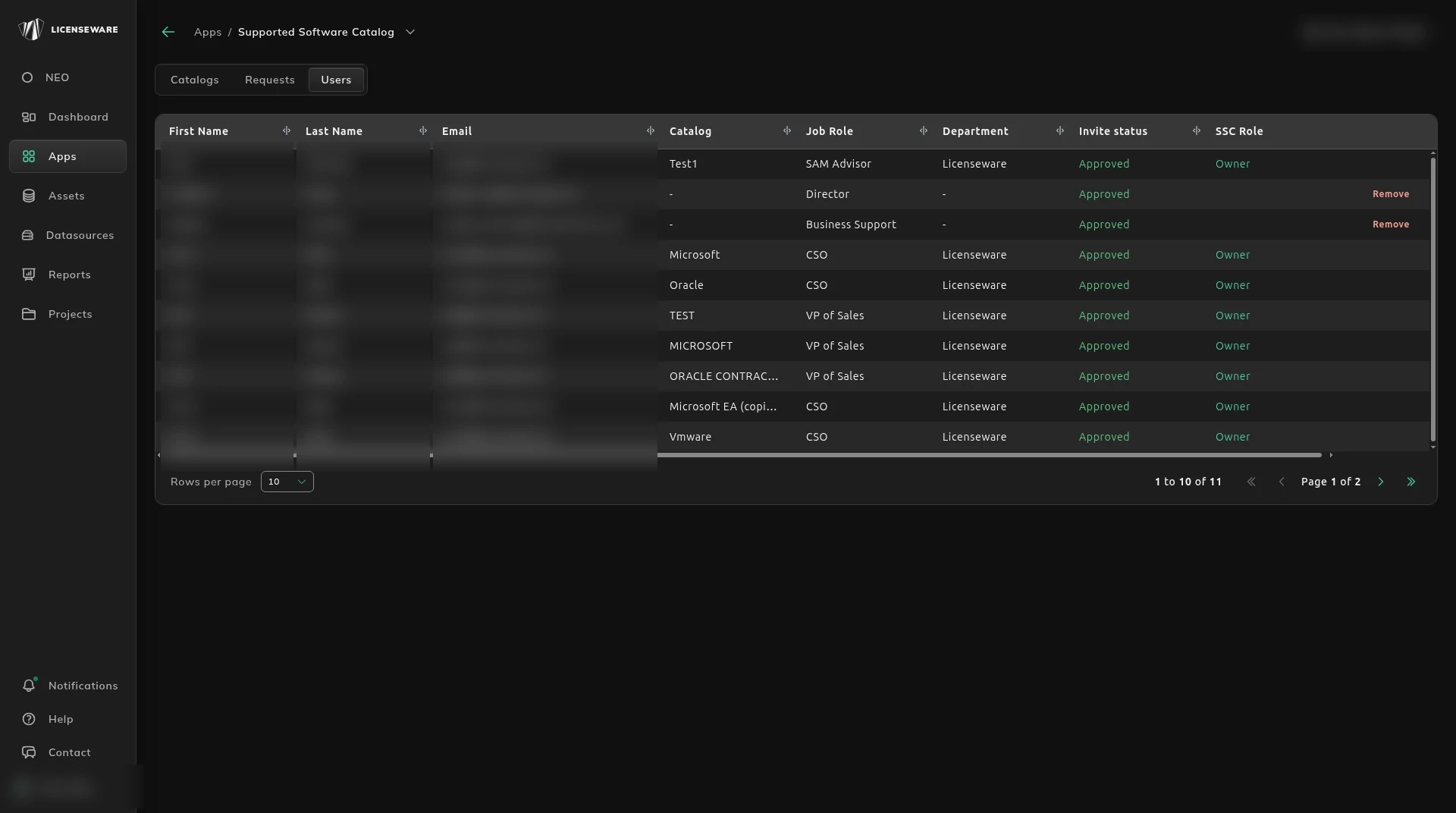
Users is who can use the catalog: first name, last name, email, catalog, job role, department, invite status, and SSC role.
A catalog can be wired to ServiceNow. Ask support@licenseware.io to set it up.
SIM shows what is installed, and the catalog shows what you meant to allow.
Start, or talk to us
Section titled “Start, or talk to us”Start free creates your account on the EU instance. For the US or AU instance, sign up at us.licenseware.io or au.licenseware.io. See pricing.