

Software Inventory report
The Software Inventory report is the estate in one look: what is installed, what you pay for, what is out of support, and where several tools do the same job. It is built from the inventory SIM has recognized, matched, and enriched.
Open it from Apps, then Software Inventory Manager, on the Reports tab, or from Reports.
At a glance
Section titled “At a glance”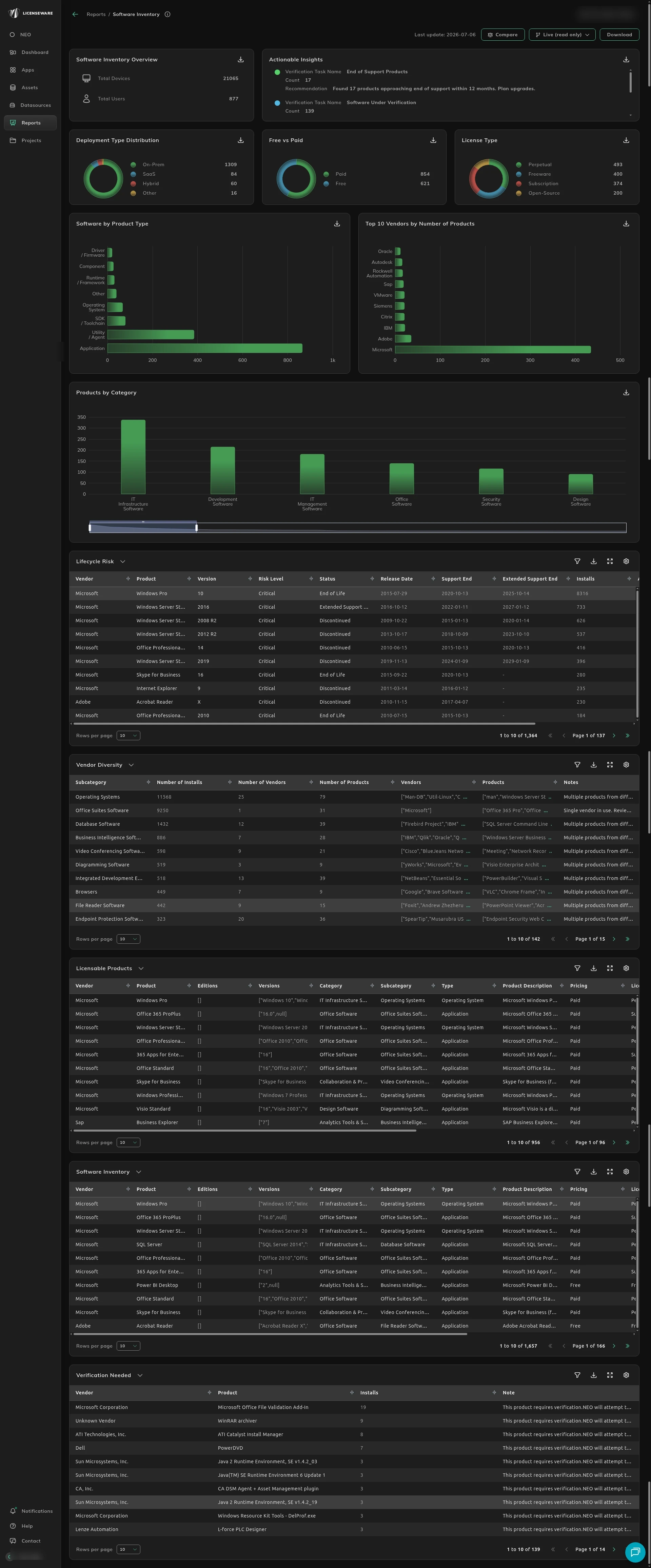
- Software Inventory Overview is the size of the estate in this report: Total Devices and Total Users.
- Actionable Insights names where to start. End of Support Products, Software Under Verification, and Multi-vendor Subcategories each have a count and a recommendation.
- Deployment Type Distribution splits products into On-Prem, SaaS, Hybrid, and Other, so you can see what is local and what is a service.
- Free vs Paid is how much of the estate you pay for.
- License Type splits that into Perpetual, Freeware, Subscription, and Open-Source.
- Software by Product Type separates applications, utilities, and operating systems, so a component is not counted as a tool someone chose.
- Top 10 Vendors by Number of Products shows who publishes the most titles. A long tail here is sprawl, not one contract.
- Products by Category groups the estate, such as IT infrastructure or development tools, which is where overlap shows up.
The sections below are the ones to act on.
Lifecycle and end of support
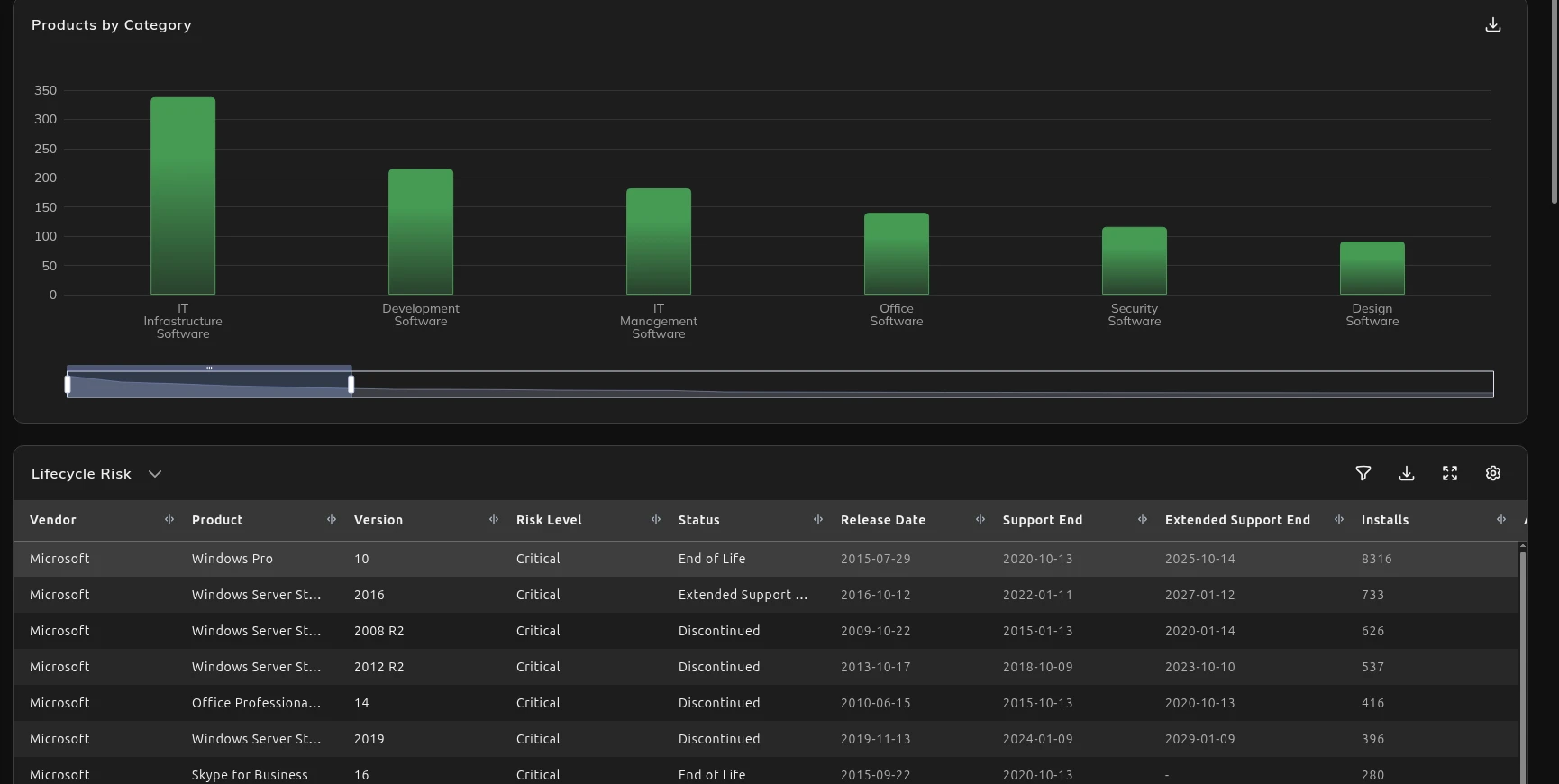
Section titled “Lifecycle and end of support”Software past support is a security hole and an audit finding, and it is the upgrade you have to budget for. Lifecycle Risk lists the vendor, product, and version, the risk, when support ends, and the action to take. Use it to plan the replacement before the date, not after someone asks.
How to work the list is on Spot end-of-support software. Software Risk & Hygiene turns the same dates into a costed risk view.
Overlap and vendor diversity
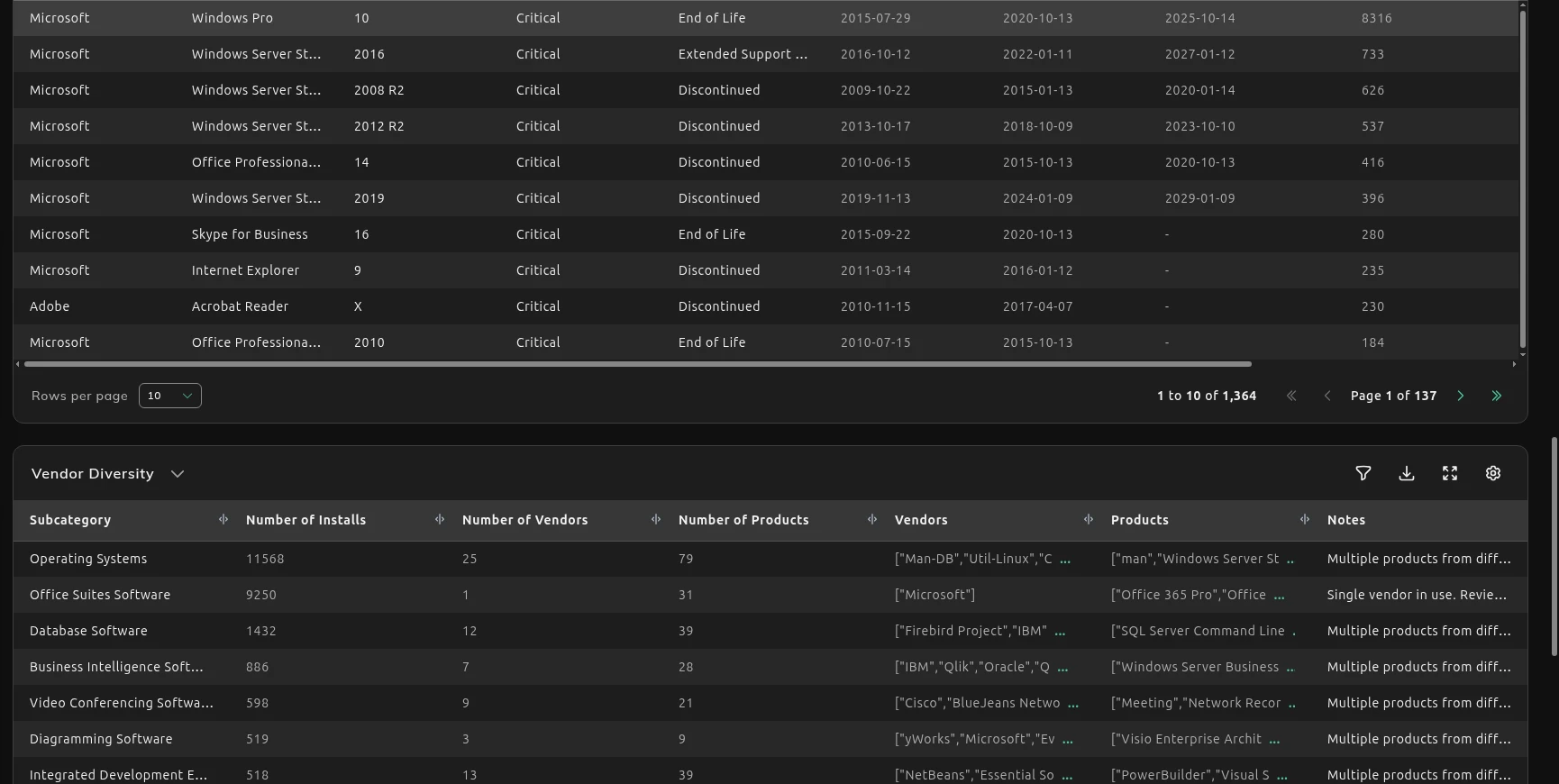
Section titled “Overlap and vendor diversity”Several tools that do one job means several contracts and a renewal you could drop. Vendor Diversity is a subcategory, such as database software or browsers, with the vendors and products in it. A note of Multiple products from different vendors is the consolidation candidate. One vendor in a category is not.
How to choose what to keep is on Reduce overlapping tools. App Rationalization & Consolidation names an incumbent and the products to retire.
Licensable products and pricing
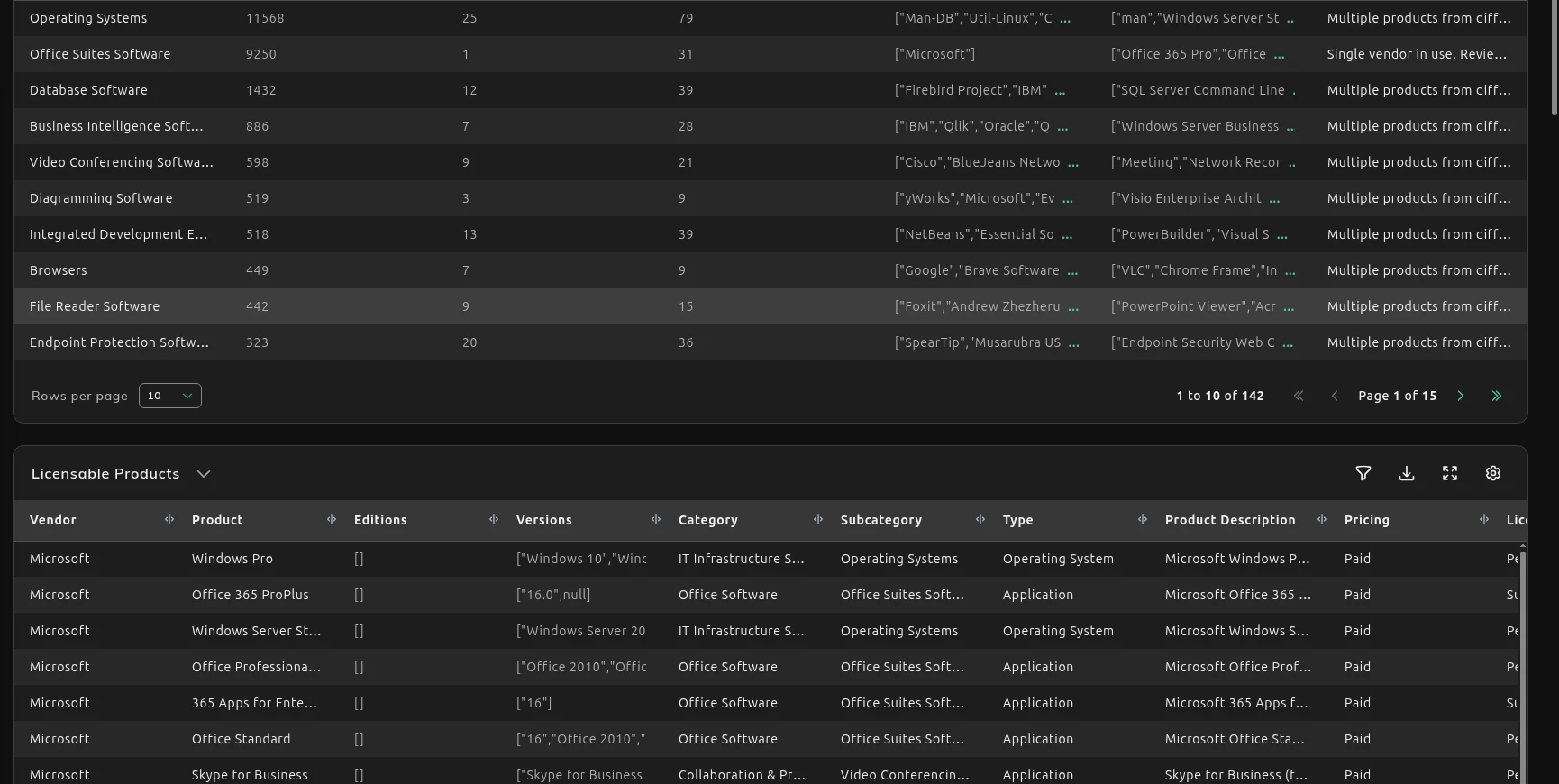
Section titled “Licensable products and pricing”An install is not the same thing as a license you have to pay for. Licensable Products is the list that may need a paid license: pricing, license type, the metric (per device, per user, or per core), and the price. That is the list to take into a renewal, or to hand to a vendor app once the estate is clean.
How to read paid and free together is on See what’s paid vs free.
Product descriptions and categorization
Section titled “Product descriptions and categorization”Category, subcategory, type, and the product description are what make a raw install usable. They are also what NEO reads. App Rationalization groups tools that do the same job. Software Risk & Hygiene separates end-of-life software, personal-use tools, and shadow IT. A wrong category puts the wrong products in those groups.
The Software Inventory table is the recognized product list the charts are counting, with the description, the category, and how widely it is installed. Lifecycle Risk rows also carry the risk level, the status (End of Life, Discontinued or Extended Support Ending), the release date, support end and extended support end, the install count, the action required and any notes.
Click the download icon at the top right of a table. While the file is built, the table shows Preparing download. If the table is filtered, the filter icon shows how many filters are on, and Clear filters removes them. The downloaded Software Inventory table is one row per device, not one row per product, so you can see which machines have a title. See Using reports.
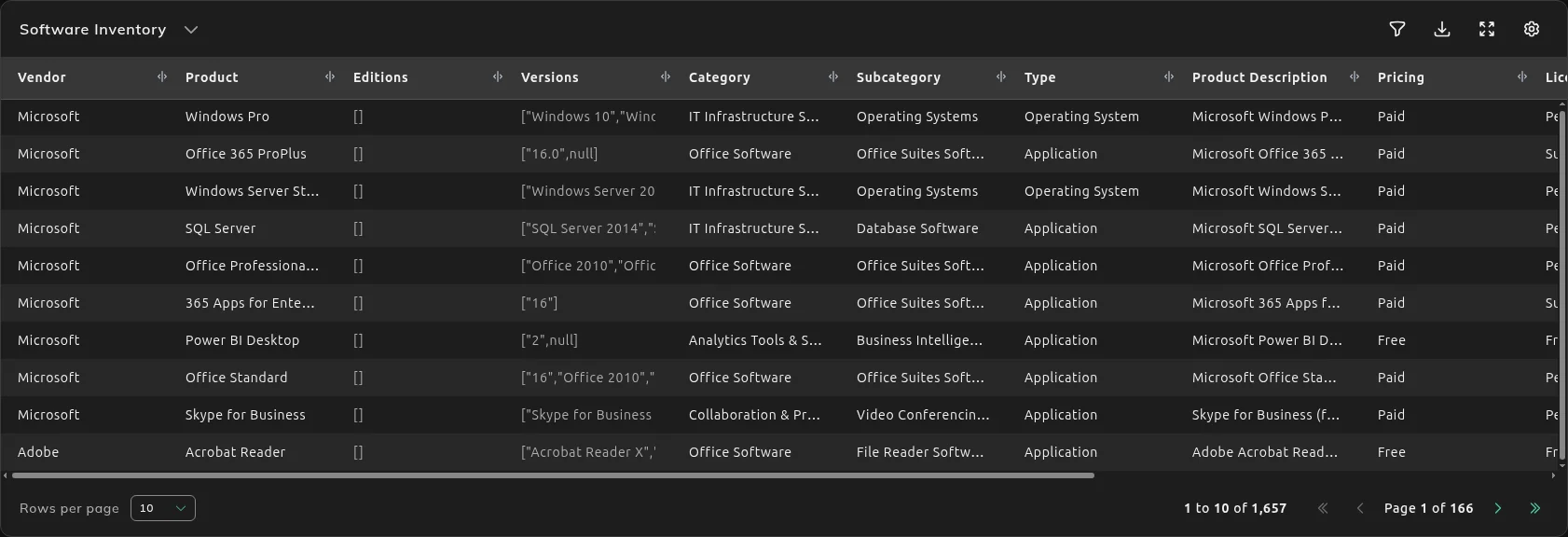
If the category or the description is wrong for your estate, fix how the product is classified.
Verification needed and unmatched
Section titled “Verification needed and unmatched”A product SIM is not sure of is still on the report, but the license type, category, and price are not ready to trust. Verification needed is that list. It is the detail behind the Software Under Verification count.
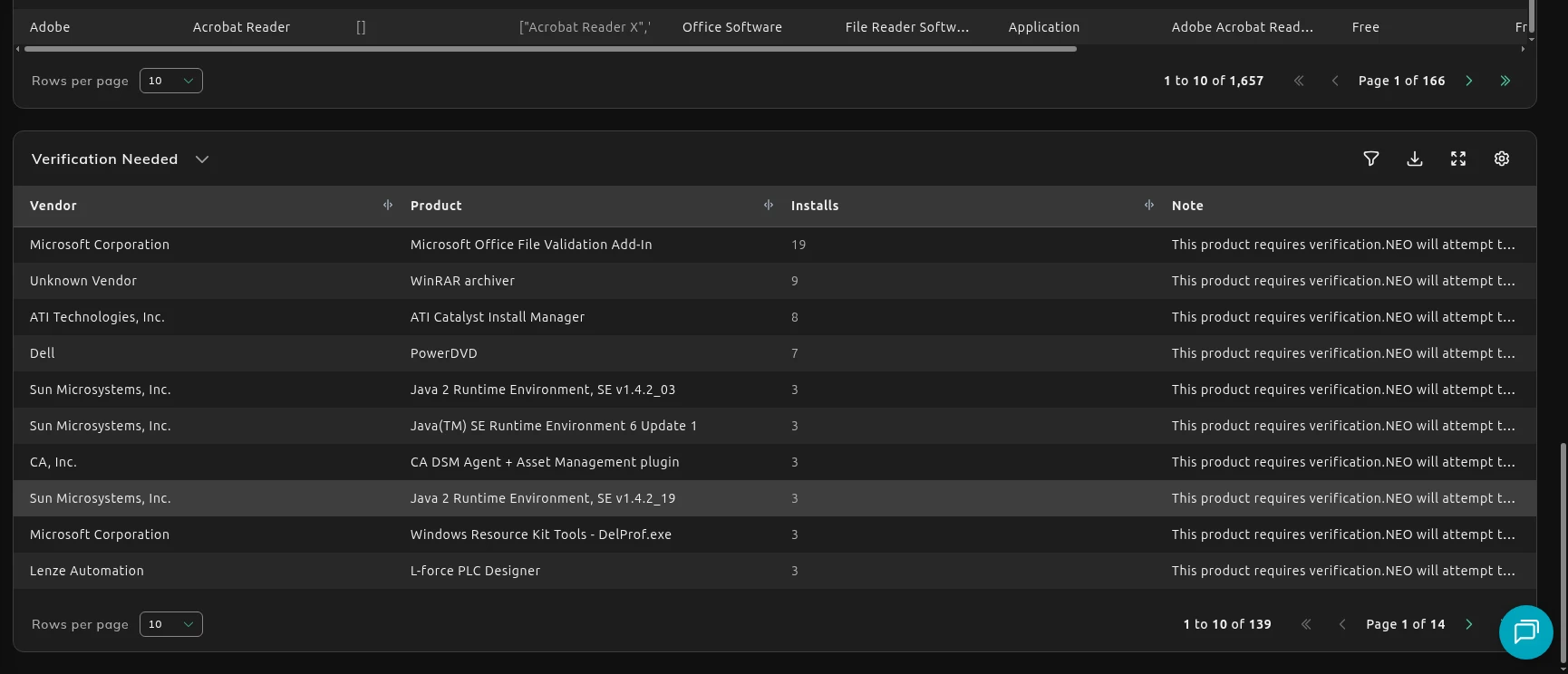
An install that never matched a product is missing from these counts entirely. Map it to the right product and the report starts counting it. A product that matched, but to the wrong license type, category, or price, stays wrong until you change that classification.
Vendor and product cells sometimes show a raw list, including [] when that list is empty. That is the value as stored.