

SaaS Seats report
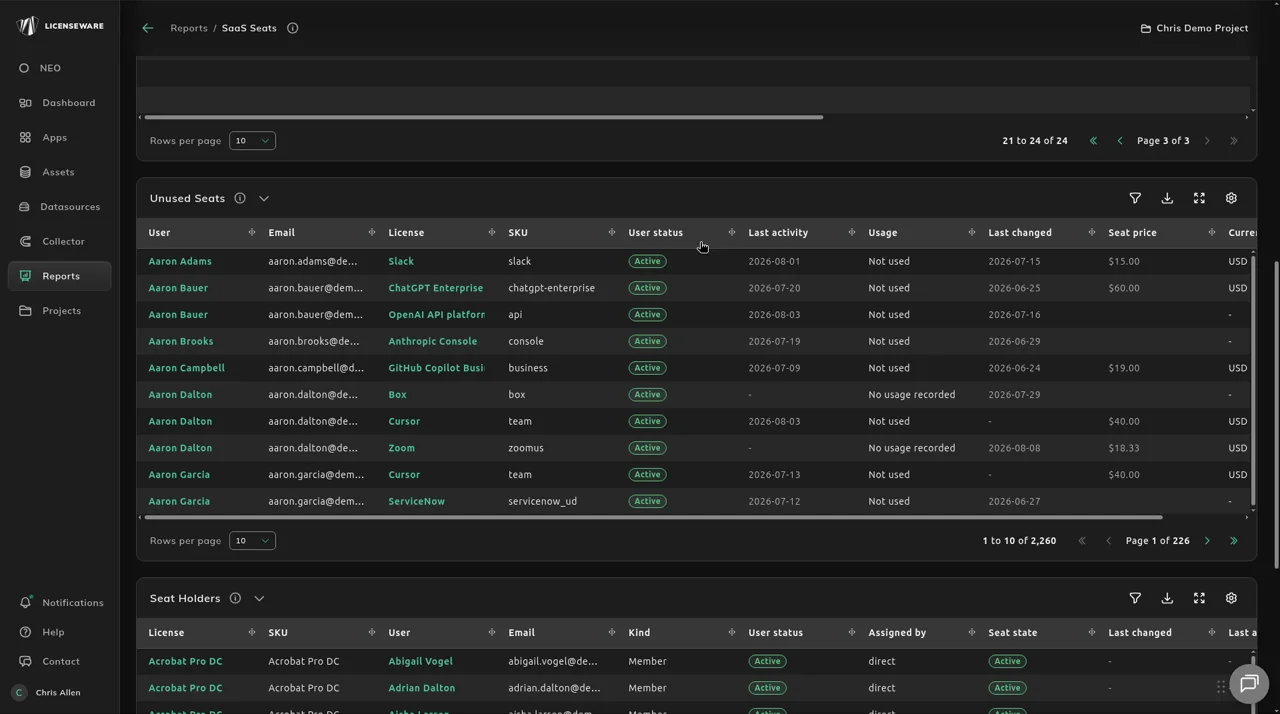
The SaaS Seats report shows who holds which SaaS seat: the seats of every synced per-user license, the seats nobody uses, the users behind them, and sign-ins on devices that couldn’t be matched to a user. Per-user SaaS licenses are paid whether or not anyone signs in, and this report puts a cost on that gap.
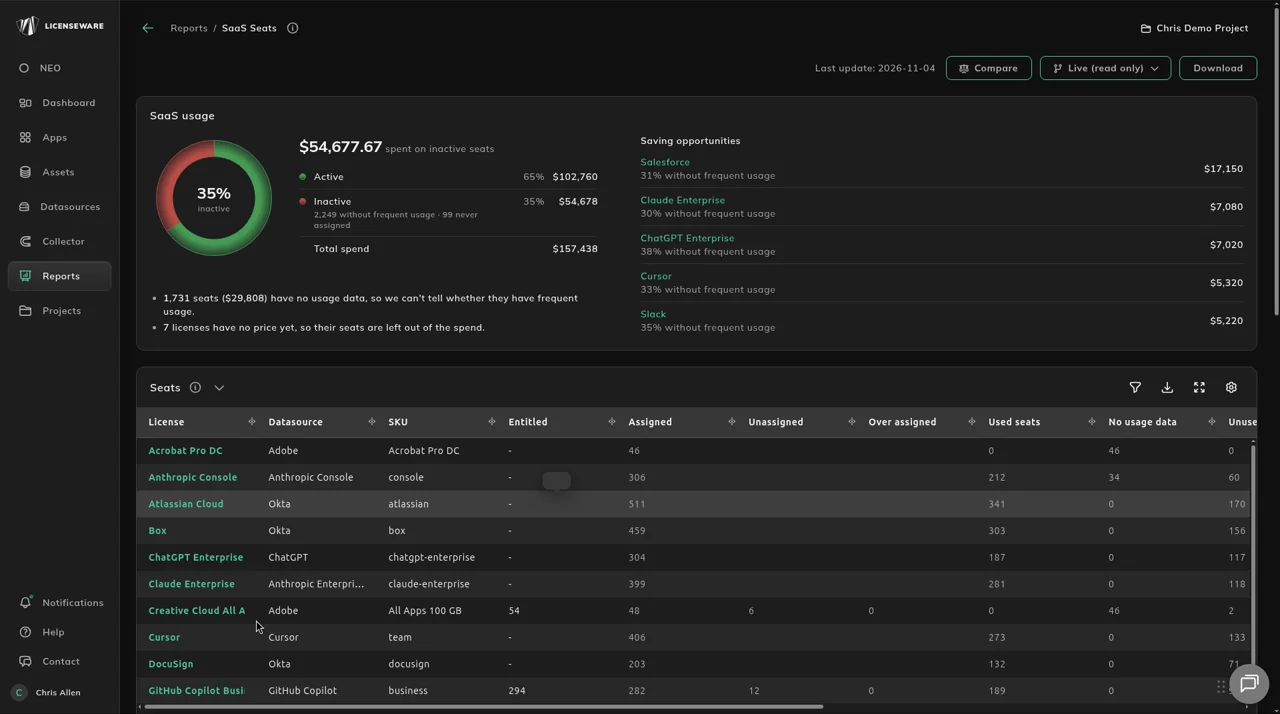
1. Connect your SaaS and AI sources
Section titled “1. Connect your SaaS and AI sources”The seats come from synced per-user licenses: the AI providers (Connect AI providers), Adobe, Microsoft Graph, and Okta for SaaS apps assigned through single sign-on. Every source is on Data sources.
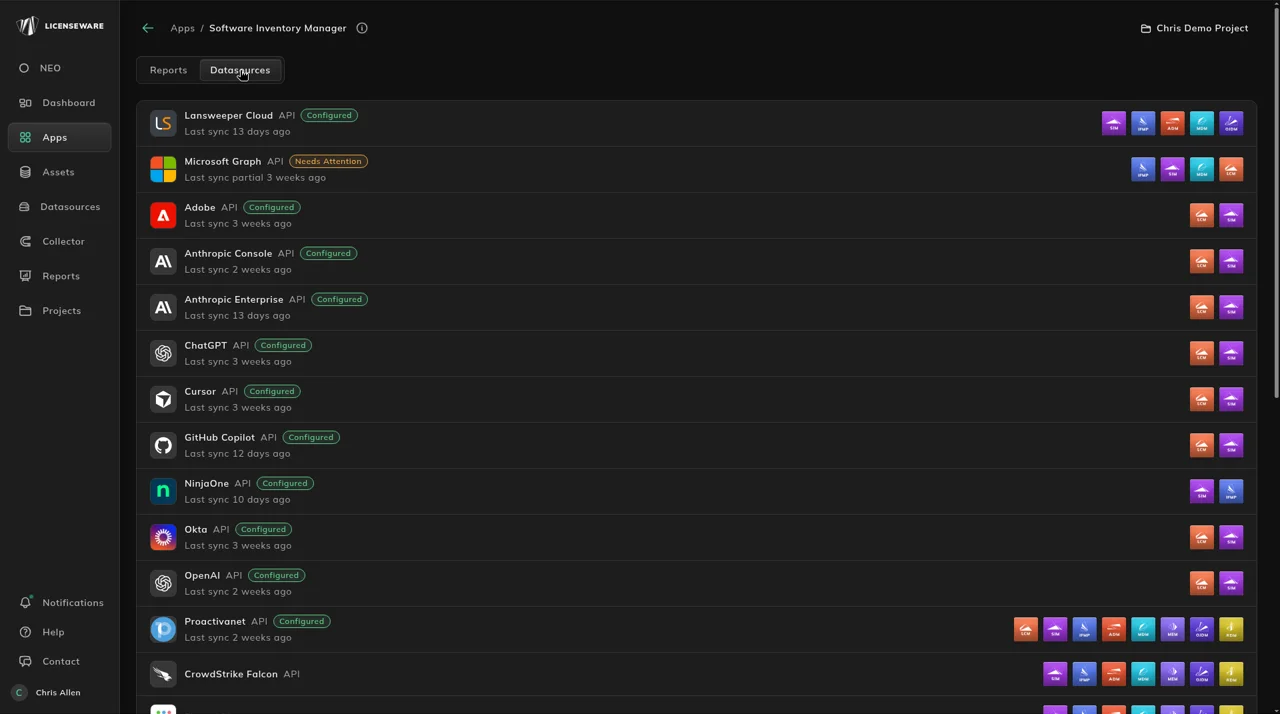
2. Open SaaS Seats
Section titled “2. Open SaaS Seats”Open Apps, then Software Inventory Manager, and click SaaS Seats on the Reports tab, or open it from Reports.
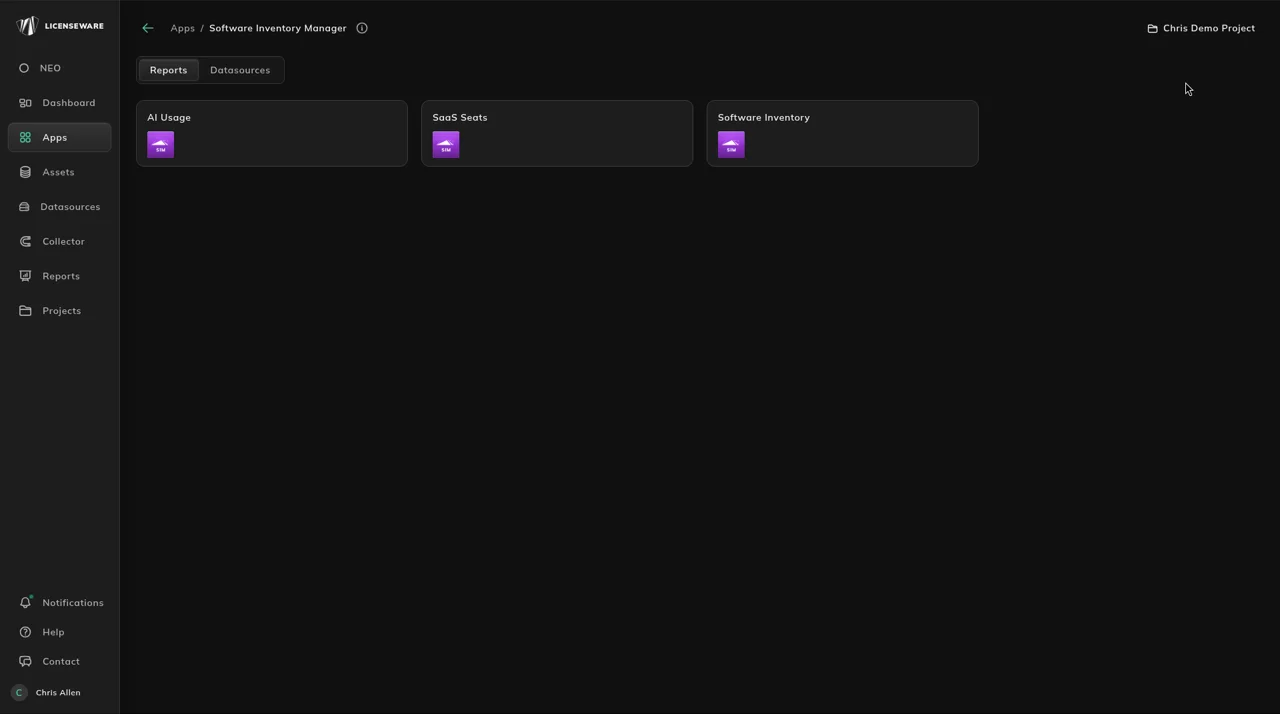
3. Start with the saving
Section titled “3. Start with the saving”SaaS usage shows how much you spend on inactive seats, and Saving opportunities names the licenses where most of that money sits.
4. Check entitlement against use
Section titled “4. Check entitlement against use”Seats puts every synced license’s entitled seats next to the seats assigned and used. Its Status column flags a license that is Over Deployed, or whose Quantity not set means there is nothing to compare against yet.
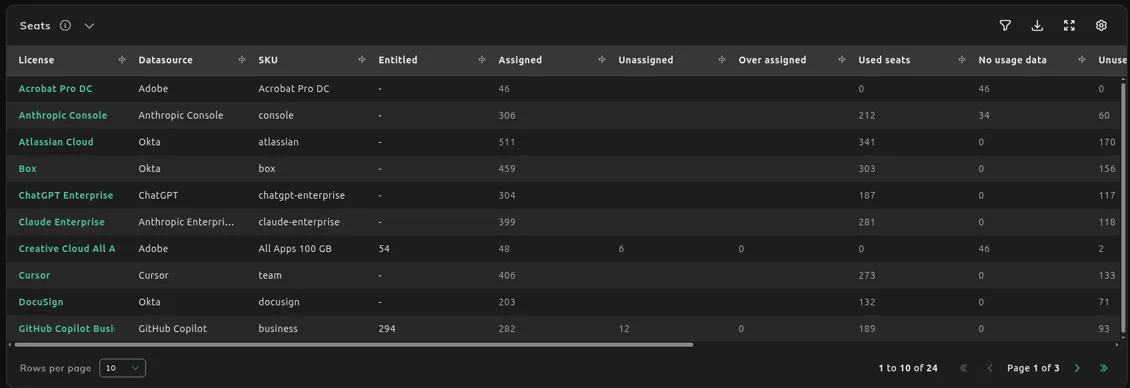
5. Reclaim unused seats
Section titled “5. Reclaim unused seats”Unused Seats is the reclaim list, with a price per seat. Check Seat Holders for the evidence behind a seat before you remove or reassign it.
What each section shows
Section titled “What each section shows”Start with the spend on inactive seats and the Saving opportunities list.
Compare entitled seats with assigned and used seats, and act when Status is Over Deployed or Quantity not set.
Reclaim seats with a price, then check Seat Holders for the evidence behind each one.
Use the row behind a seat when you reassign or remove it.
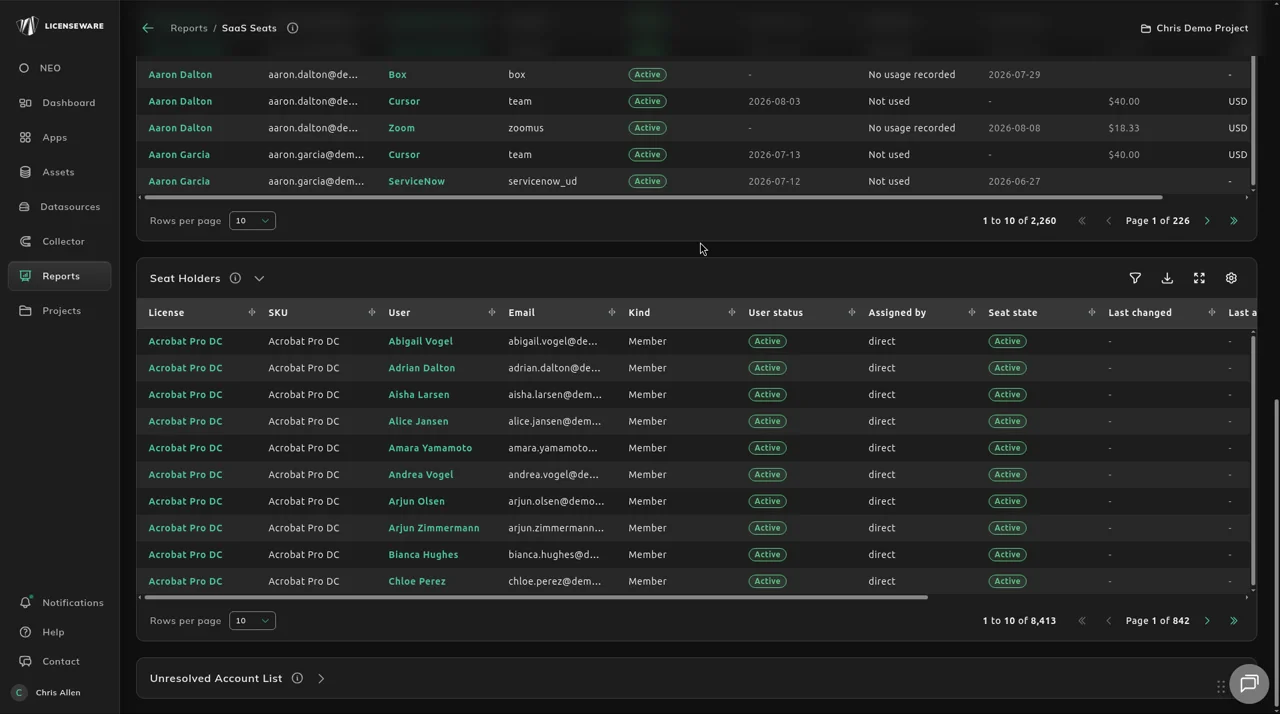
Unresolved Account List shows sign-ins on a device that couldn’t be matched to a user, so you can see which accounts still need matching.