

AI Usage report
The AI Usage report shows what each AI tool was used for and what it cost over the last 28 days, per tool, person, service account, project and workspace, and who holds more than one AI tool. AI spend grows per token and per seat across several vendors, so this is where you find duplicate tools, unused seats and the people who drive the cost.
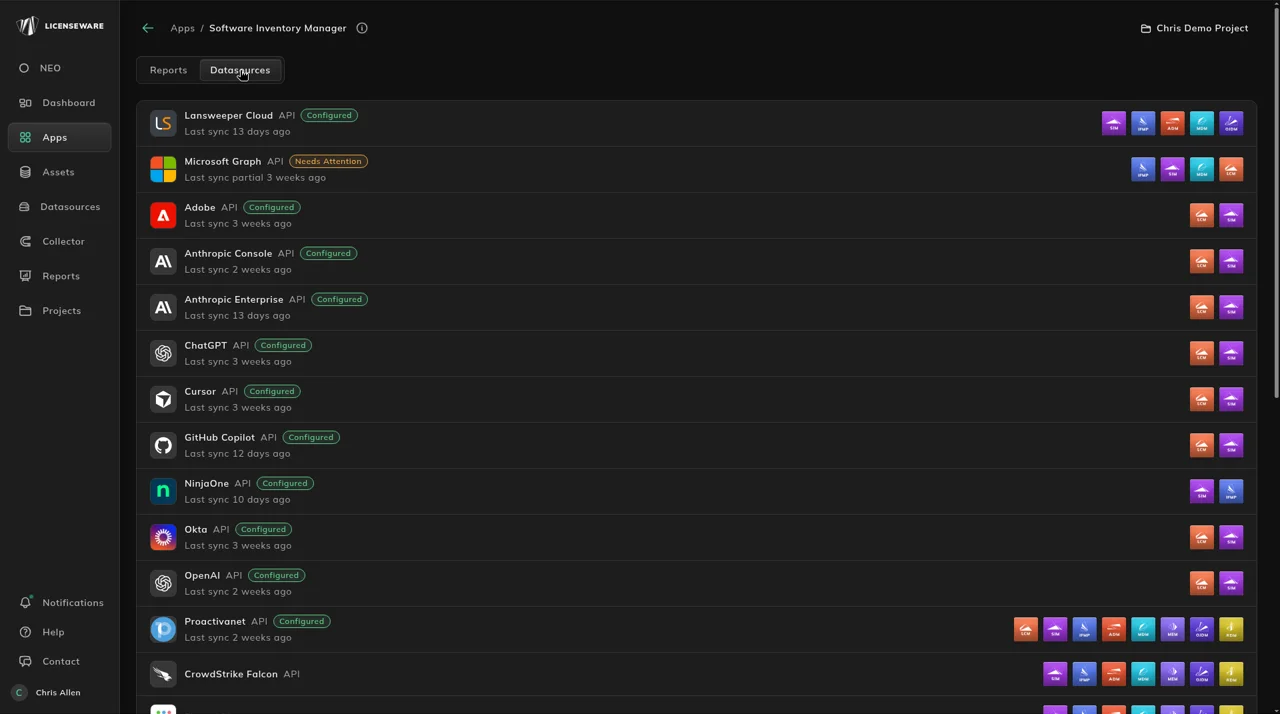
1. Connect your AI providers
Section titled “1. Connect your AI providers”In Datasources, filter to API and connect Anthropic Console, Anthropic Enterprise, OpenAI, ChatGPT, Cursor or GitHub Copilot. They sync Mon & Wed at 22:00 UTC, or use Sync Now. The steps are on Connect AI providers, and every source is on Data sources.
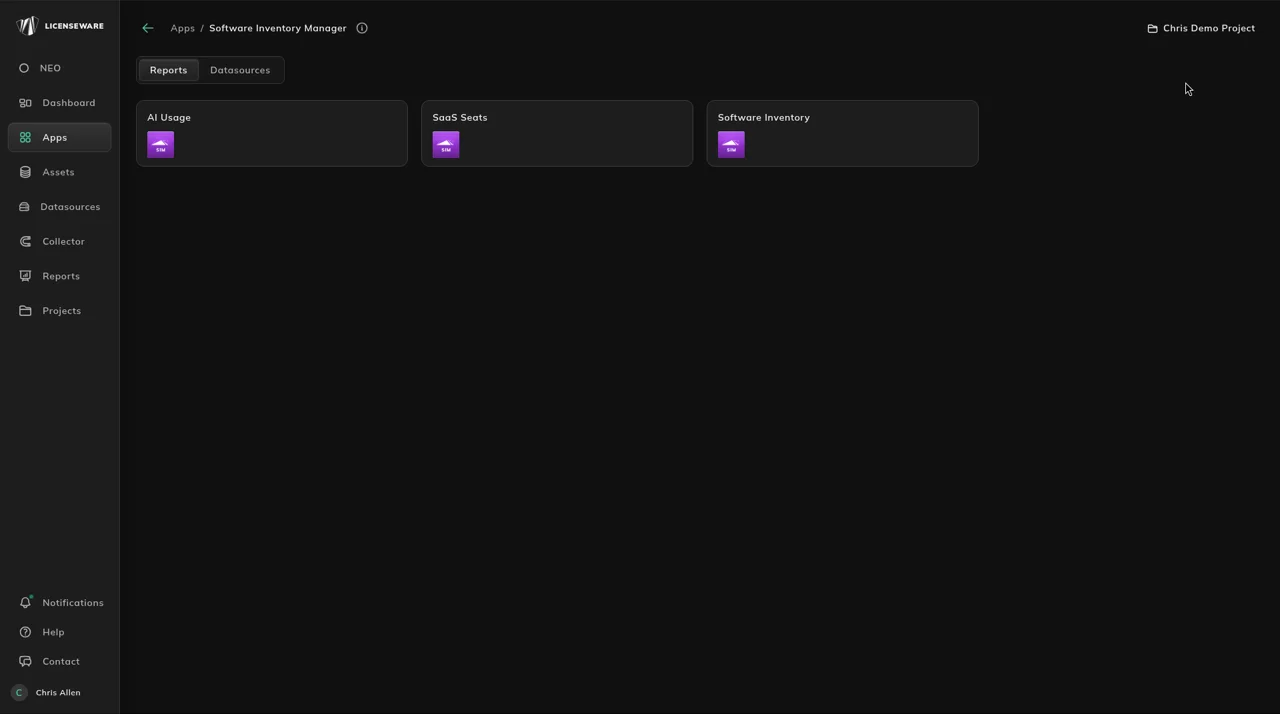
2. Open AI Usage
Section titled “2. Open AI Usage”Open Apps, then Software Inventory Manager, and click AI Usage on the Reports tab, or open it from Reports. The report covers the last 28 days.
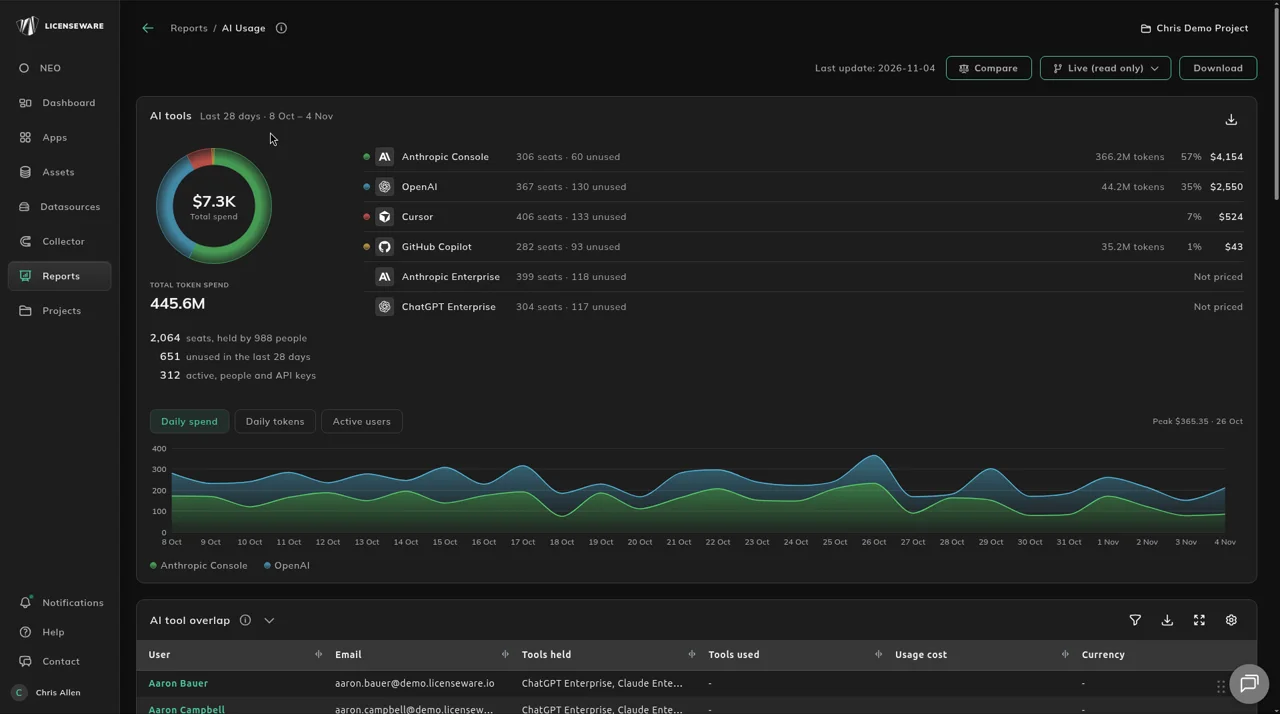
3. Compare spend and adoption per tool
Section titled “3. Compare spend and adoption per tool”Start with AI tools: what each tool costs, how many of its seats are used, and the Daily spend, Daily tokens and Active users charts over the 28 days.
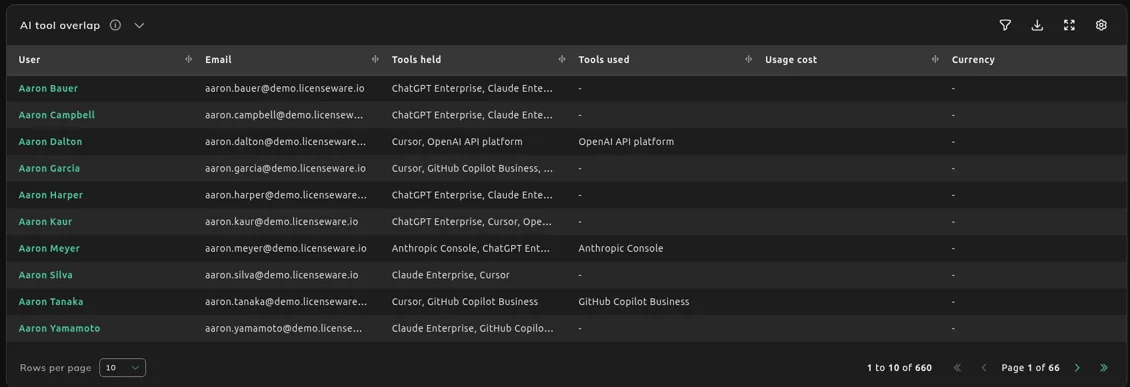
4. Find people on more than one tool
Section titled “4. Find people on more than one tool”AI tool overlap lists everyone who holds seats on two or more AI tools. It is the consolidation list.
5. Reclaim unused seats
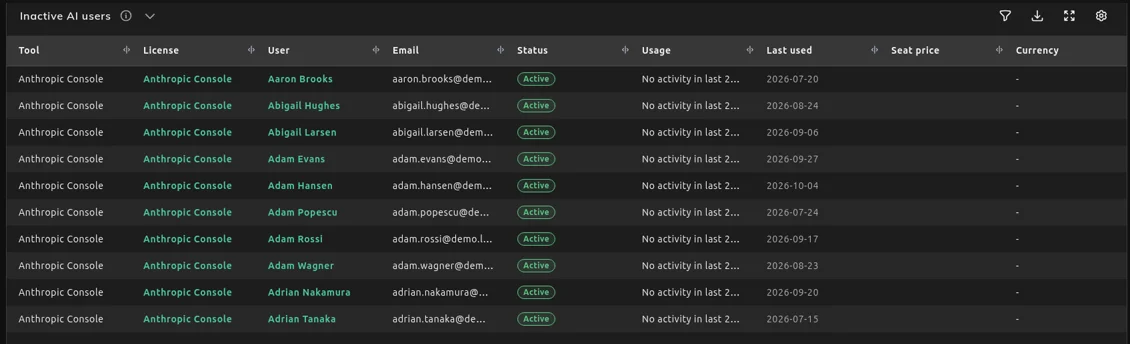
Section titled “5. Reclaim unused seats”Inactive AI users lists the seats with no usage in the last 28 days. Check each one in SaaS Seats, next to the seat’s price, before you remove or reassign it.
What each section shows
Section titled “What each section shows”The tools appear in the report under their report names: Anthropic Console, Claude Enterprise (from Anthropic Enterprise), OpenAI API platform (from OpenAI), ChatGPT Enterprise (from ChatGPT), Cursor and GitHub Copilot Business (from GitHub Copilot). The full mapping is on Connect AI providers.
Compare tools on cost and adoption before a renewal. A tool with no price shows Not priced.
Reclaim seats where someone holds several AI tools and only uses one. Reduce overlapping tools applies the same idea to installed software.
See who drives the spend and whether a seat fits how much it is used. Estimated cost is Anthropic’s estimate for Claude Code and is never added to the spend.
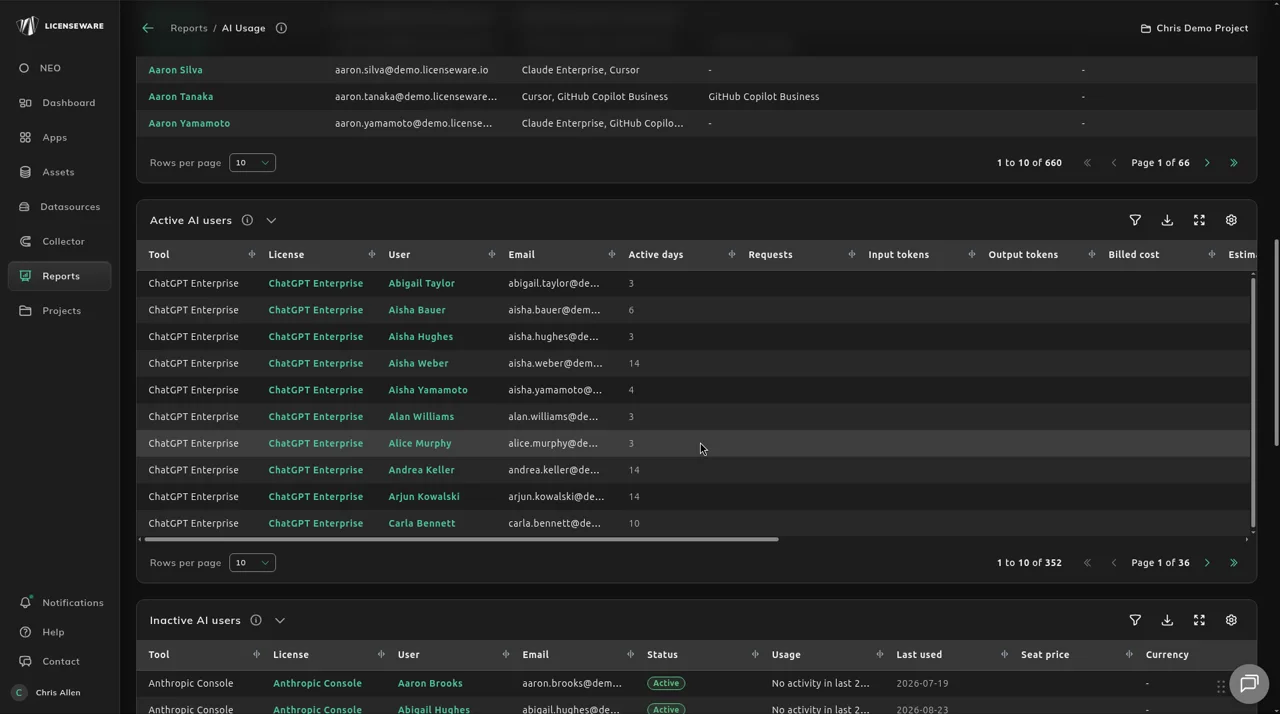
Reclaim seats with no usage in the last 28 days, then check the price in SaaS Seats.