
Reduce overlapping tools
Use this when four tools do one job and none of them has been retired. Overlap is spend and support you do not need. SIM shows where a category has more than one vendor. The decision of which one to keep is the NEO report.
Find the crowded categories
Section titled “Find the crowded categories”- Open the Software Inventory report.
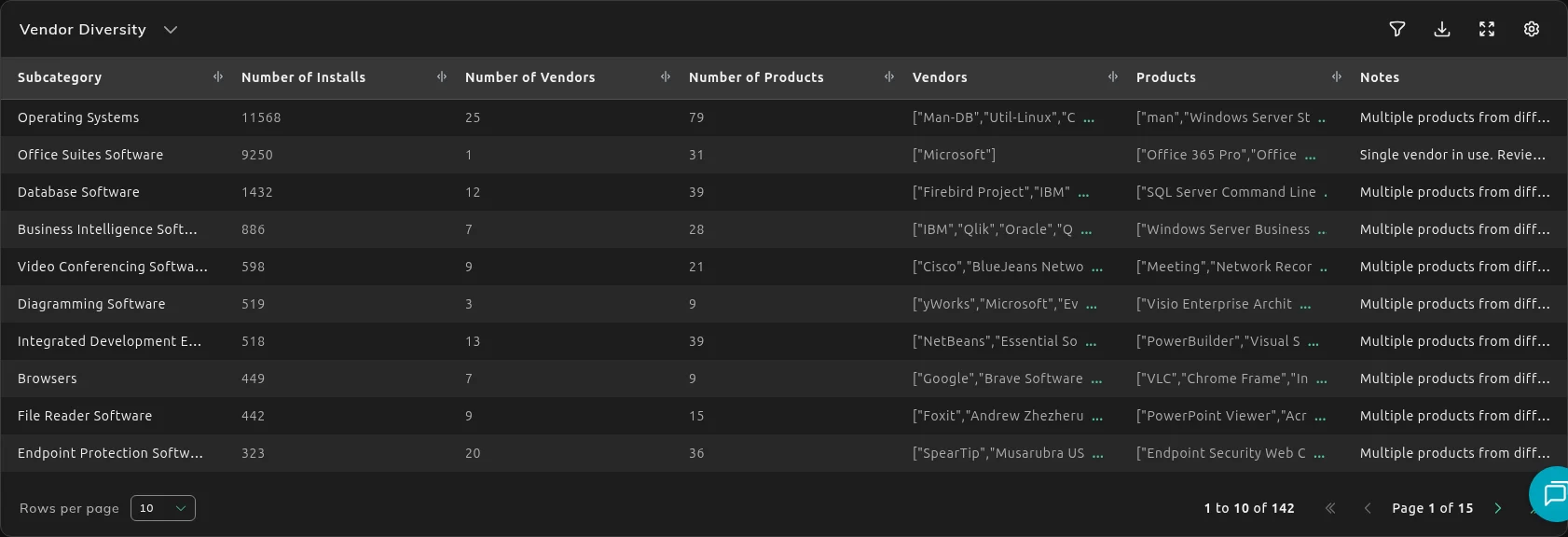
- Open Vendor Diversity.
| Column | Use it for |
|---|---|
| Subcategory | The job the tools share. |
| Number of Vendors and Number of Products | How crowded it is. |
| Vendors and Products | The names. |
| Number of Installs | How widely they are deployed. |
| Notes | Extra context on the row. |
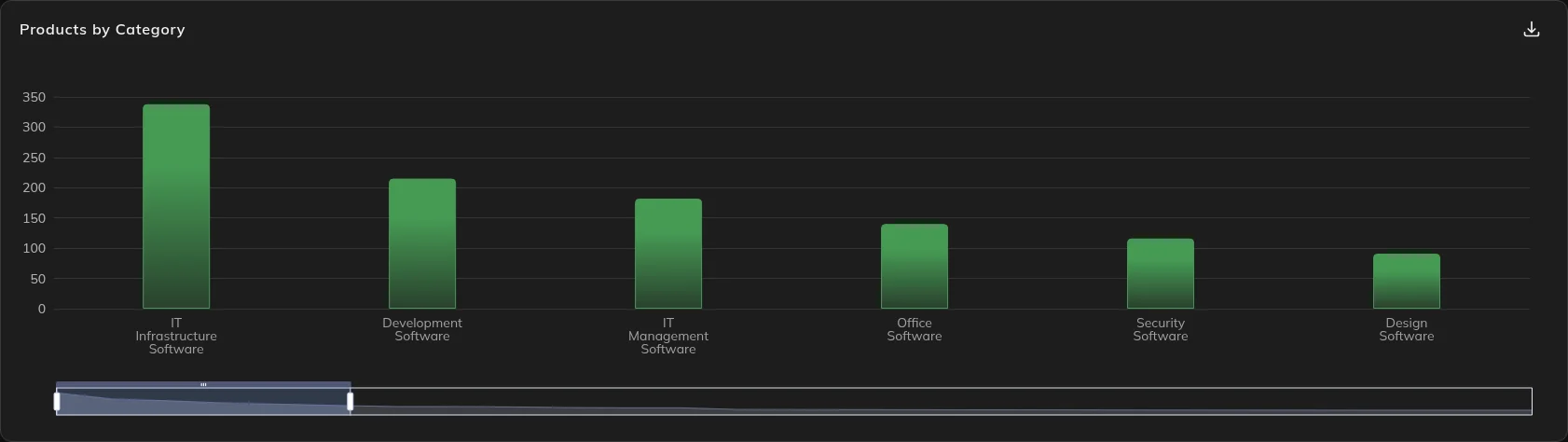
Products by Category and Top 10 Vendors by Number of Products are the charts above the table. Use them to see the shape. Use the table to see the names.
A cell can show a raw list, including [] when that list is empty.
Choose what to keep
Section titled “Choose what to keep”App Rationalization & Consolidation is the written pass. It uses a rule of one incumbent per capability: one product to keep, and the redundant ones in that category.
Open the NEO report when you need the recommendation, then come back to SIM for the install counts.
What to do next
Section titled “What to do next”Check usage before you retire a tool. A redundant product that is also unused is the easy cut. See Find unused software to reclaim.
Personal-use software and shadow IT are a different list. They are in Software Risk & Hygiene, not in Vendor Diversity.
If you will drop a paid product, check the renewal in License and Contracts Manager so you do not renew it by default.