
Fix how a product is classified
Use this when SIM recognized the product, but the classification, metric or price on the Software Inventory report is wrong for your estate. A negotiated price, an internal tool marked paid, or a category that does not match how you use it all belong here. After you save, Free vs Paid, License Type, Products by Category and Licensable Products read your values.
The change lives on the product page under Assets. The dialog says: “Your changes overlay the software catalog for this organization and apply everywhere these attributes are read.”
Catalog updates from Licenseware do not overwrite your changes, and the same edits apply across the apps in the project, including SIM, MDM, OJDM, RDM and IFMP.
Open Modify product
Section titled “Open Modify product”- Click Assets, then Software.
- Click the product name.
- Click Modify product.
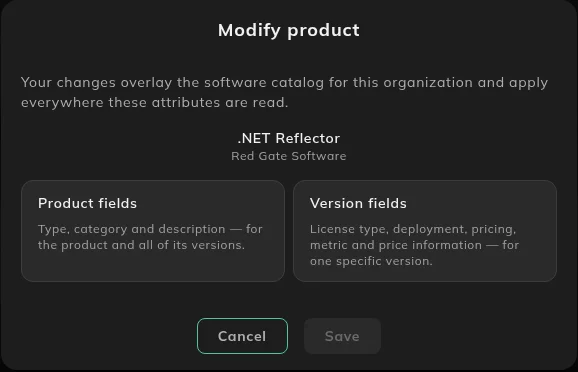
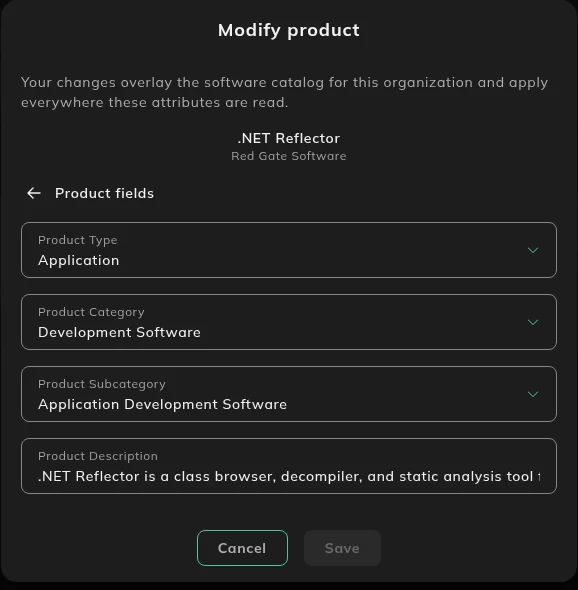
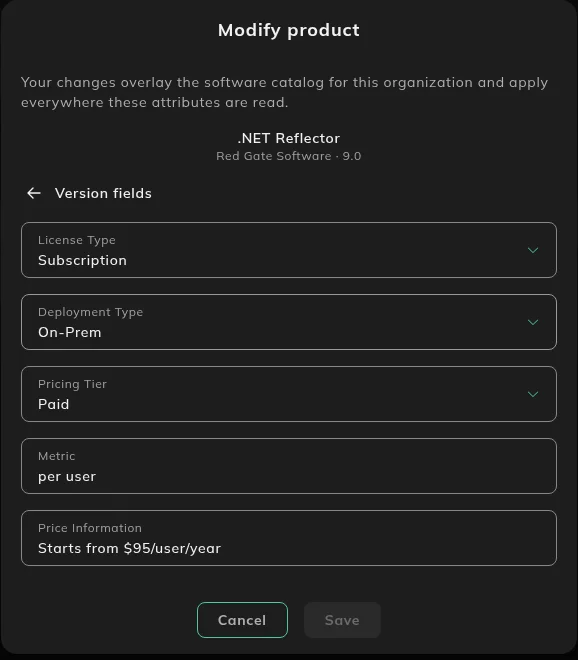
Save stays off until you change something. The back arrow returns to the two cards.
Product fields
Section titled “Product fields”Product fields apply to the product and all of its versions.
| Field | Options |
|---|---|
| Product Type | Application, Operating System, SDK / Toolchain, Runtime / Framework, Driver / Firmware, Utility / Agent, Component, Other. |
| Product Category | The catalog categories, such as Development Software, Security Software and Office Software. |
| Product Subcategory | Depends on the category you picked. |
| Product Description | Free text. |
The card text is: “Type, category and description, for the product and all of its versions.”
Version fields
Section titled “Version fields”Version fields apply to one version.
Pick a Catalog version first. The list shows the version and its lifecycle, for example End of Life. Then:
| Field | Options |
|---|---|
| License Type | Perpetual, Subscription, Open-Source, Freeware. |
| Deployment Type | On-Prem, SaaS, Hybrid, Other. |
| Pricing Tier | Free, Paid. |
| Metric | Free text, such as per user. |
| Price Information | Free text, such as a price per user per year. |
The card text is: “License type, deployment, pricing, metric and price information, for one specific version.”
Bulk edit with the template
Section titled “Bulk edit with the template”The same fields can be changed for many products from a CSV. Use that file to correct what a raw install string is recognized as. Use the product page on Assets when you need to change what is true about a product SIM has already recognized. On Assets, then Software, the table is Unmatched Software Installs, not Verification Needed. The download icon is in that table’s header. The row action is Map to Product. Verification Needed is a section of the Software Inventory report.
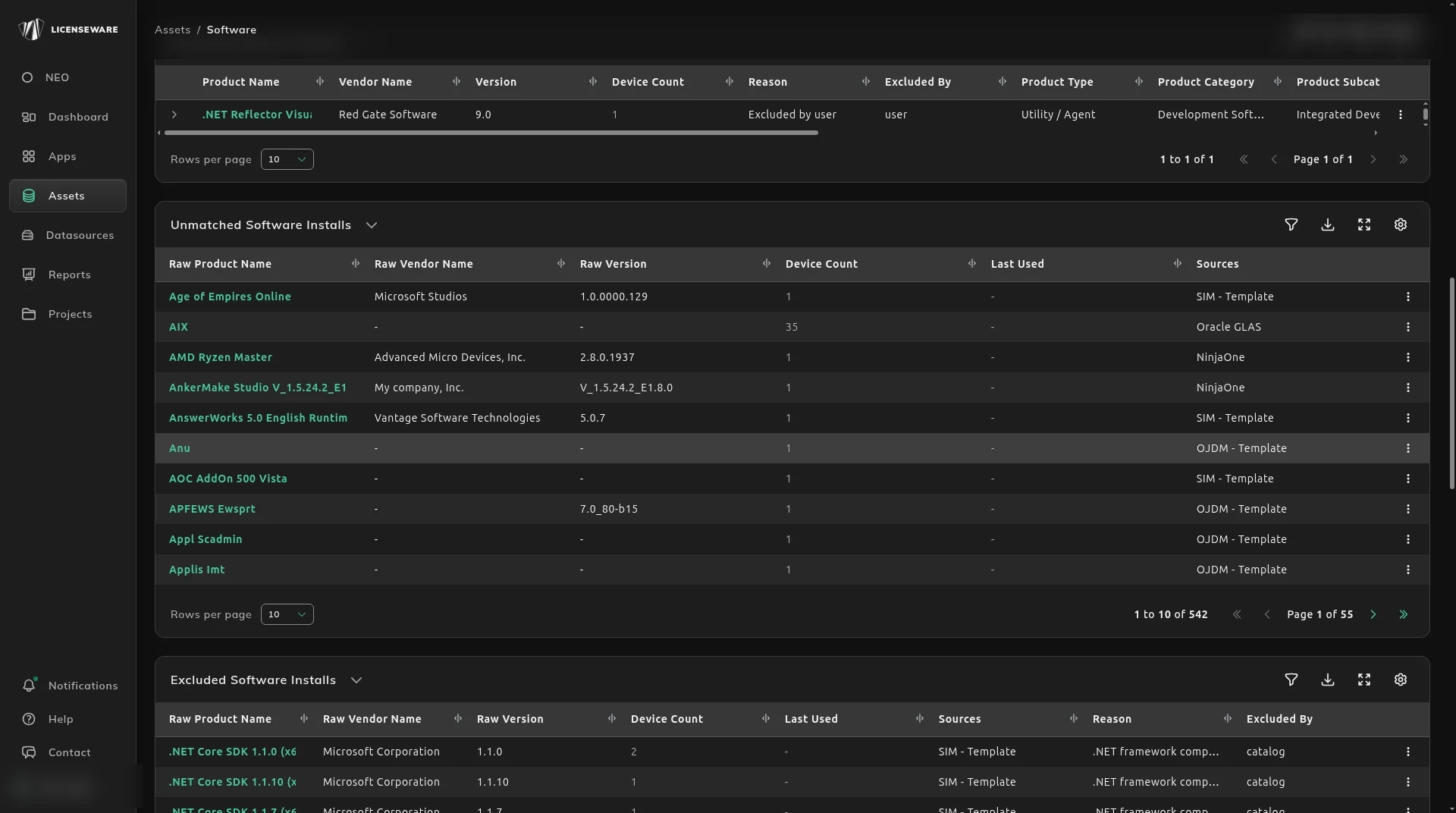
- Download from the icon on Unmatched Software Installs. You can also lay the software inventory on the same columns when the product is not in that table.
- Edit only the cells you want to change. Blank cells do not overwrite what is already there.
- The match keys are
raw_vendor_nameandraw_product_name. Do not change them. Matching ignores case. raw_versionis only the key for end-of-life dates. Leave it blank and the dates apply to every version. Put a version in it, such as2019, and the dates apply to that version. One row per version.current_vendor_name,current_product_nameandtotal_installsare there so you can decide. They are ignored on upload.- Your edit sits on top of recognition. A later upload of the same product wins.
| Column | Accepted values |
|---|---|
vendor_name, product_name | Free text. Setting these marks the product recognized. |
product_category, product_subcategory, product_description | Free text. |
product_type | Application, Operating System, SDK / Toolchain, Runtime / Framework, Driver / Firmware, Utility / Agent, Component, Other. |
pricing_tier | Free, Paid. |
deployment_type | On-Prem, SaaS, Hybrid, Other. |
license_type | Perpetual, Subscription, Open-Source, Freeware. |
metric | Free text, such as per user, per device, per core. |
price_information | Free text. |
support_end_date, extend_support_end_date, discontinued_date | 2027-10-12, 2027-10, or 2027. |
excluded | true or false. true removes the product from analysis, and the other edits on that row are ignored. |
exclusion_reason | Free text, used when excluded is true. |
To clear the verification flag, fill the mandatory fields at a minimum. The product can then be allocated in License and Contracts Manager.
What to do next
Section titled “What to do next”The updated type, category and price show on See what’s paid vs free and on the Software Inventory report.
This does not map a raw install onto a different product. That is Map unmatched software to the right product. It does not remove the product from analysis. That is Exclude software from analysis.