
Map unmatched software to the right product
Use this when SIM has the install but not the product. An unmatched row is a raw name, vendor and version that never landed on a catalog product, so it is missing from the Software Inventory report: the counts, the cost and the license position. Mapping it puts that name, vendor and version on the catalog product, and the report counts it there.
Mapping, like exclusions and product changes, lives on Assets. It applies everywhere that install is read in the project, including SIM, MDM, OJDM, RDM and IFMP.
Where mapping is
Section titled “Where mapping is”- Click Assets, then Software.
- Open Unmatched Software Installs.
Columns are Raw Product Name, Raw Vendor Name, Raw Version, Device Count, Last Used and Sources.
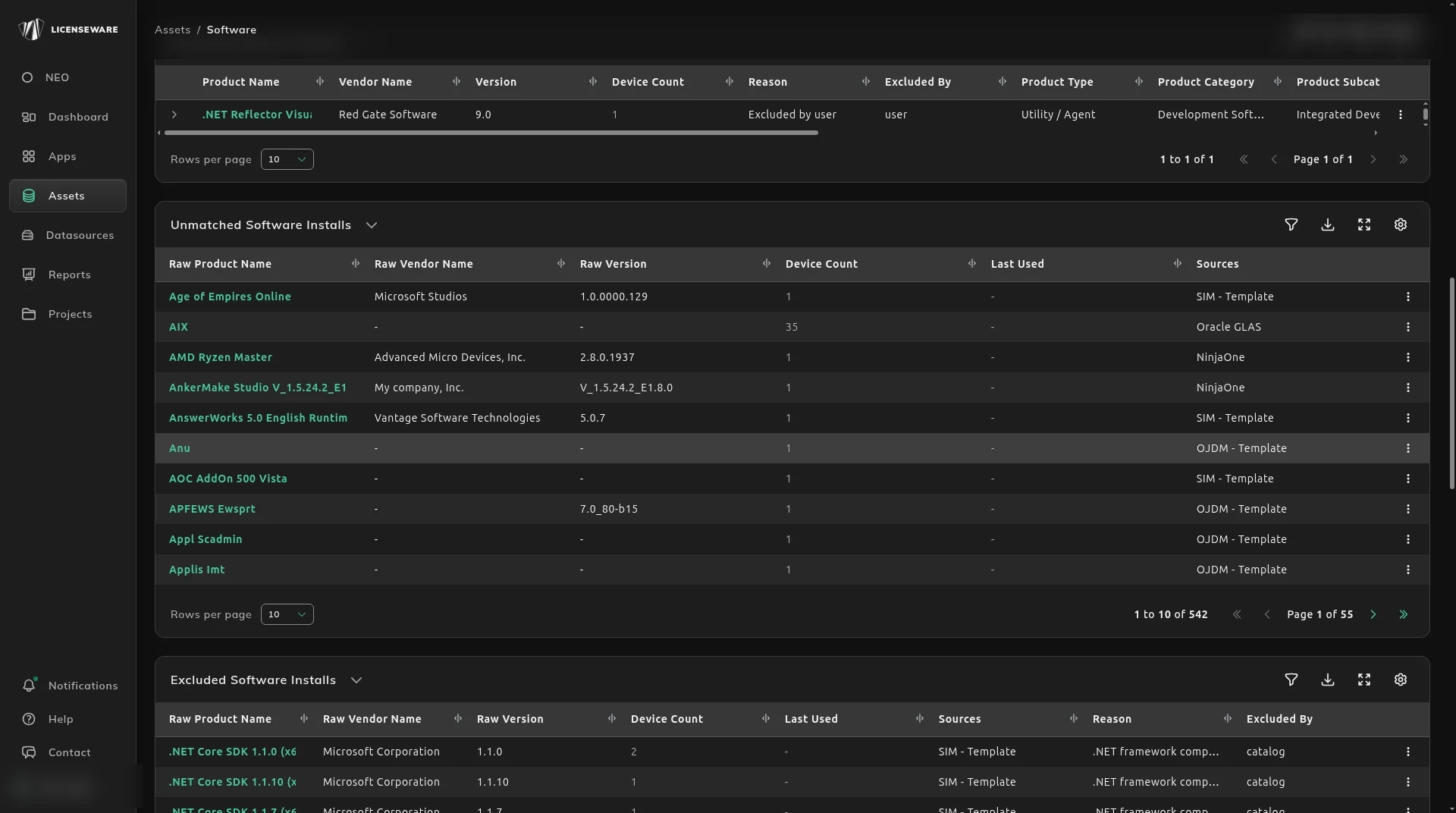
The ⋮ menu on that row is Map to Product and Exclude.
A Software Products row does not map. Its menu is Exclude only, including on a row whose category is empty. Do not look for Change Mapping there.
Excluded Software Installs is the other place. Its row menu is Map to Product only. There is no restore item on that menu.
Change Mapping
Section titled “Change Mapping”Map to Product opens a dialog titled Change Mapping.
The dialog says: “Map this entry to a catalog product. The new mapping applies everywhere this exact name, vendor and version combination occurs.”

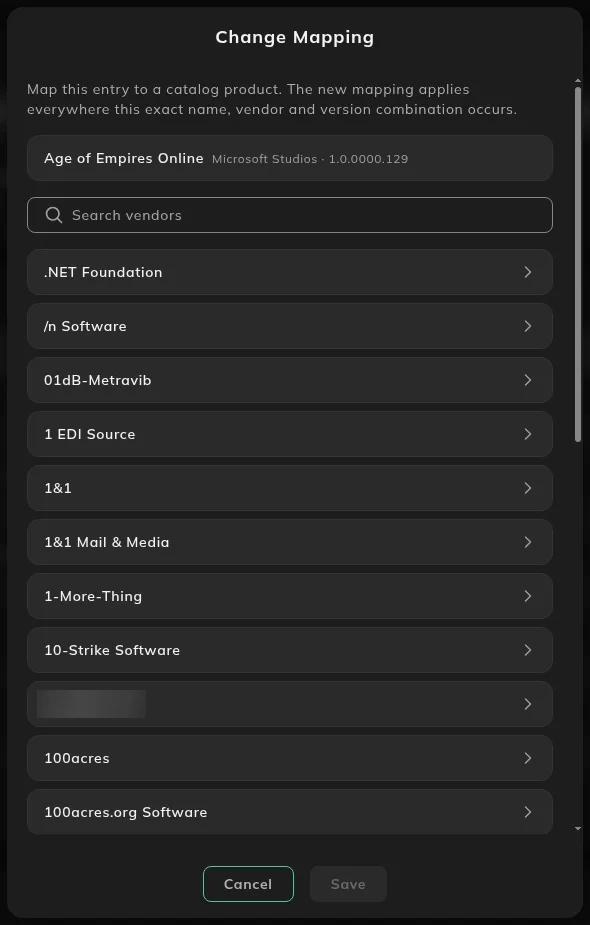
- Find the vendor under Search vendors, or scroll the list.
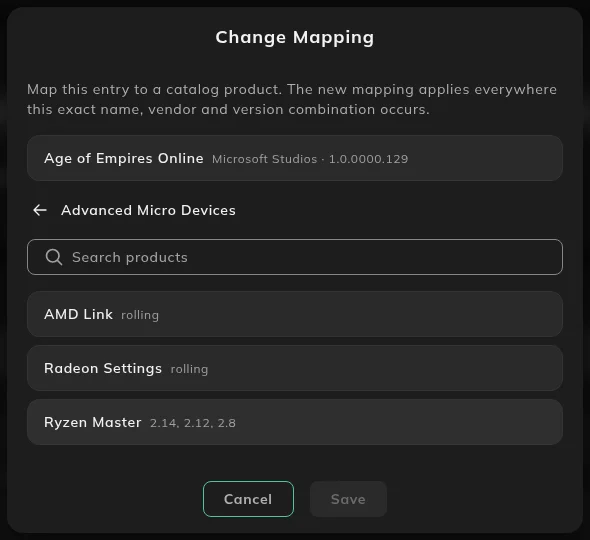
- Click the vendor. Search products lists that vendor’s catalog products and versions.
- Select the product.
- Save stays off until a product is selected.
The same name, vendor and version is updated everywhere it occurs. A different version of the same raw product is a different row.
What to do next
Section titled “What to do next”If the catalog classification or price is still wrong after the install is mapped, use Fix how a product is classified. That is what changes license type, category and price on the report.
Software Under Verification on the Software Inventory report counts products that still need a classification. The Verification Needed table on that report lists them.
If the install should not be in the analysis at all, exclude it instead of mapping it.