
Exclude software from analysis
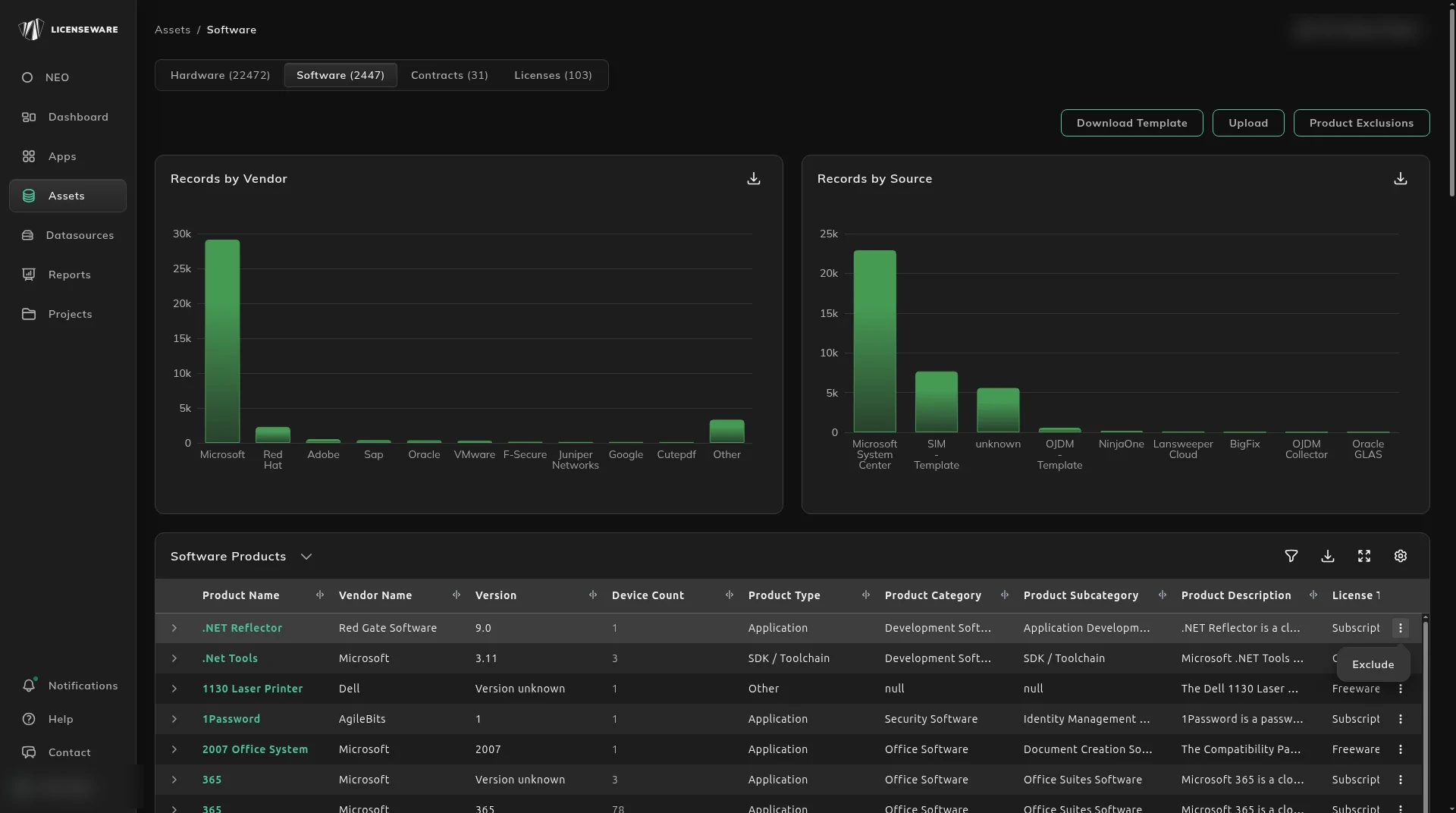
Exclude a product when it should not count on the Software Inventory report. Components, personal tools and anything out of scope inflate device counts and the license position. Excluded products are ignored by every licensing calculation, so they drop out of those counts.
Exclusions live on Assets and apply across the apps in the project, including SIM, MDM, OJDM, RDM and IFMP.
Exclude several products
Section titled “Exclude several products”- Click Assets, then Software.
- Click Product Exclusions.
The dialog says: “Excluded products are ignored by every licensing calculation. Products and versions that are already excluded are not shown.”
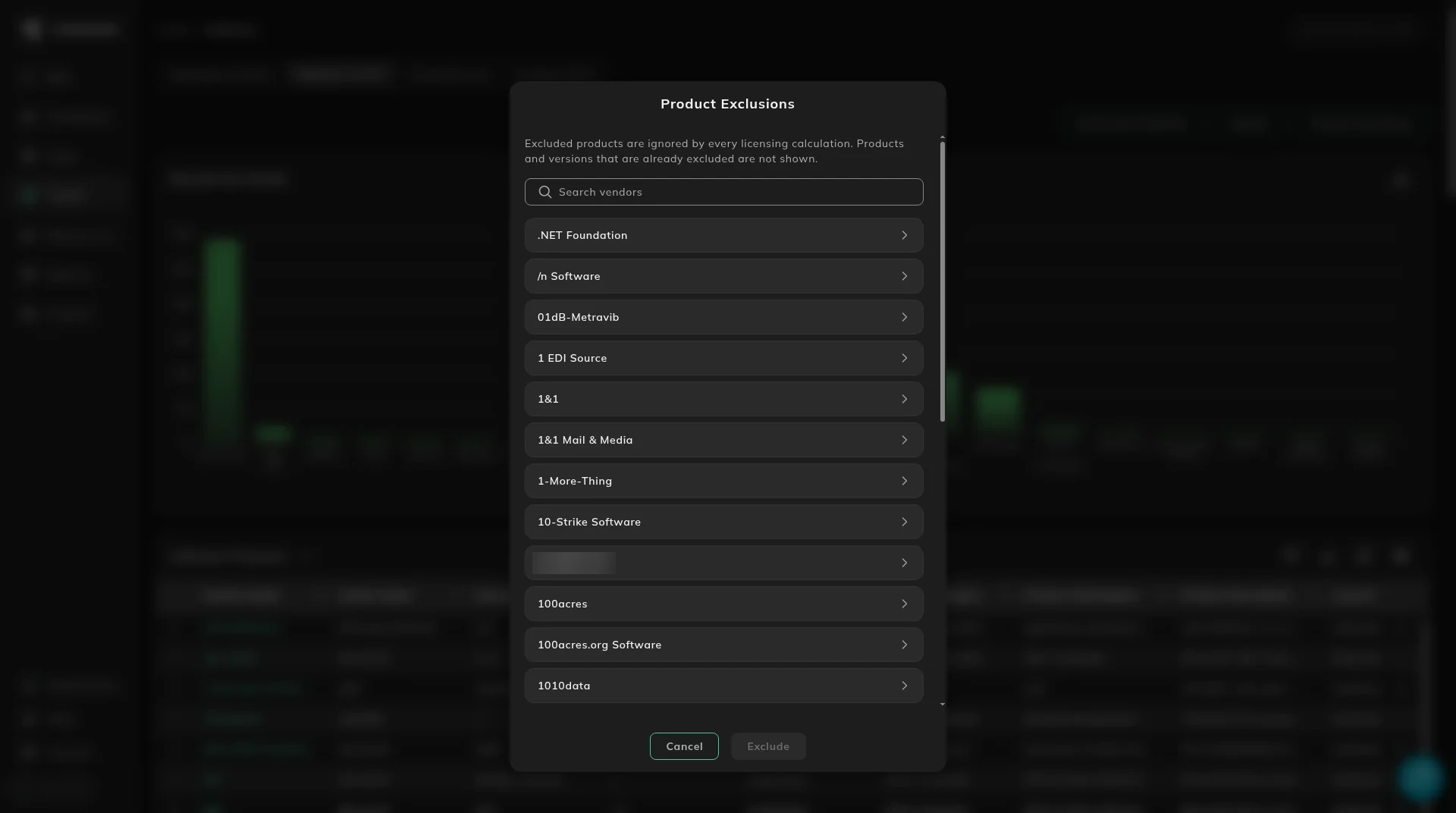
- In Search vendors, type the vendor. The product list shows each product with the versions already seen, for example
WiX Toolset - 3, 3.11, 3.14.rollingmeans the product has no fixed version. - Choose the product, then either pick individual versions or tick Exclude all versions. Individual versions leave the other versions in the analysis. Exclude all versions drops the product whatever the version, including versions found later.
- Click Exclude.
Exclude stays unavailable until you have chosen something.
Exclude one row
Section titled “Exclude one row”On Software Products, the ⋮ menu is Exclude.
Use the dialog when you are clearing a set of products. Use the row when you are looking at one.
See what is excluded
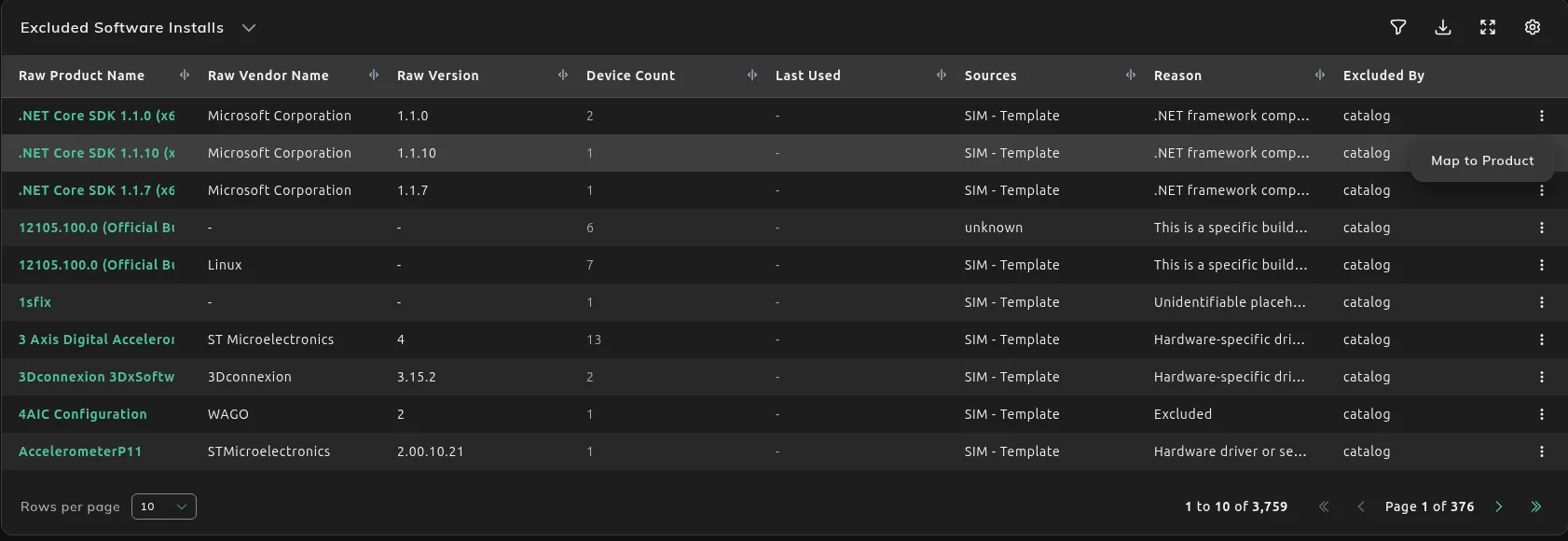
Section titled “See what is excluded”The product moves to Excluded Software Products, lower on the same page. That table adds Reason and Excluded By. When you exclude it, Excluded By is the user.
Excluded Software Installs is the install list. There, Excluded By can be the catalog, for example a component the catalog already keeps out. The row menu on an excluded install is Map to Product only. See Map unmatched software to the right product.
What to do next
Section titled “What to do next”If the product is real and you only needed a better category or price, do not exclude it. Fix how a product is classified. That changes the classification on the report. An exclusion removes the product from the report’s licensing counts.