

Red Hat Deployment Overview
Red Hat Deployment Overview covers virtualization topology, subscription allocation, cluster optimization, and the insights that follow from them. Use it to interpret socket usage, virtual-to-physical density, and subscription efficiency, and to choose a cost-efficient Red Hat licensing approach.
A host installed years ago with no subscription is not a future purchase. It is a gap from the install date. Red Hat’s all-or-nothing rule means that if one device is subscribed to Enterprise Linux, the others have to be as well.
Open it from Apps, then Red Hat Deployment Manager, on the Reports tab, or from Reports.
At a glance
Section titled “At a glance”The top of the report is the subscription environment across physical and virtual infrastructure: who is subscribed, which RHEL versions are deployed, where the backdated gap sits, and whether an instance subscription or Virtual Datacenter (VDC) costs less. Use it for compliance validation and for optimization.
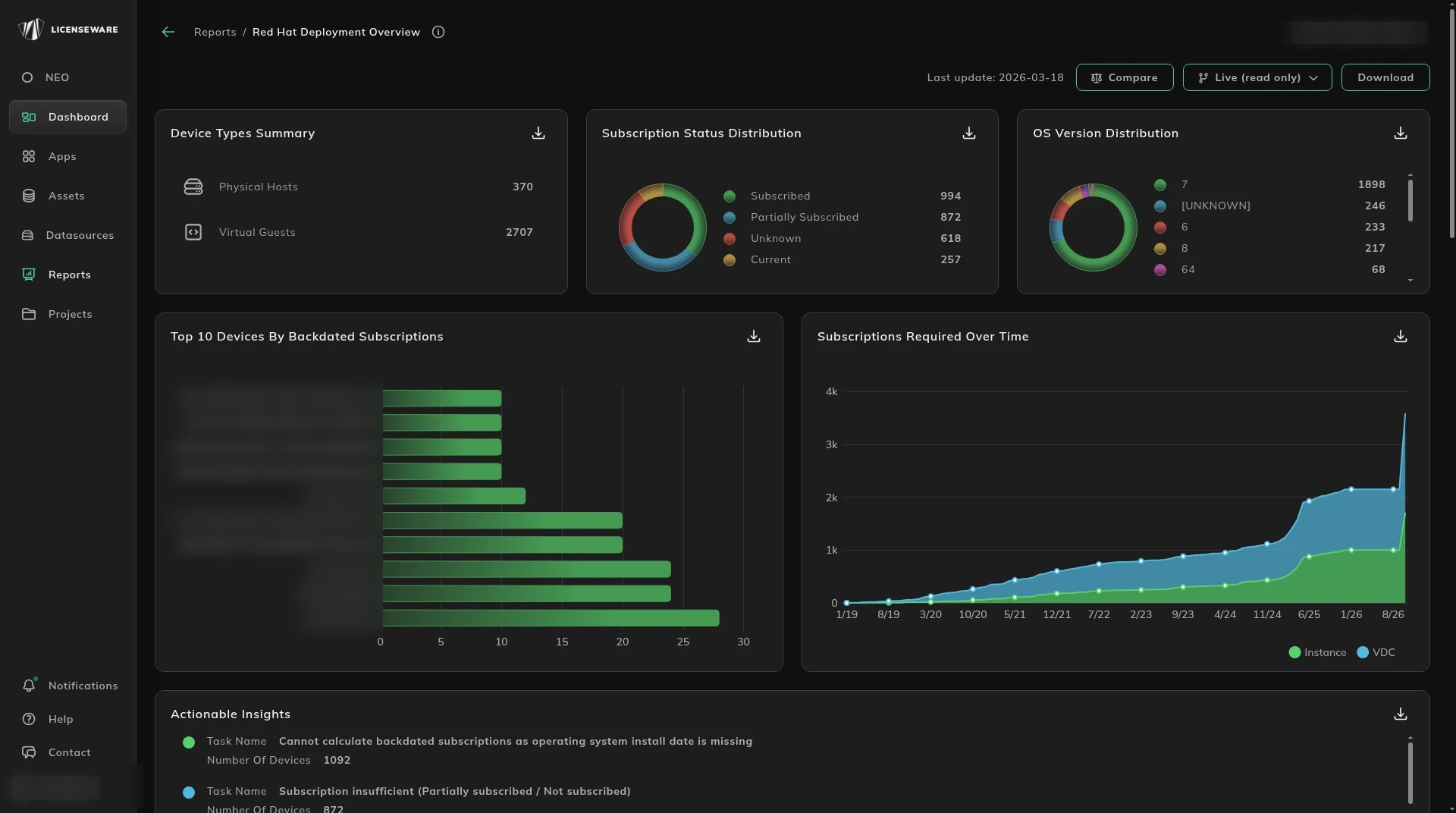
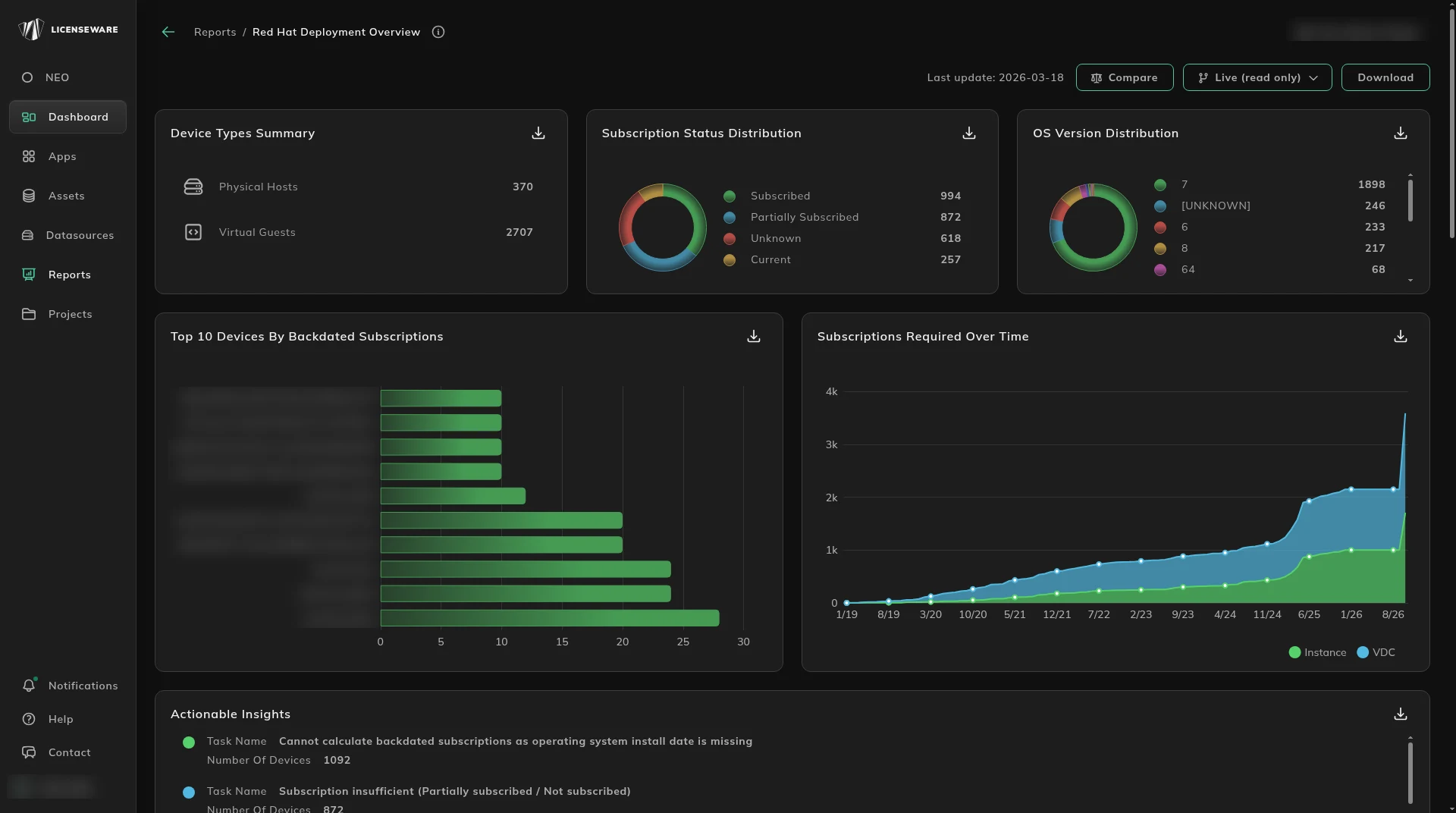
- Device Types Summary splits Physical Hosts and Virtual Guests.
- Subscription Status Distribution is Subscribed, Partially Subscribed, Unknown and Current. Unknown means the inventory is incomplete or outdated. Review those systems, confirm they are registered, and map the entitlement. Partially Subscribed is a host that is not fully covered.
- OS Version Distribution tracks deployment across RHEL versions and highlights environments that may be nearing or beyond support end dates. That is what triggers Extended Update Support or Extended Lifecycle Support.
- Top 10 Devices By Backdated Subscriptions is where the historical gap is concentrated. The calculation uses the operating system install date.
- Subscriptions Required Over Time splits Instance and VDC. For virtualized environments, Red Hat Virtual Datacenter SKUs are calculated from virtual density ratios, the number of virtual machines compared with their physical hosts. That is how the report chooses VDC where it costs less than an instance subscription.
Actionable Insights names the data problems and how many devices sit behind each one. The task names on the report are:
- Cannot calculate backdated subscriptions as operating system install date is missing. Without the operating system install date, backdated subscription coverage cannot be calculated. Include the install date in the inventory feed.
- Subscription insufficient (Partially subscribed / Not subscribed). The host is only partly covered, or it is not subscribed. Red Hat’s all-or-nothing rule is why a partial row still needs a subscription.
- Subscription status is unknown or invalid. An unknown or invalid subscription state usually means incomplete or outdated inventory. Verify registration and the entitlement mapping.
Fixing those insights makes the compliance calculation more precise and reduces audit risk.
What the subscriptions cost
Section titled “What the subscriptions cost”RHEL ELP Summary is the position by product. Columns are Product, SKU, Support Level, Subscriptions Consumed and Total Cost. Support Level is Premium or Standard. Premium is the higher support tier. The cost column is what that consumed quantity costs for the year.
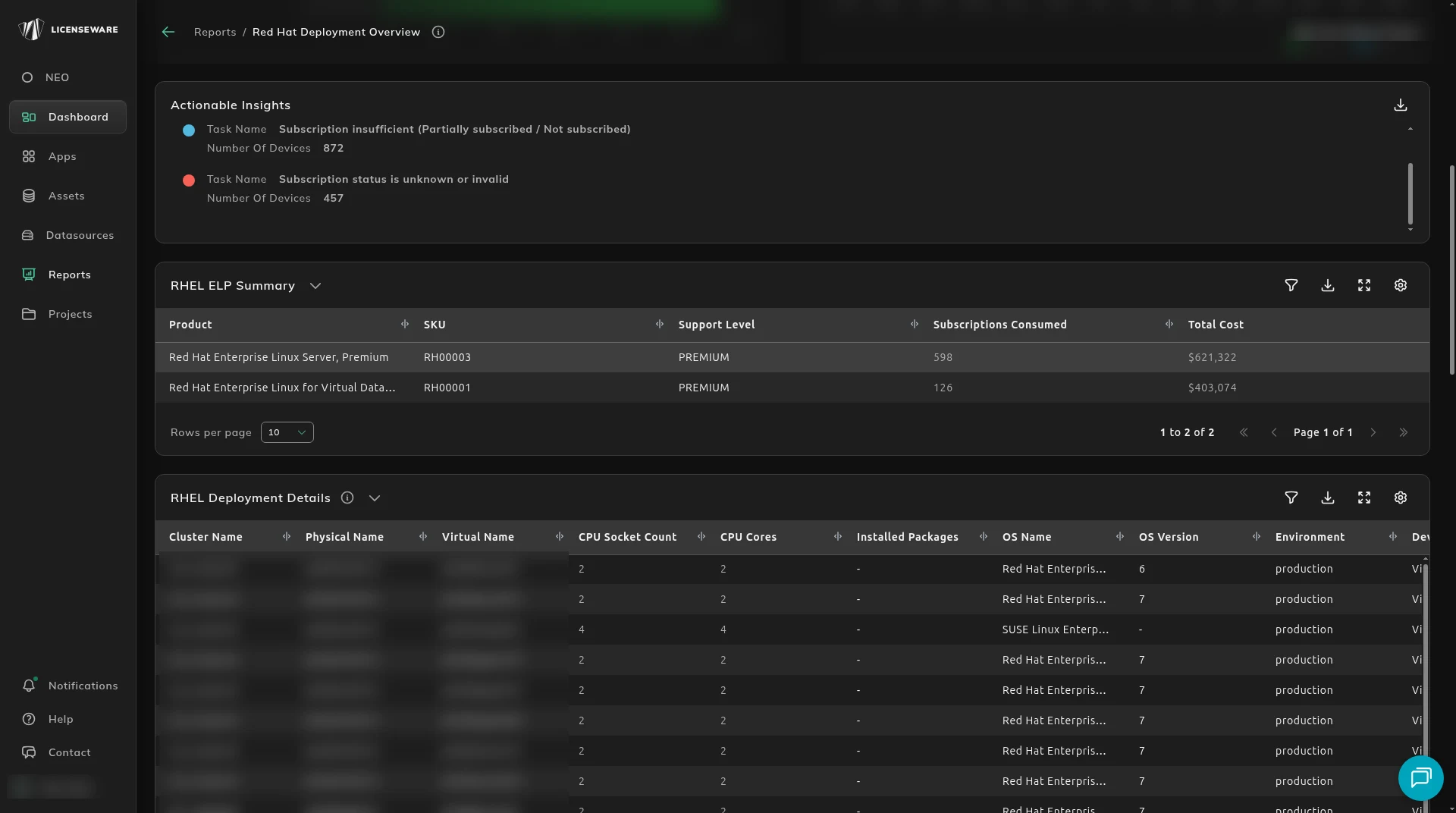
RHEL Deployment Details is the deployment across physical and virtual infrastructure. It is the basis of the consumption model you would take to an audit: virtualization structure, CPU metrics, and subscription status in one table.
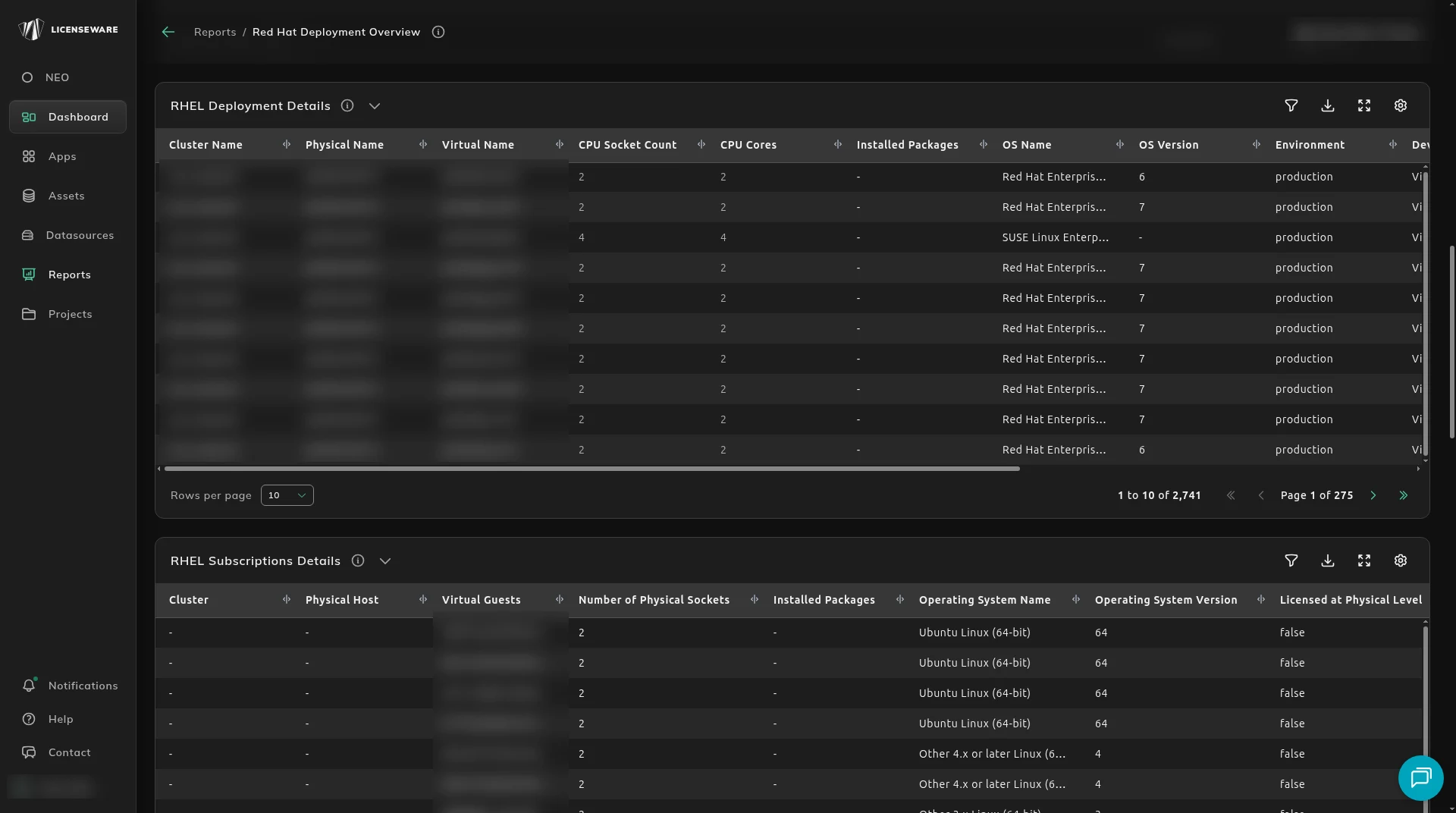
Columns are Cluster Name, Physical Name, Virtual Name, CPU Socket Count, CPU Cores, Installed Packages, OS Name, OS Version, Environment, Device Type, OS Install Date, Subscription Type Allocated and Source.
- Cluster Name, Physical Name and Virtual Name group a guest under the host and cluster it runs on.
- Device Type separates a virtual guest from a physical host. Where the type is unavailable it is Unknown, and that can change the VDC recommendation.
- Subscription Type Allocated is how the row is covered, Instance or VDC. Devices marked Subscribed are how consumption is checked against entitlements and SKUs.
- CPU Socket Count and CPU Cores drive the calculation, especially for Premium and VDC SKUs.
- OS Name, OS Version and OS Install Date are the release and the date backdating uses. A missing install date blocks that calculation.
Subscription status is not required to run the report. Without it, the backdated calculation cannot be done. See What RDM needs from your inventory.
RHEL Subscriptions Details
Section titled “RHEL Subscriptions Details”RHEL Subscriptions Details breaks down how subscriptions are allocated, at the physical level and the virtual level, with the cost and any consolidation opportunity.
Each row is a virtual guest running RHEL, tied to its physical host.
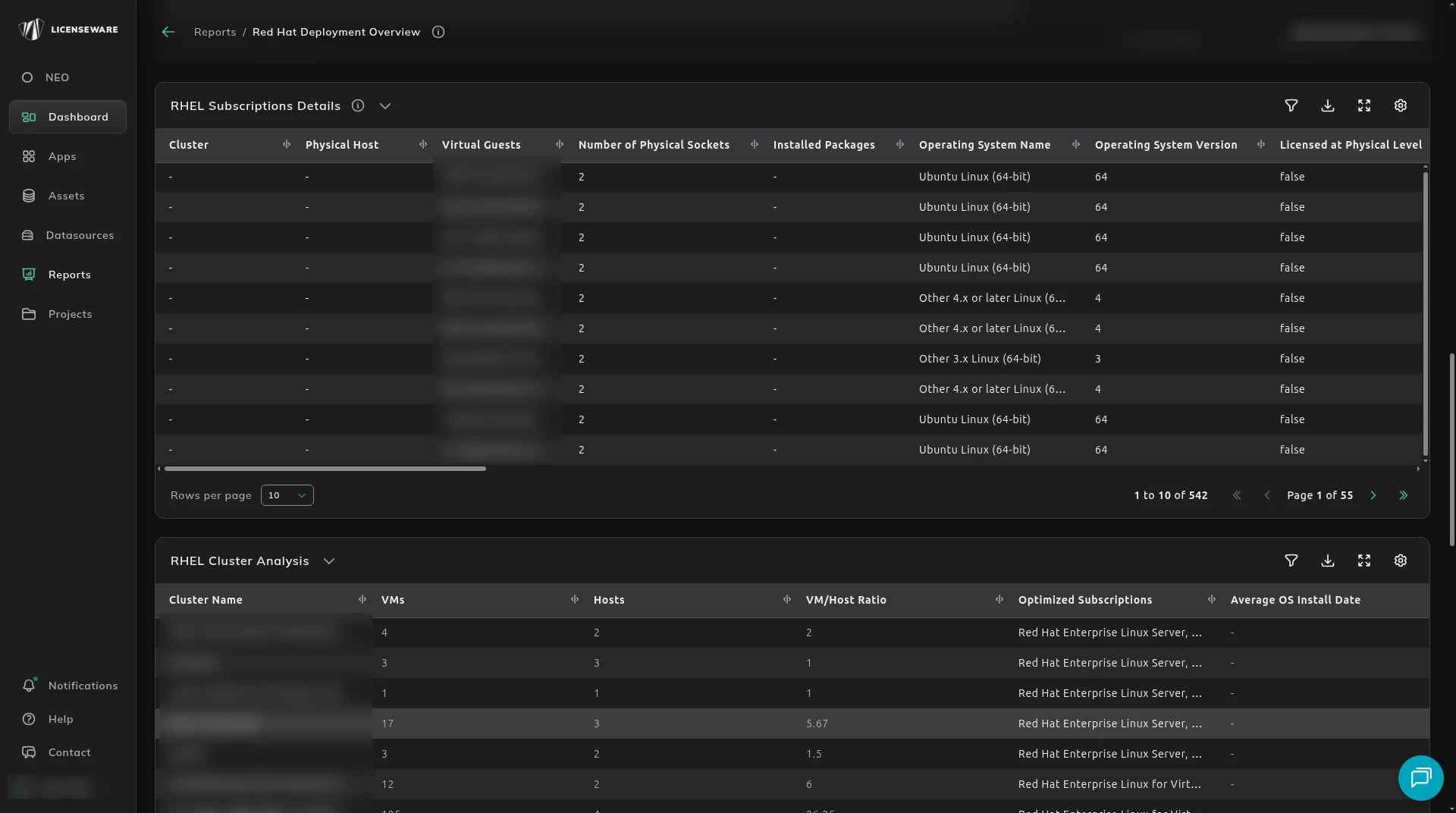
Cluster, Physical Host and Virtual Guests identify the environment and which virtual machines sit on which hardware. Number of Physical Sockets is what a physical-level subscription needs. Licensed at Physical Level says whether licensing is applied at the host, as with Virtual Datacenter. Installed Packages lists the RHEL-related packages used to check that the entitlement is relevant. Operating System Name and Operating System Version confirm the release, which is what Extended Update Support (EUS) depends on. Virtual Guests in Cluster and Virtual Guests in Physical are the density that decides Virtual Datacenter over an instance subscription.
Subscription Type Allocated and Subscription Status say whether the row uses an Instance or a VDC subscription, and whether it is Subscribed, Partially Subscribed, Unknown or Current. Subscription Type and Subscriptions Required are the model and how many RHEL subscriptions that row needs. Typically that is one per instance, unless host-level licensing applies. Subscription Level, Subscription Price (1 Year) and Sockets Covered by Subscription say whether the subscription is Premium or Standard, its annual price, and how many sockets it covers.
EUS Subscription Type, EUS Subscriptions Required and EUS Subscription Price (1 Year) are Extended Update Support: whether the OS version requires it, and the cost. Total Subscription Price (1 Year) adds the base price and the EUS price for that system.
Alternative Subscription Type, Alternative Subscriptions Required and Alternative Subscription Cost show the cost under the other model, Instance against VDC. Virtual Guests Covered by Subscription is how many VMs the applied model covers. That is the VDC figure. Backdated Subscriptions Required marks systems that may need coverage back to the install date. Source is where the row came from.
RHEL Cluster Analysis
Section titled “RHEL Cluster Analysis”RHEL Cluster Analysis is the virtual density of each Red Hat cluster, and which model costs less: instance-based licensing or Virtual Datacenter (VDC).
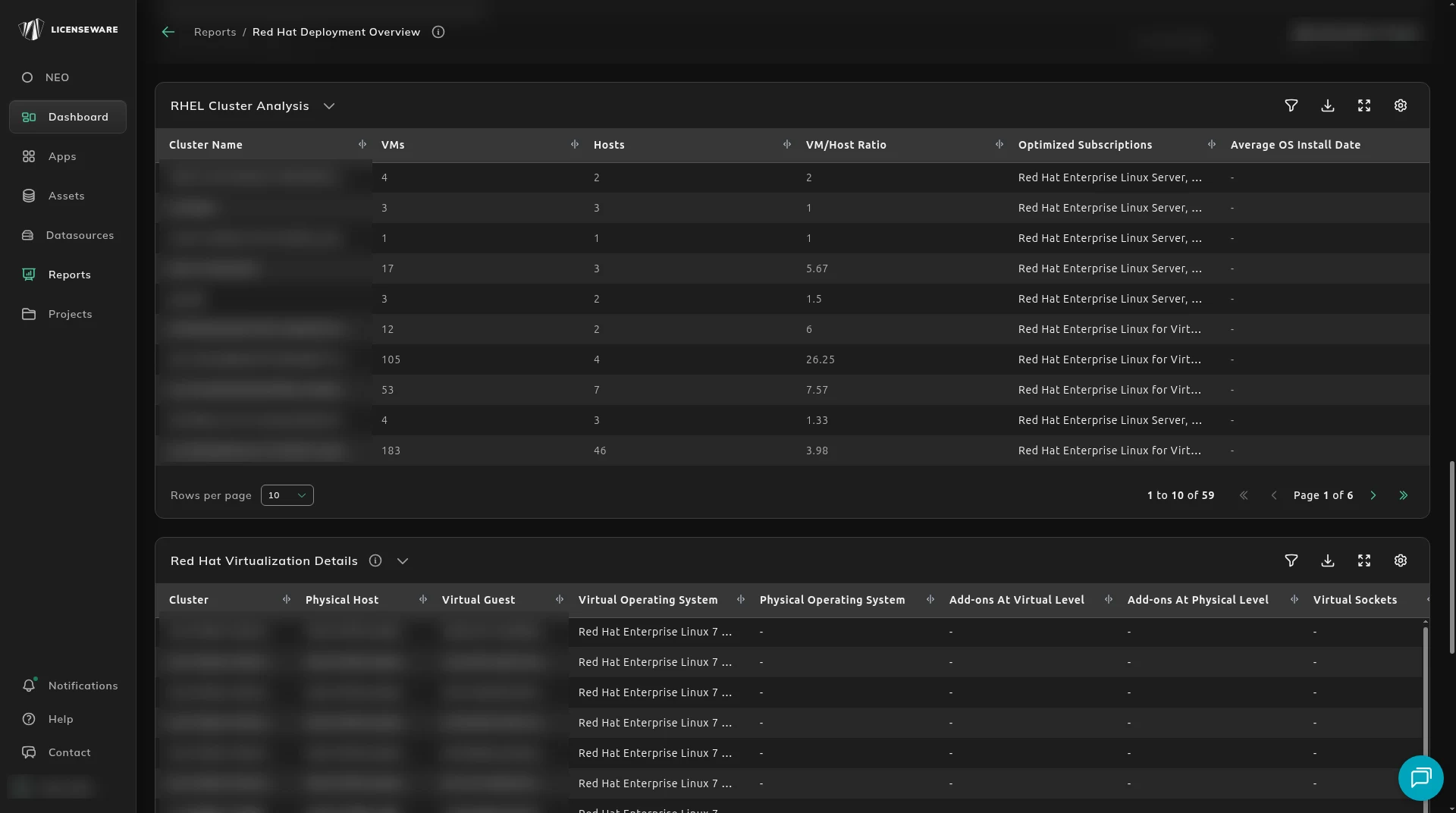
Each row is a cluster. Columns are Cluster Name, VMs, Hosts, VM/Host Ratio, Optimized Subscriptions and Average OS Install Date.
- VMs is the RHEL instances in the cluster.
- Hosts is the physical hosts under those virtual machines.
- VM/Host Ratio is how many VMs sit on each host.
- Optimized Subscriptions is instance-based or VDC, whichever costs less.
- Average OS Install Date is the install-date center of the cluster, which is what a backdated gap on that cluster is measured from.
The report uses the VM-to-host ratio:
- A low-density cluster, about 1 to 2 VMs per host, tends to favor an instance subscription.
- A high-density cluster, more than 5 VMs per host, typically favors VDC, because the cost per virtual instance falls when the guests are covered by the host.
Worked examples:
- 420 VMs on 61 hosts is a ratio of 6.89. The optimized subscription is VDC.
- 8 VMs on 8 hosts is 1 to 1. License those as instances.
Use this before you reallocate subscriptions or renew.
Red Hat Virtualization Details
Section titled “Red Hat Virtualization Details”Red Hat Virtualization Details maps each guest to a physical host in a cluster. That distribution is what the subscription plan and the compliance position depend on.
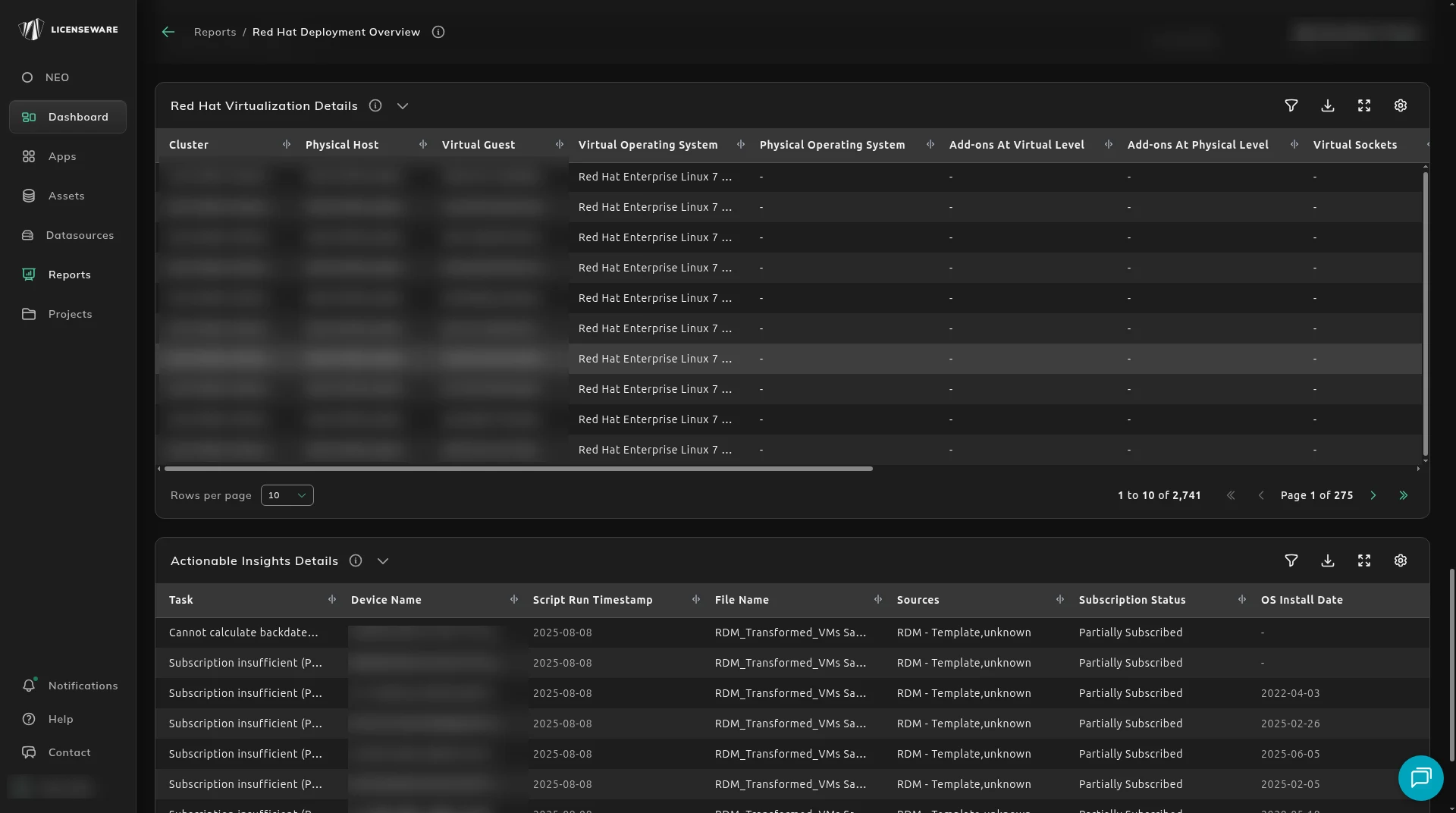
Each row is one virtual machine on a host. Columns are Cluster, Physical Host, Virtual Guest, Virtual Operating System, Physical Operating System, Add-ons At Virtual Level, Add-ons At Physical Level, Virtual Sockets, Physical Sockets, Total Number Of Red Hat Guests, Virtual Device Model, Physical Device Model, CPU Model and Source.
Cluster and Physical Host say where the VM is. Virtual Guest is the guest. Virtual Operating System is the guest OS, such as RHEL 7 or RHEL 8, and Physical Operating System is the host OS. Add-ons At Virtual Level and Add-ons At Physical Level record Red Hat add-ons. A dash means none were found. Virtual Sockets and Physical Sockets are the CPU socket configuration socket-based subscriptions use. Total Number Of Red Hat Guests is how many RHEL VMs that physical machine hosts. Virtual Device Model, Physical Device Model and CPU Model are the hardware those socket counts sit on.
Use the table to trace how workloads are spread, to check a host’s sockets against a socket entitlement, to choose instance-based or socket-based licensing, and to see the density that the VDC decision uses.
Actionable Insight Details
Section titled “Actionable Insight Details”Actionable Insight Details is the same insights at device level: which machines need more data before the position is reliable.
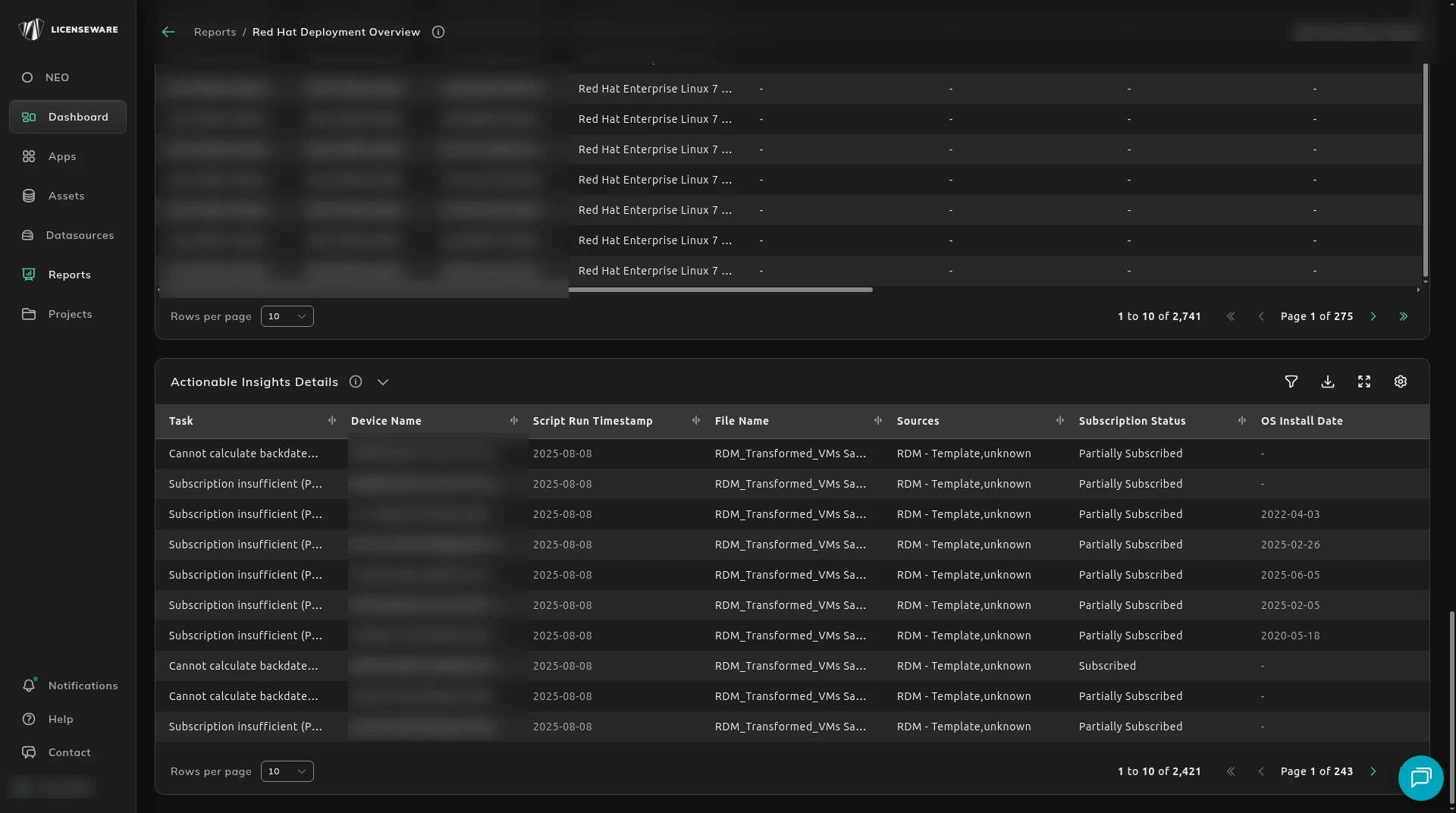
Columns are Task, Device Name, Script Run Timestamp, File Name, Sources, Subscription Status and OS Install Date.
The Task values are the same three as Actionable Insights:
- Cannot calculate backdated subscriptions as operating system install date is missing. OS Install Date is empty on that row. Include the date in the inventory feed.
- Subscription insufficient (Partially subscribed / Not subscribed). Subscription Status is partial or the device is not subscribed.
- Subscription status is unknown or invalid. Subscription Status is Unknown. Verify registration and the entitlement mapping.
Script Run Timestamp, File Name and Sources say which collection the row came from, so you can fix the feed rather than the report.
Fixing those makes the compliance calculation more precise and reduces audit risk.
Download on an aggregated table saves one row per device, with the user. See Using reports.