

What RDM does and when to use it
Red Hat Deployment Manager (RDM) takes software, hardware and virtualization data and works out the Red Hat Enterprise Linux subscriptions the estate needs.
Use it when a subscription count is last year’s purchase, not the hosts you run:
- How many physical hosts and virtual guests are in scope, and which are subscribed?
- Which hosts need a subscription backdated to the operating system install date?
- Where would a Virtual Datacenter subscription cover the guests more cheaply than one subscription per instance?
- Which paid add-ons are installed, such as high availability or resilient storage?
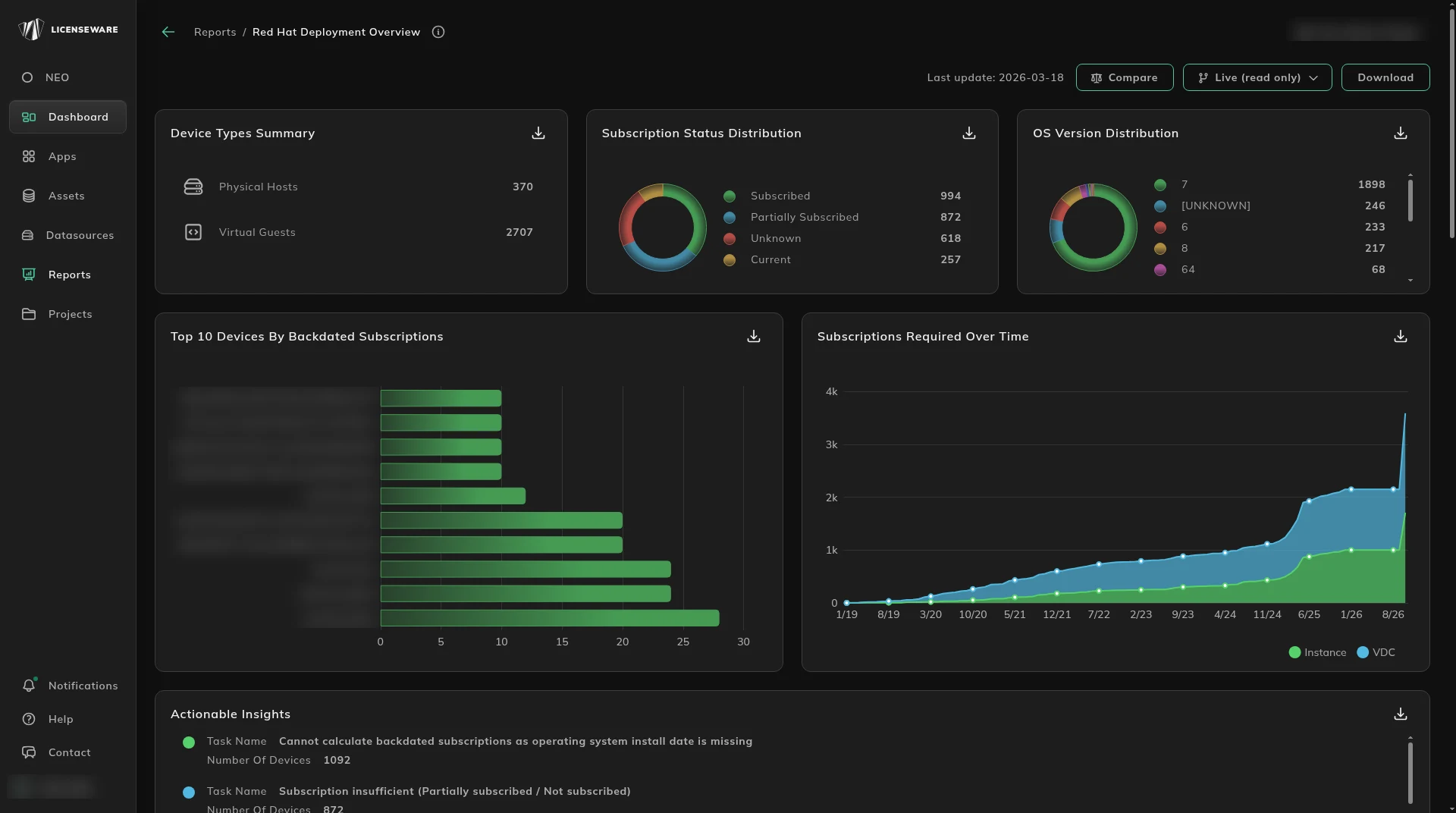
RDM recognizes paid Red Hat add-ons. They show in the Add-ons At Virtual Level and Add-ons At Physical Level columns of the Red Hat Virtualization Details table on Red Hat Deployment Overview. How Red Hat’s own rules work is on How to check if your Red Hat server is licensed, Determine the right subscription for your Red Hat server, and Understand Red Hat’s licensing model.
Open it from Apps, then Red Hat Deployment Manager. The report card is Red Hat Deployment Overview.
Guest placement comes from Infrastructure Mapper, which should be fed by an API integration when you have one. For the subscriptions themselves, run Collect Red Hat subscription data. The Red Hat template and RDM - Custom Collector are the file fallbacks, under Data sources.
Where to go next
Section titled “Where to go next”| Question | Page |
|---|---|
| What subscriptions do we need, and what is the gap? | Red Hat Deployment Overview |
The fields the analysis expects are on What RDM needs from your inventory.
Start, or talk to us
Section titled “Start, or talk to us”Start free creates your account on the EU instance. For the US or AU instance, sign up at us.licenseware.io or au.licenseware.io. See pricing.