

Oracle Java Deployment Overview
Oracle Java Deployment Overview is the Java estate: every install, whether it is licensable, and the metric that install would be bought on. One commercial install can pull in an employee-wide subscription. A personal-use install should not.
Open it from Apps, then Oracle Java Deployment Manager, on the Reports tab, or from Reports.
At a glance
Section titled “At a glance”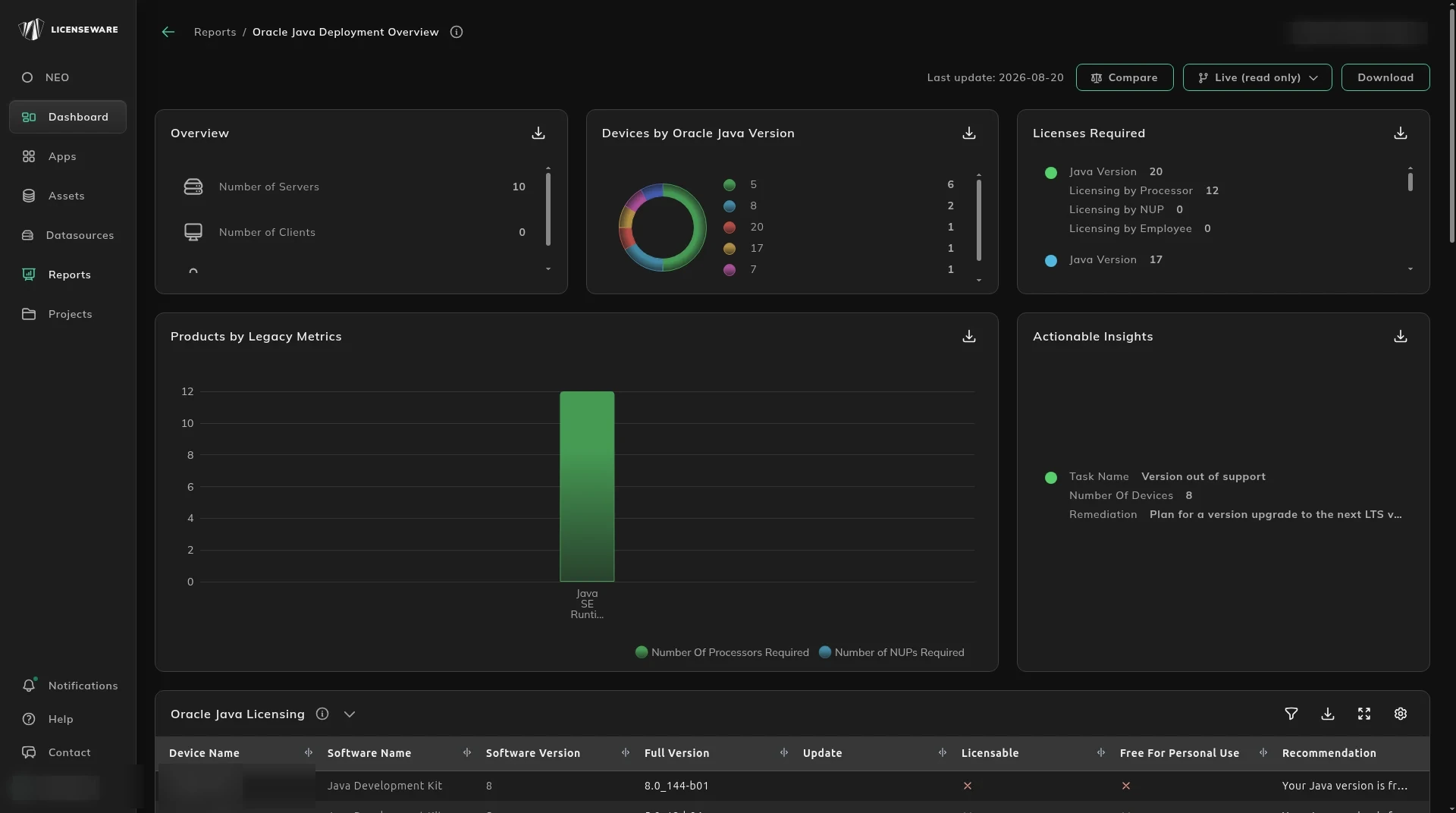
- Overview is Number of Servers, Number of Clients and Number of Users.
- Devices by Oracle Java Version shows which versions are out there.
- Licenses Required is the version, with licensing by processor, by NUP, and by employee.
- Products by Legacy Metrics is processors required and NUPs required.
- Actionable Insights includes Version out of support, with a device count and a remediation.
What needs a license
Section titled “What needs a license”Oracle Java Licensing is the install: device, software name, version, full version, update, whether it is licensable, whether it is free for personal use, and a recommendation.
Licenses Required Details rolls that up: product, whether it is licensable, version range, devices, users, and the processor, NUP and employee licenses required. Download that table for one row per device, with the user. See Using reports.
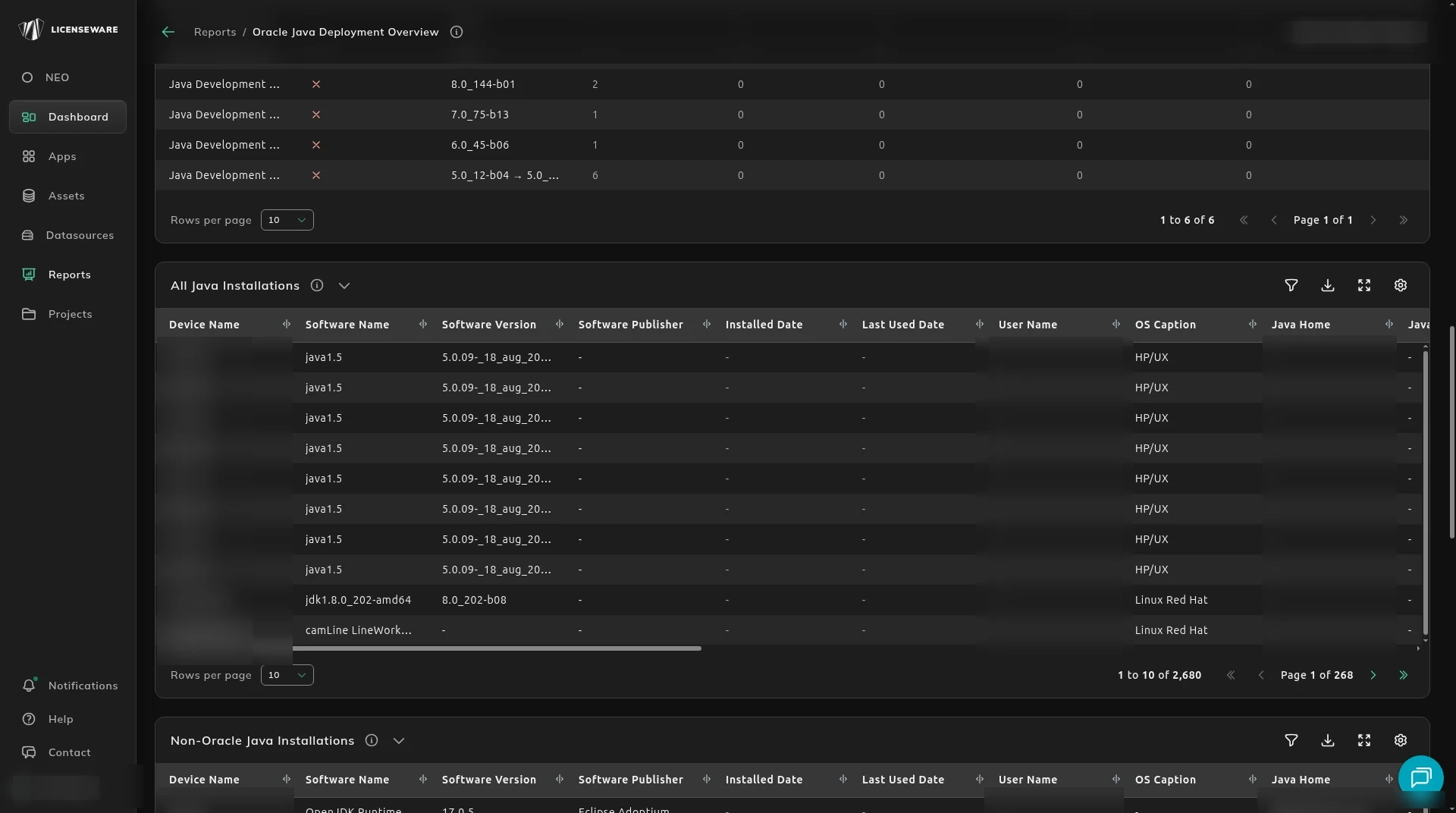
All Java Installations is the wider list, including publisher, install date, last used date, user, operating system, and Java home. Non-Oracle Java, such as Azul Zulu, IBM Java SDK, SAP Java and Amazon Corretto, is in this list so it is not priced as Oracle. Knowing those distributions is how you judge a move off Oracle Java.
Free for personal use marks an install that may be exempt. The recommendation may point at the Oracle Technology Network (OTN) agreement, including a check that the install is not production. Free usage validation in Actionable Insights is a licensable product that might still qualify under OTN, once someone confirms it.
Process path, command line and whether the process is running are filled when the data came from the Oracle Java collector. Those fields show which Java is actually running, which is what Oracle’s policy uses to decide if the install is licensable.
Processors
Section titled “Processors”Each install is lined up with the device it runs on. The structure type, such as Uncapped - Incomplete, is the same capping language as Infrastructure Mapper. Use it to see the physical layout, which machines are uncapped or missing hardware, and how the Java install changes the processor count. An uncapped or incomplete host is a processor license you cannot finish. Missing hardware data in Actionable Insights is that gap.
How the file was collected is on Collect Java installations.