

Microsoft Windows Server Details
Microsoft Windows Server Details is the Windows Server position: edition, version, and whether a host is cheaper on Standard or on Datacenter once you count the virtual machines.
Open it from Apps, then Microsoft Deployment Manager, on the Reports tab.
At a glance
Section titled “At a glance”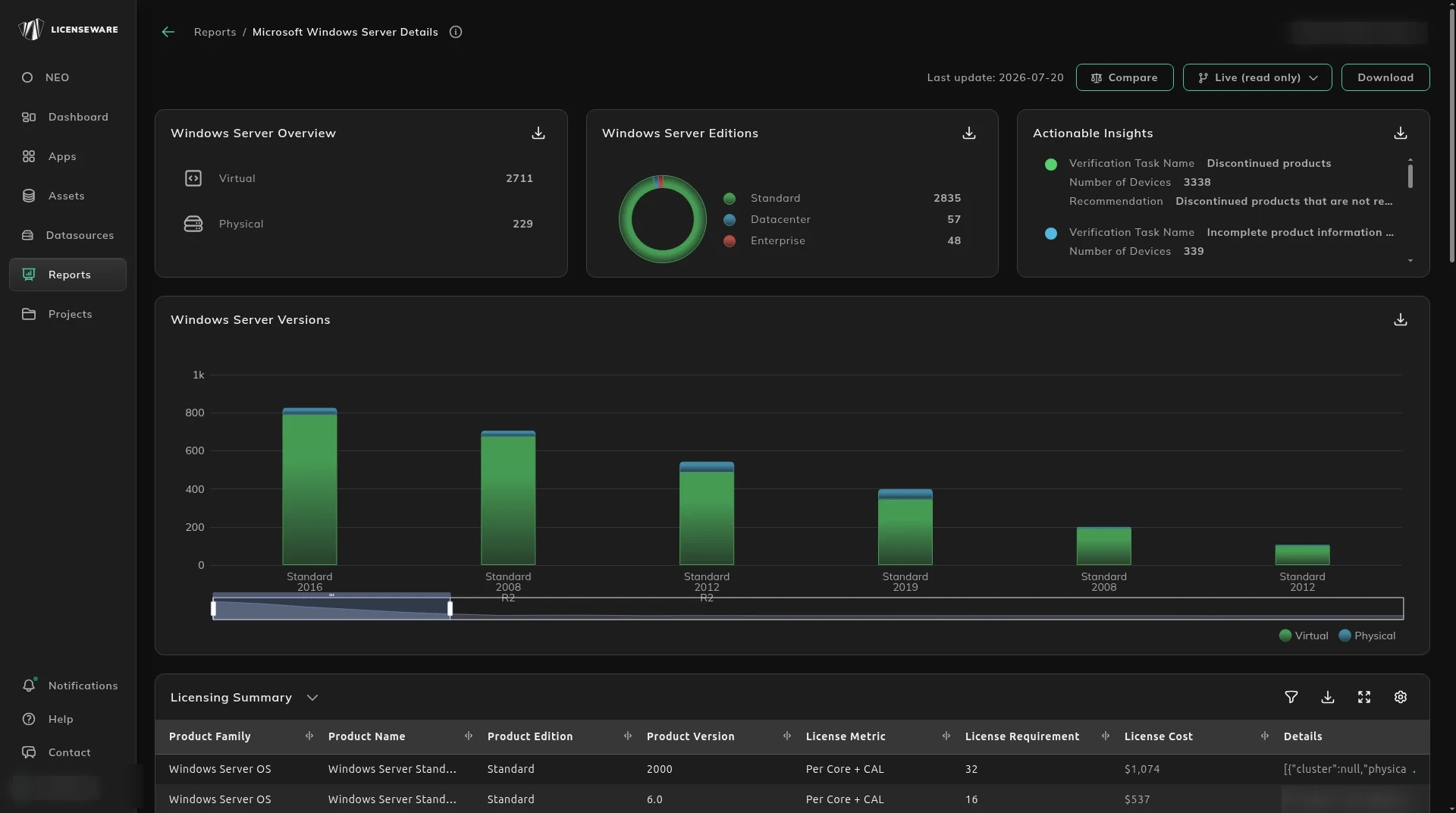
- Windows Server Overview splits Virtual and Physical.
- Windows Server Editions splits Standard, Datacenter and Enterprise.
- Windows Server Versions shows how old the estate is.
- Actionable Insights flags discontinued products, evaluation software, and rows with incomplete product information.
Standard or Datacenter
Section titled “Standard or Datacenter”Licensing Summary rolls the requirement up by product, edition, version, metric, requirement and cost. Download that table for one row per device, with the user. See Using reports.
Windows Server OS Details is the host: cluster, physical server, virtual servers, licensable edition, highest version, recommended edition, total licensable cores, VM count, and the Standard, Datacenter and V-Motion requirements and costs side by side. The note and the data source say why a host was counted that way.
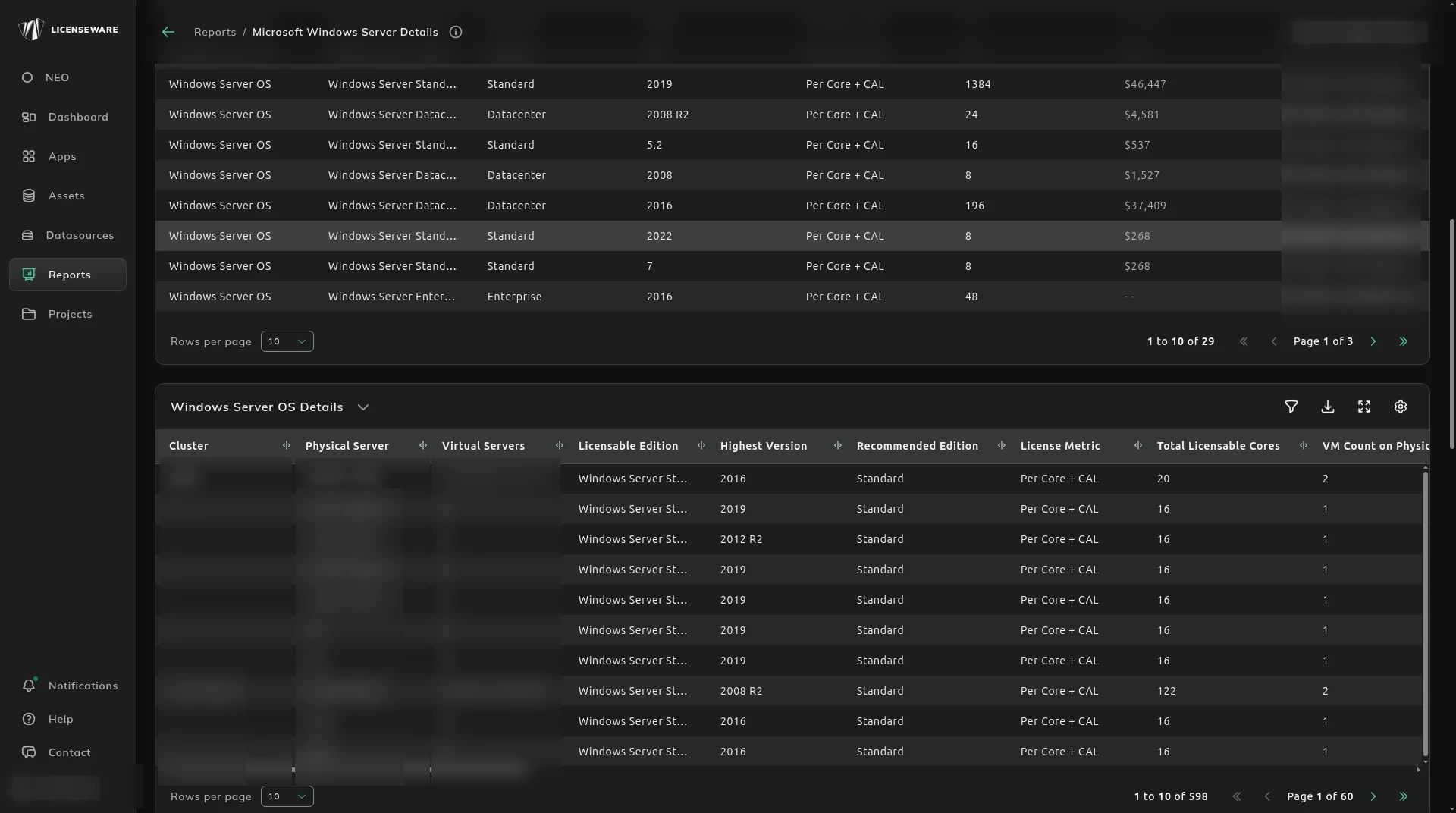
The table is the host licensing model. It recommends the cheaper edition for the deployment you have. Per-VM licensing, where you license each virtual machine instead of the host, is the section below. Hover a figure to see the infrastructure behind that requirement. Hover a virtual server name shown in the list to see the full set.
A host can be on Standard and still be cheaper on Datacenter. With 41 virtual machines, Datacenter’s unlimited virtualization right is the lower requirement. Read the recommended edition against the edition that is installed.
Installed editions lists the edition and version of the virtual machines on that host. Use it to see a bad mix. A rough case is 90% of the virtual machines on a much lower edition and version than the other 10%. Moving that 10% can cut the host’s requirement. The comparison is only as good as the virtualization map from Infrastructure Mapper.
License each virtual machine
Section titled “License each virtual machine”Windows Server can also be licensed per virtual machine. You license each guest, instead of licensing the host and receiving a set number of virtual machines for that license.
Find the host first, then compare the two totals.
A host with 3 virtual machines, each needing Windows Server Standard 2019 at a minimum:
- Licensing the virtual machines one by one needs 24 cores.
- Licensing the host with Standard, stacked, needs 32 cores. The host has 16 cores and 3 virtual machines, so stacking Standard doubles the host to 32.
Put those two figures next to the entitlement and the price. The per-VM model is the newer option, and it is only a saving when the VM total is below the stacked host total.
What else to check
Section titled “What else to check”Actionable Insights also flags software that needs client access licenses (CALs). A Windows Server core count does not cover the CAL.