

Microsoft Office 365 Details
Microsoft Office 365 Details is the assignment list behind the Microsoft 365 saving: how many people have a plan, who has more than one, and which plans are E3, E5, or something else. A user with two paid plans is spend you can see here before the optimization report rolls it into a monthly total.
Open it from Apps, then Microsoft Deployment Manager, on the Reports tab.
At a glance
Section titled “At a glance”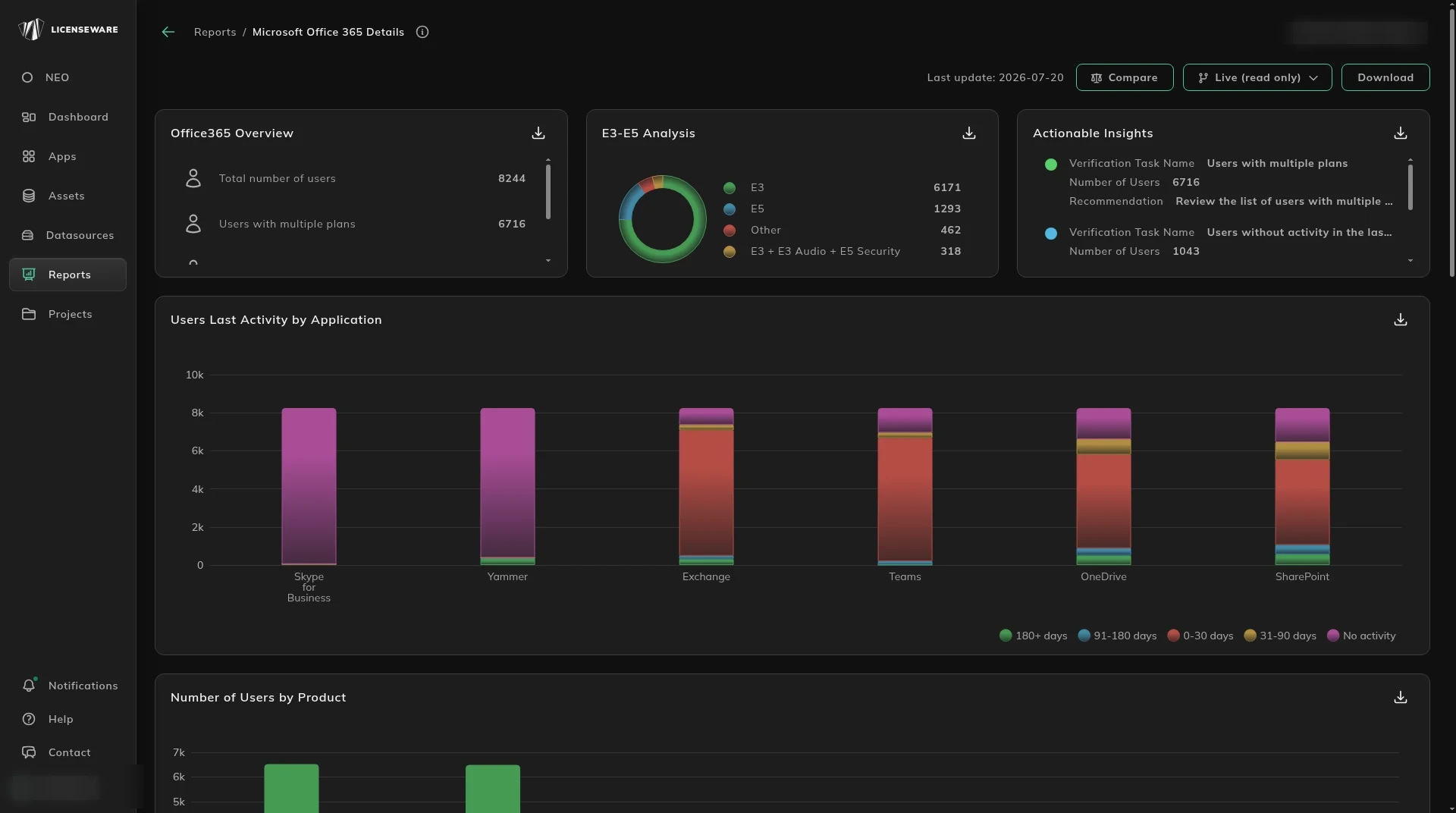
- Office365 Overview is total users, users with multiple plans, users with products assigned, and users with nothing assigned.
- E3-E5 Analysis splits E3, E5, Other, and combinations such as E3 with an audio or security add-on.
- Actionable Insights is a verification task, a user count, and a recommendation.
- Users Last Activity by Application and Number of Users by Product show where the assignments sit.
What each person is assigned
Section titled “What each person is assigned”Product Details is the product and the quantity assigned. Download that table for one row per device, with the user. See Using reports.
User Details is the person: display name, user principal name, whether an E5 component does not match, whether they have multiple plans, the assigned products, and last activity on Exchange, OneDrive, SharePoint, Teams, Skype for Business and Yammer.
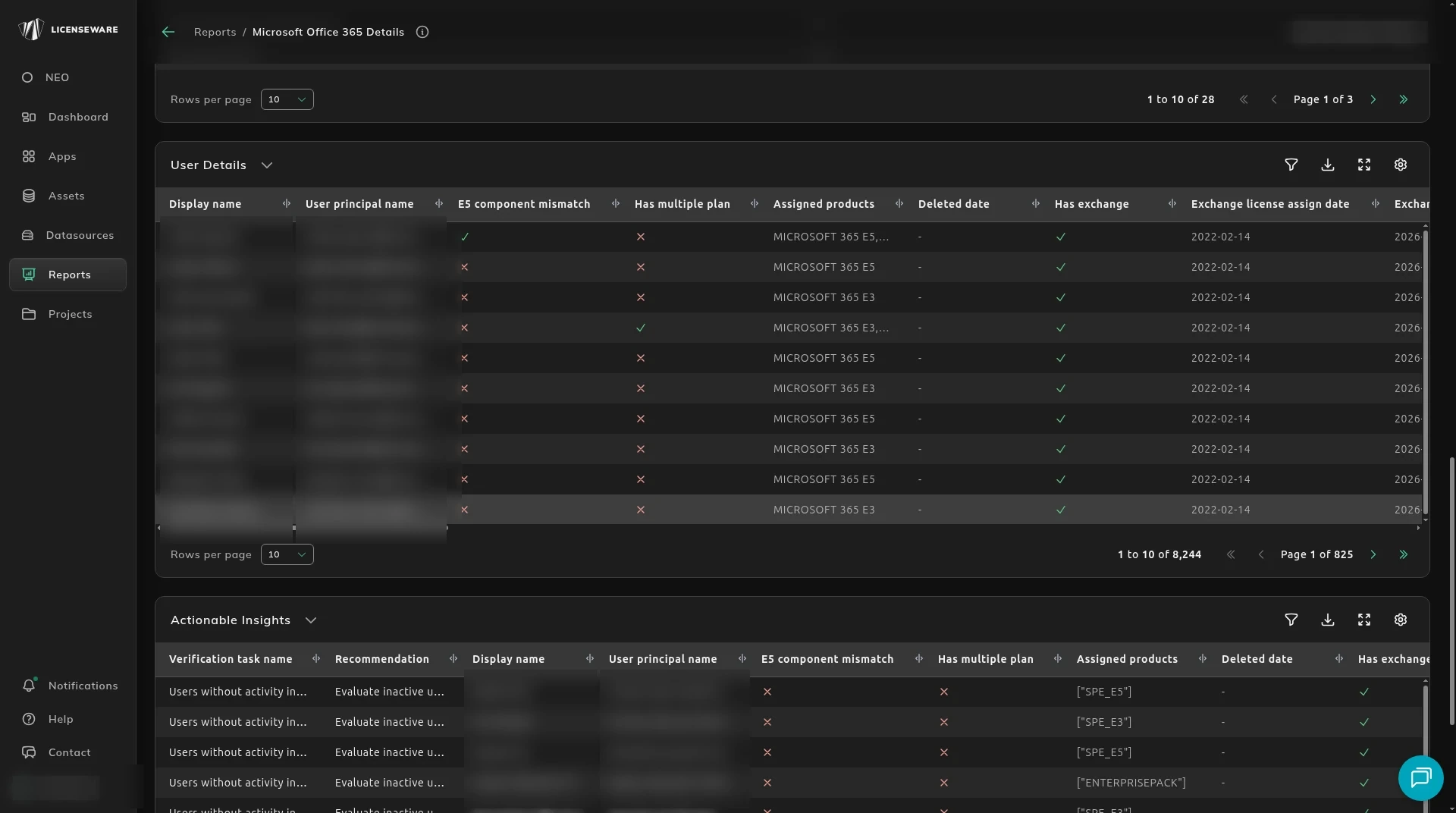
Use the user rows to check a saving before you remove a seat. The monthly roll-up is M365 License Optimization.