

M365 License Optimization
M365 License Optimization is the seat-level saving inside Microsoft 365. It estimates a monthly amount from inactive users, functional accounts, and people who only use web or mobile apps while they hold a desktop suite.
It reads Microsoft 365 data brought in by Microsoft Graph. Open it from Apps, then Microsoft Deployment Manager, on the Reports tab.
At a glance
Section titled “At a glance”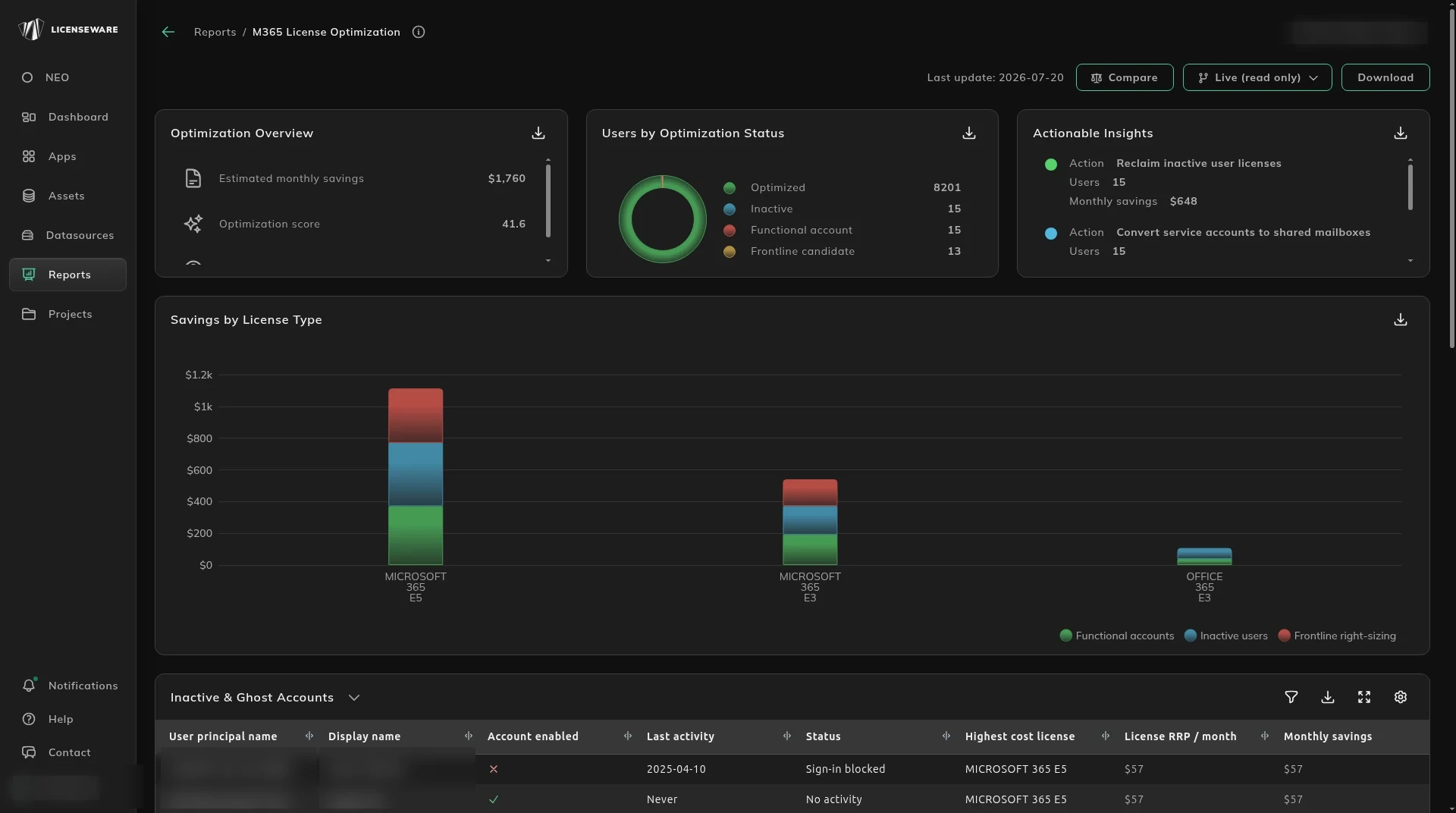
- Optimization Overview is the headline: estimated monthly savings, an optimization score, and license health.
- Users by Optimization Status splits Optimized, Inactive, Functional account and Frontline candidate.
- Actionable Insights is an action, a user count, and the monthly savings on that action.
- Savings by License Type is that monthly amount by license, such as functional accounts, inactive users, and frontline right-sizing.
Who the saving is
Section titled “Who the saving is”The tables name the people. Columns include user principal name, display name, whether the account is enabled, last activity, status, the highest cost license, license price per month, monthly savings, the likely type, how it was detected, and a recommendation.
| Table | Who it lists |
|---|---|
| Inactive & Ghost Accounts | Paid licenses with no sign of activity. |
| Functional Accounts | Service or shared accounts sitting on a paid seat. |
| License Right-Sizing | People who only use the browser or mobile apps, and could move to a frontline plan such as F3. |
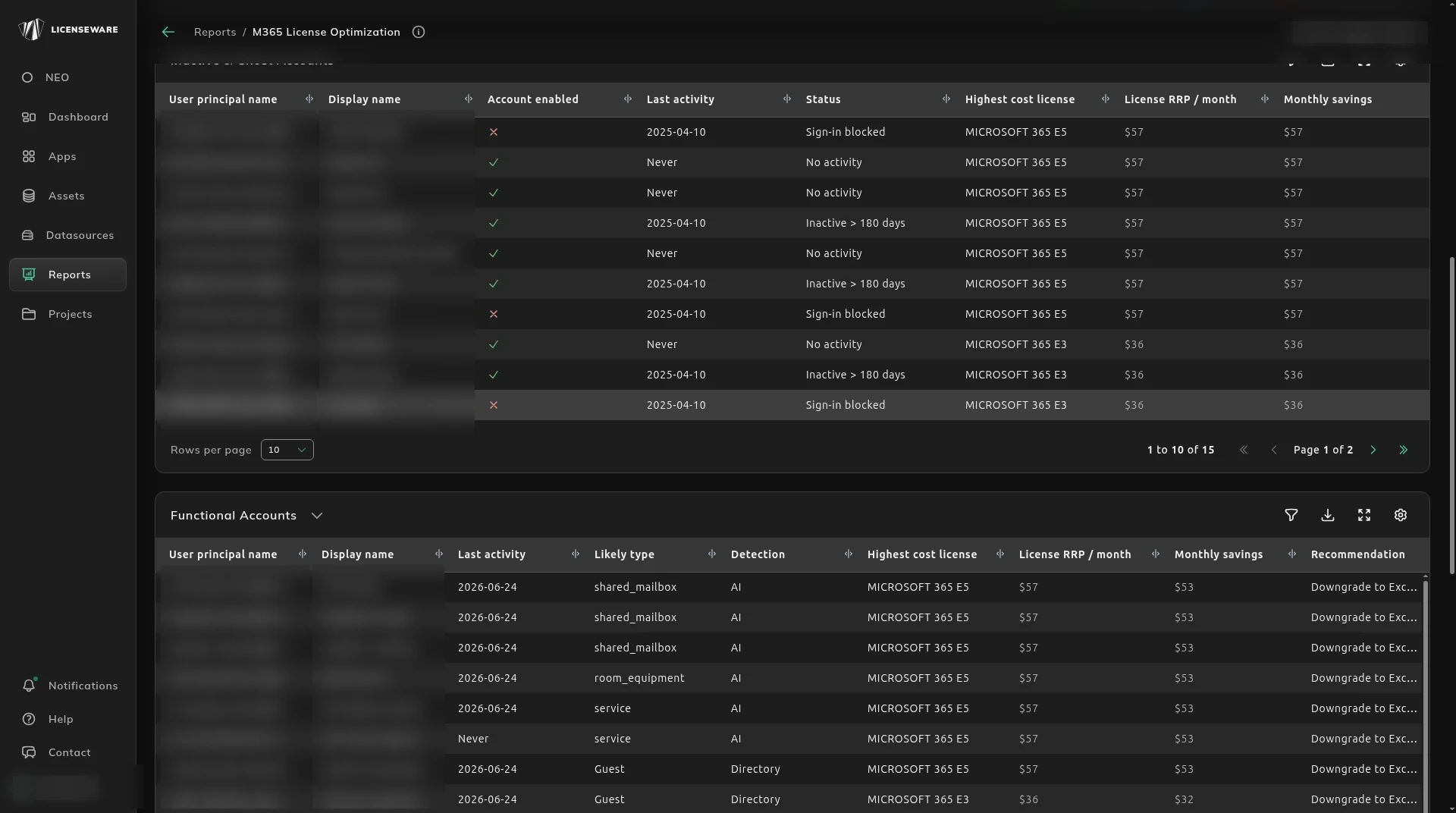
Work down Inactive & Ghost Accounts from the top. Start with accounts whose sign-in is already blocked.
On Functional Accounts, read Likely type before you remove a seat. A shared mailbox or a meeting room rarely needs a full Microsoft 365 license. Detection says how the row was found, for example by the model. Recommendation says what to do instead, such as downgrade to Exchange Online Plan 1 or convert the mailbox to a shared mailbox.
On License Right-Sizing, Mailbox used (GB) is the space that person uses, and Monthly savings is what you save by moving them to the recommended plan. A typical recommendation is downgrade to Microsoft 365 F3, because only the web and mobile Office apps are used. Frontline plans include a smaller mailbox, so check Mailbox used before you move someone.
A seat you downgrade here only changes the agreement at renewal. Take the list into the renewal. The written summary of the same saving is M365 License Optimization Insights.
Download on an aggregated table saves one row per device, with the user. See Using reports.