

Microsoft Deployment Overview
Microsoft Deployment Overview is the whole Microsoft estate in one report: what is installed, the metric and quantity that installation needs, and an estimated cost. Use it before you quote a renewal or answer a shortfall.
Open it from Apps, then Microsoft Deployment Manager, on the Reports tab, or from Reports.
At a glance
Section titled “At a glance”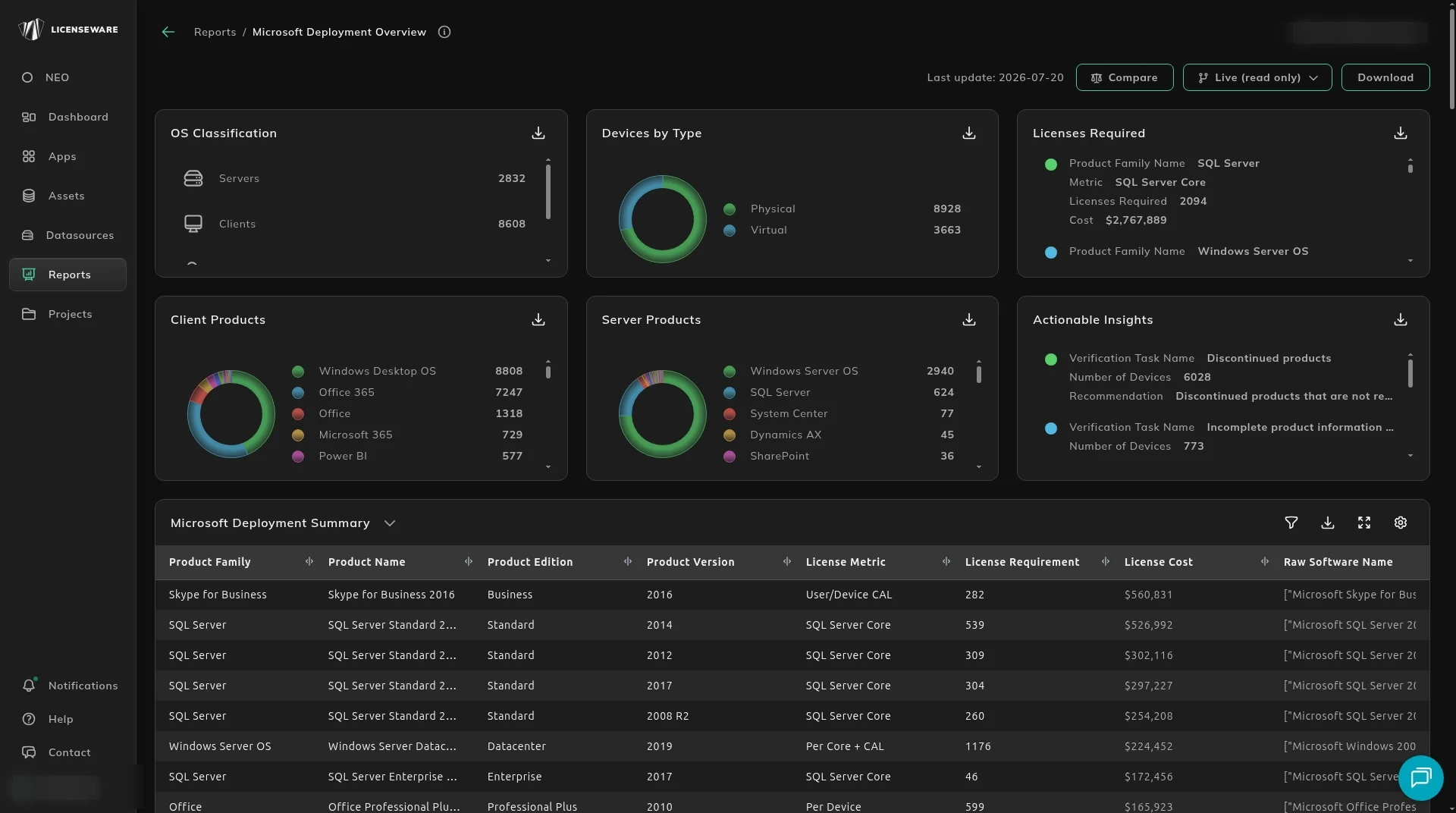
The tiles are a scan, not the row you take to finance.
- OS Classification splits devices into Servers, Clients, IoT and Unknown.
- Devices by Type splits Physical and Virtual.
- Licenses Required is each product family with its Metric, Licenses Required and estimated Cost.
- Client Products and Server Products are install counts, so a desktop suite is not mixed into the server position.
- Actionable Insights is a verification task, the devices it affects, and a recommendation. Tasks include discontinued products, evaluation software, and incomplete product information.
What actually needs a license
Section titled “What actually needs a license”Microsoft Deployment Summary is the product list behind those tiles: product family, product name, edition, version, license metric, license requirement, license cost, and the raw software name. The raw name is what the discovery tool sent. The product name is what MDM matched. If those two disagree, the cost is on the wrong product until you fix the match. Download that table for one row per device, with the user. See Using reports.
Windows Server OS Details and SQL Server By Core Licensing are the host-level sums for the two families where virtual machines change the count. The columns include cluster, physical device, virtual device, licensable edition and version, and core licenses required. A host with no core count cannot be sized.
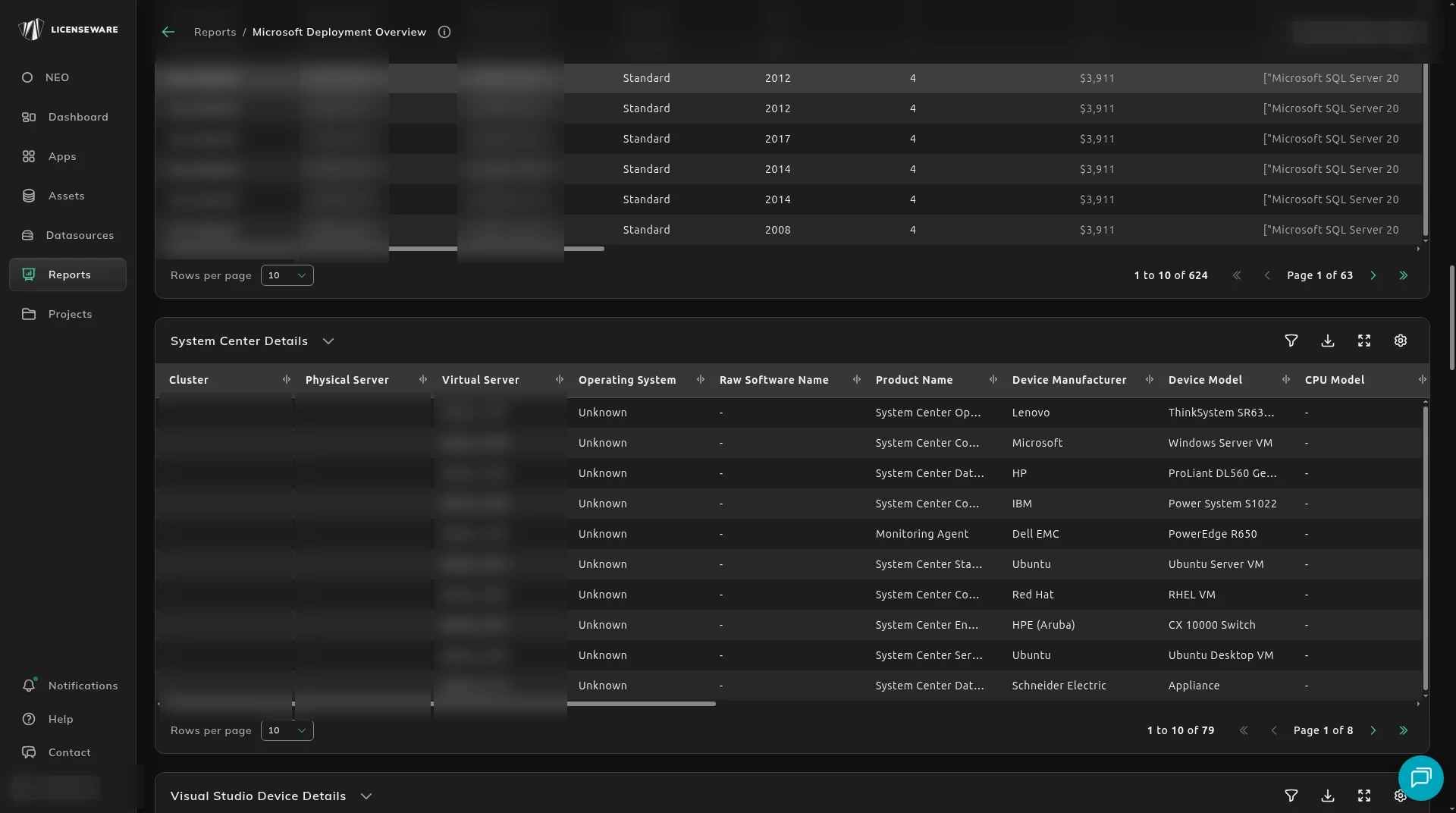
The same dates and gaps show up as tasks on Actionable Insights, with the device, the product, and whether it is an Insider Preview, an evaluation build, or past a discontinued date. A discontinued product is a security risk, and extended support on it can cost more than the replacement. That table is where you find the devices to act on.
You can search every table and every column. Each table exports as Excel, CSV or JSON. Hover a figure to see the raw software behind it. Actionable Insights also flags software that needs client access licenses (CALs).
Below the host tables, the report has one installation table per product family, with the license requirement on each row. The families include Office and productivity apps, Windows desktop, Windows Server and SQL Server. Windows Server and SQL Server also have their own reports.
The owned quantity those requirements sit against is in License and Contracts Manager.