
Set a renewal reminder
You set Renewal Notice Days on a contract or on an individual license. Licenseware emails a reminder on that day, and again at each of 90, 60 and 30 days that falls after it.
A notice of 45 days sends email at 45 and 30 days. A notice of 91 days sends email at 91, 90, 60 and 30 days.
Set the number
Section titled “Set the number”Both send the reminder email. Set it on the contract to cover the agreement, or on a license when that license renews on its own date.
On a contract
Section titled “On a contract”- Open Apps, then License and Contracts Manager. Contracts is the first tab.
- On the contract’s row, open the ⋮ menu and click Edit. You can also open the contract and use the ⋮ menu beside its title.
- Set Renewal Notice Days to the number of days before the contract’s end date.
- In Notification Recipients, pick who gets the email.
- Click Update.
On a license
Section titled “On a license”- Open Apps, then License and Contracts Manager, and click Licenses.
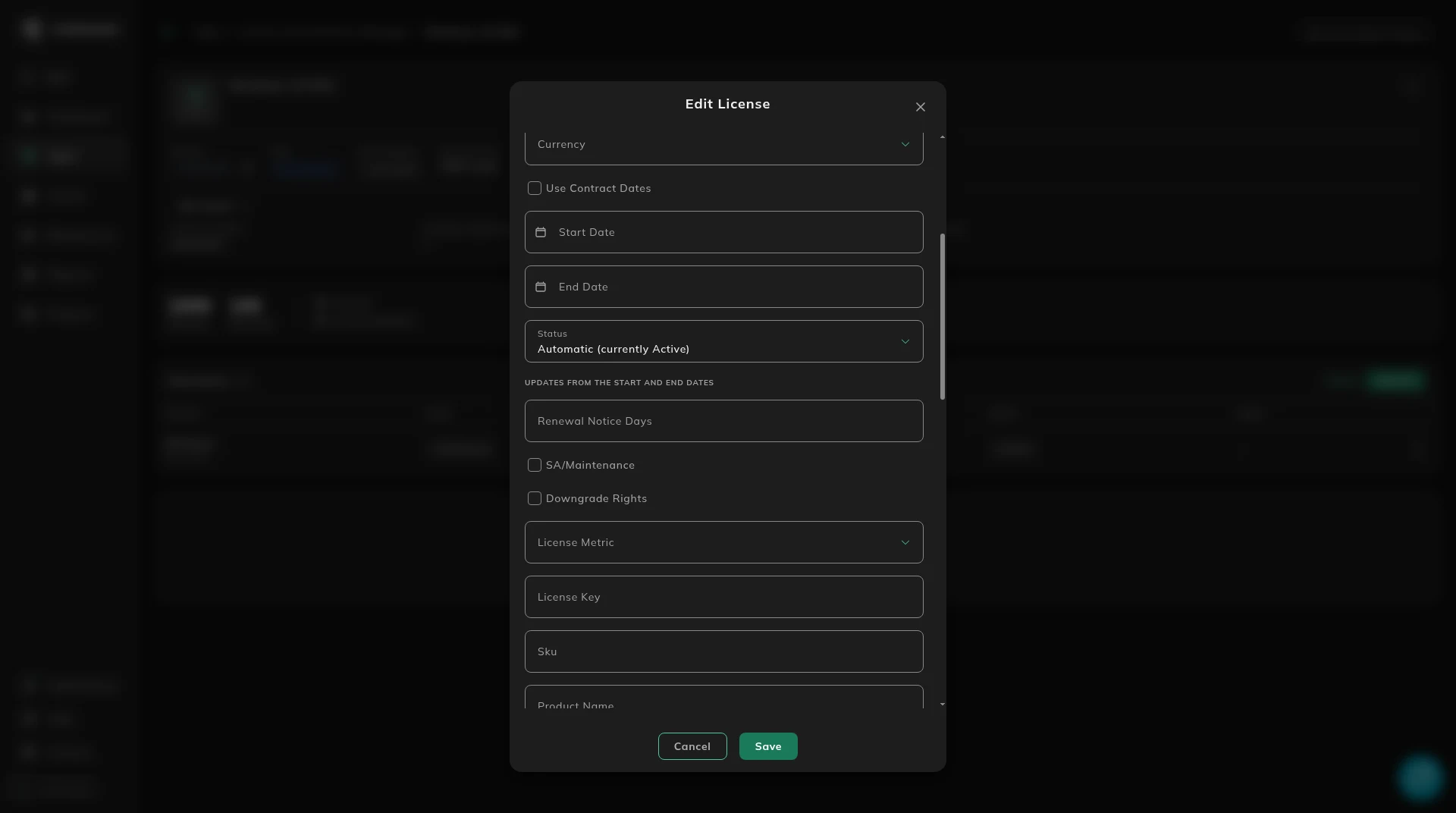
- On the license’s row, open the row menu and click Edit.
- Set Renewal Notice Days to the number of days before the license’s end date.
- Save.
How long to choose
Section titled “How long to choose”Pick the number from how long the decision takes, not from a default.
- 365 days for a major enterprise renewal: multi-million spend, board approval, a full procurement and legal cycle, or a multi-vendor tender. That is a year to renegotiate or switch.
- 180 days for a standard enterprise renewal when you want a long lead and you do not expect to retender.
- 90 days for a typical SaaS subscription or a mid-tier agreement.
- 60 days for a low-value renewal where the decision is keep or stop.
- 30 days for a trivial or evergreen renewal.
A longer notice is safer than a short one. Thirty days on a contract that needs board approval is too late. One hundred and eighty days on a small subscription is more warning than the decision needs.
Fill the field when you load the contract or the license. Renewals & Lifecycle keeps Add Renewal Notice open until it is set. Review the number once a year. The notice that was right two years ago may no longer be right.
Who gets the email
Section titled “Who gets the email”On a contract, the reminder goes to the users picked in Notification Recipients, from those who have access to the project.
On the contract, Show details shows NOTIFICATION DATE and RECIPIENTS as they are stored on that contract.
The dates across the portfolio are on Renewals & Lifecycle.
Next: this is step 6 of the quickstart.