
Analyze a contract with NEO
Extract a contract (OCR) turns a document into contract and license records. Analysis goes further: NEO reads every document you hold for a vendor and tells you where the contract leaves you exposed, how its terms compare with the market, and what to ask for at renewal.
1. Open Compliance
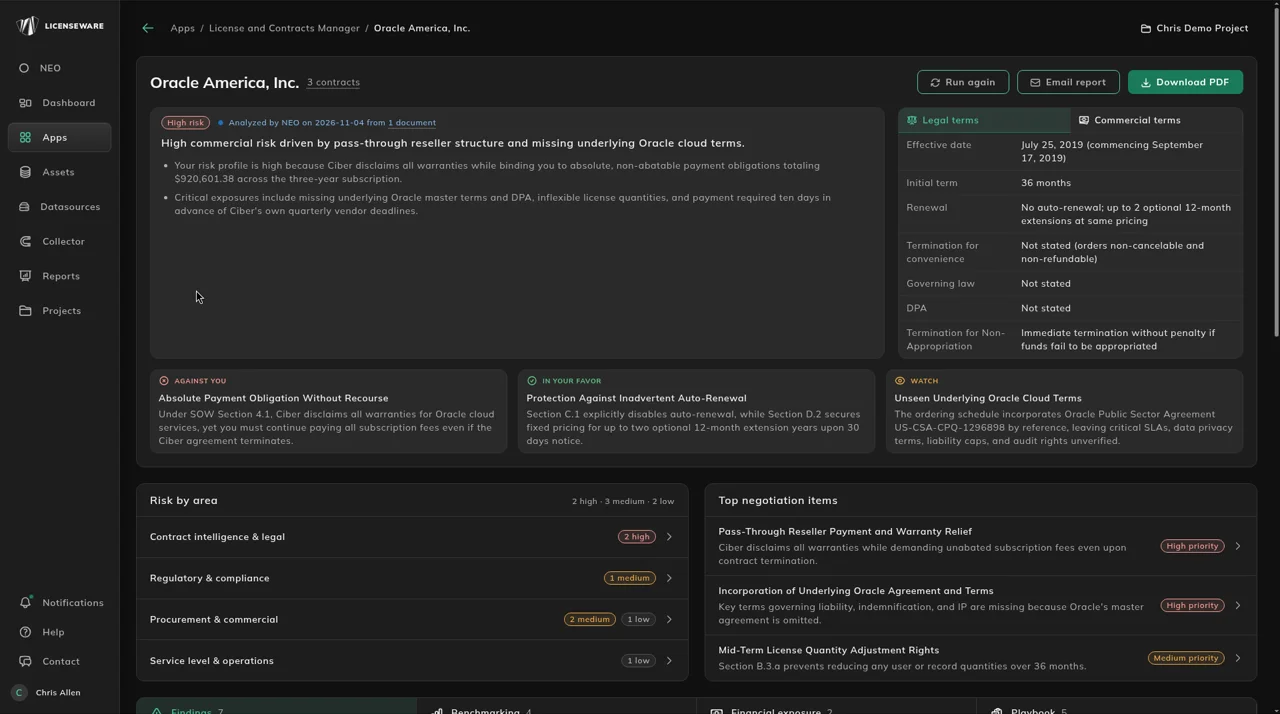
Section titled “1. Open Compliance”Open Apps, then License and Contracts Manager, and click the Compliance tab. Compliance is organized by vendor, so you can see which suppliers carry the most contractual risk across all their documents and know where to look first.
The Vendors table has one row per vendor, with its Contracts, Documents (for example “1 of 1 analyzed”), Status (such as Up to date), Risk profile (such as High risk), Findings by severity, Top risk, Playbook (such as “2 high of 5”) and Last analyzed. Click a vendor to open its page.
2. Start an analysis
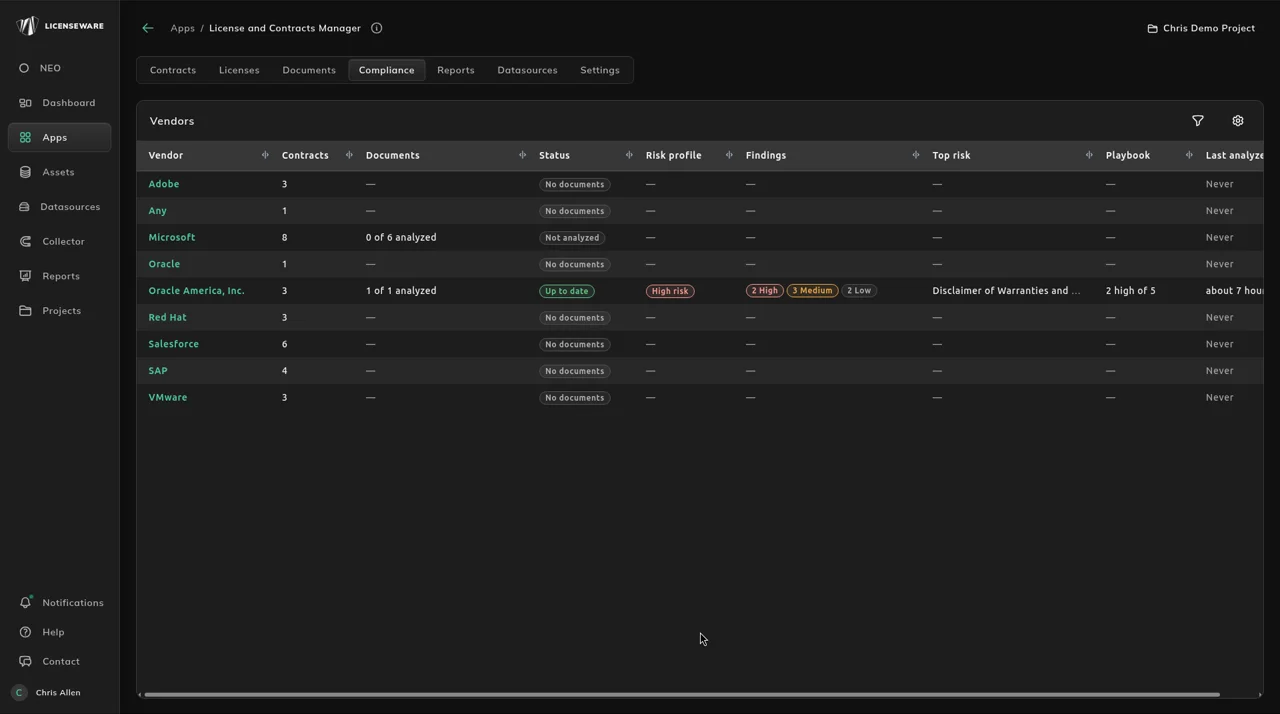
Section titled “2. Start an analysis”A vendor NEO hasn’t read shows Not analyzed and “NEO has not analyzed this vendor yet. Pick the documents to read and it reports the risks it finds.” Click Analyze with NEO at the top right and pick the documents. Selecting more than one document analyzes them together.
To add a new document and analyze it in one step, use Upload and analyze in the vendor’s Documents card.
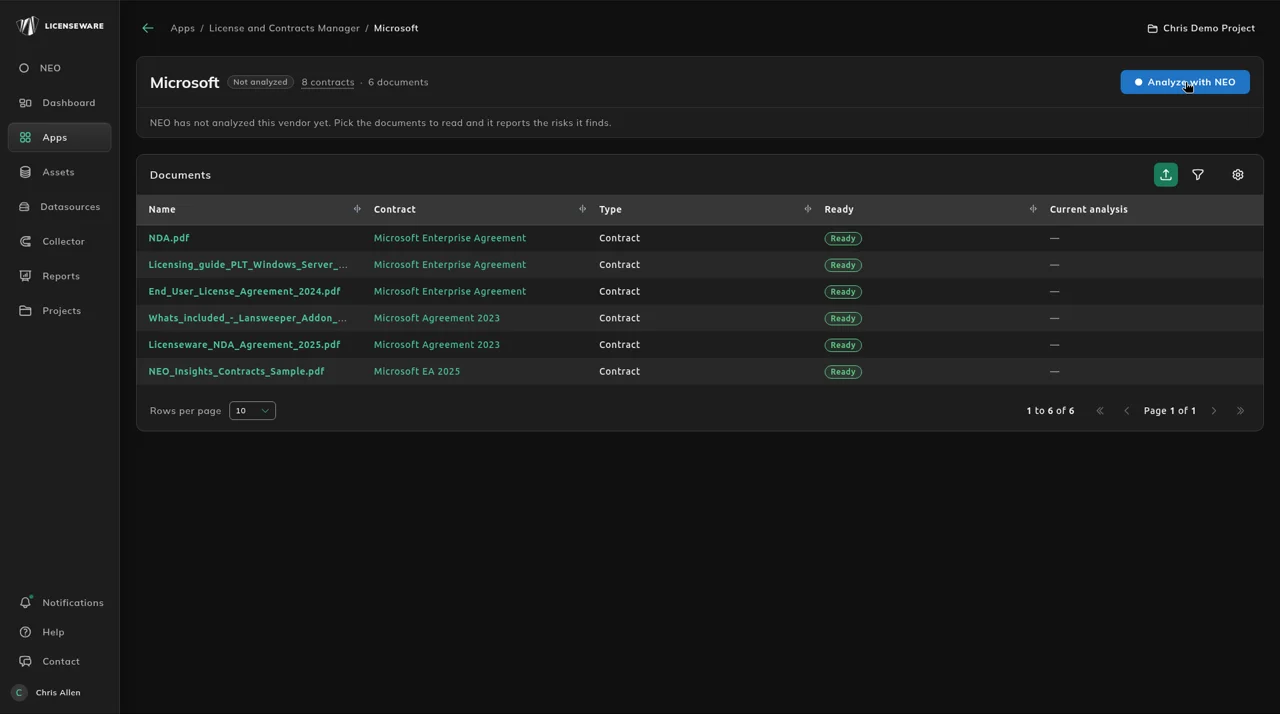
Once a vendor is analyzed, its header has Run again, for when you add or change documents.
3. Read the summary and the tiles
Section titled “3. Read the summary and the tiles”The summary card gives the overall risk and the headline in one paragraph. Legal terms and Commercial terms sit beside it, and the AGAINST YOU, IN YOUR FAVOR and WATCH tiles name the clauses that matter most, each with the contract section it comes from. Each part is explained under What each part of the analysis shows.
4. Take the playbook into the renewal
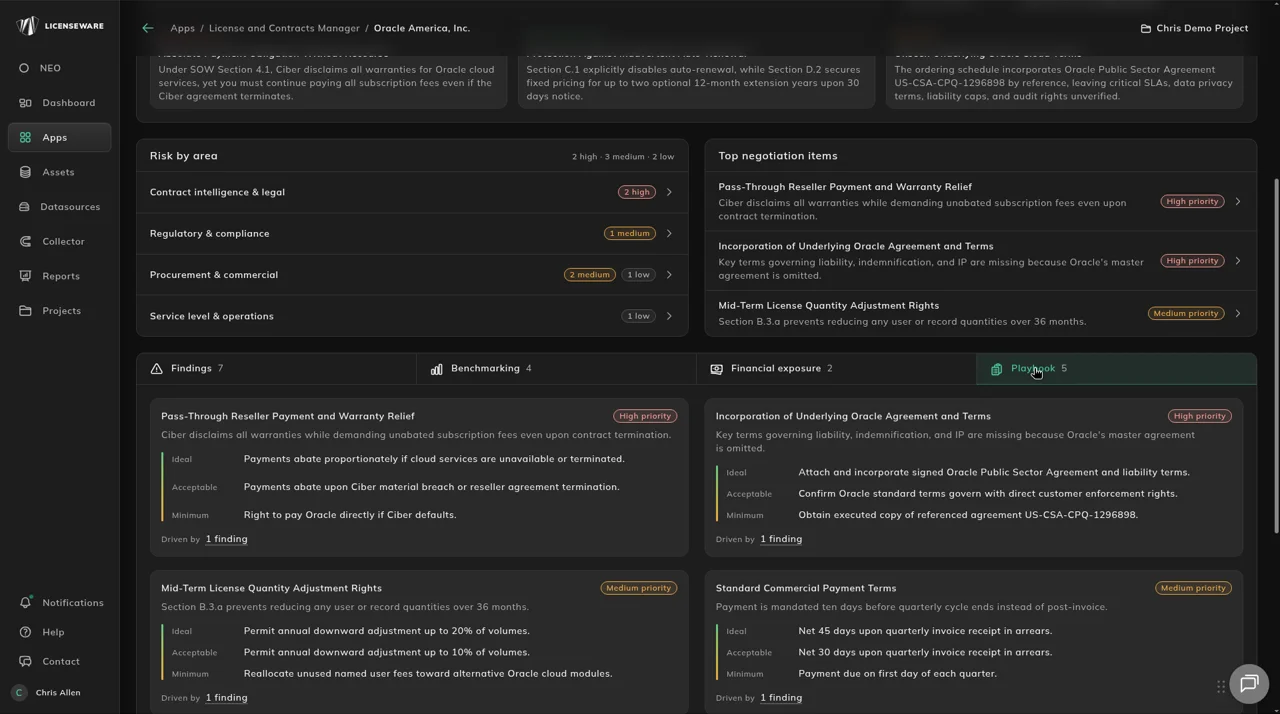
Section titled “4. Take the playbook into the renewal”Top negotiation items is the shortlist, and the Playbook tab gives each item a position with fallbacks. Share the analysis with legal or procurement with Email report or Download PDF in the vendor’s header.
What each part of the analysis shows
Section titled “What each part of the analysis shows”A sample of a NEO contract analysis is this PDF. Open a tab for the decision you need.
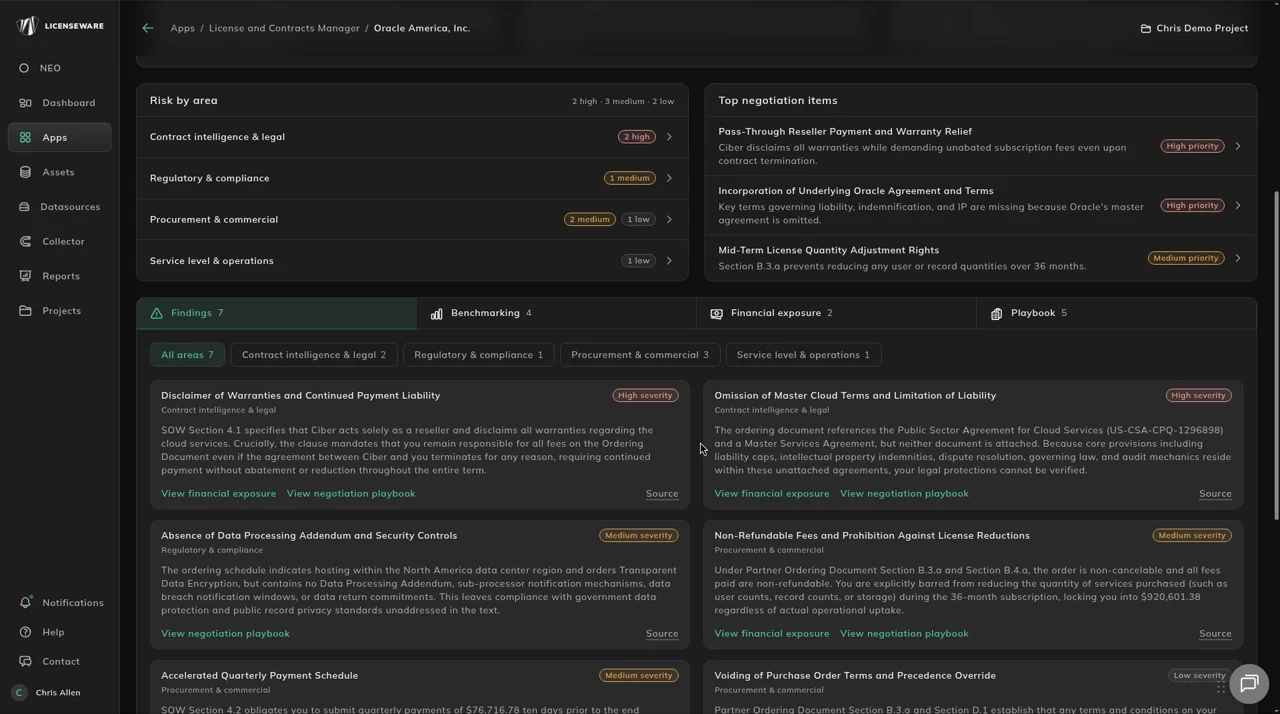
Follow Source on a finding back to the clause before you raise it with legal or the vendor.
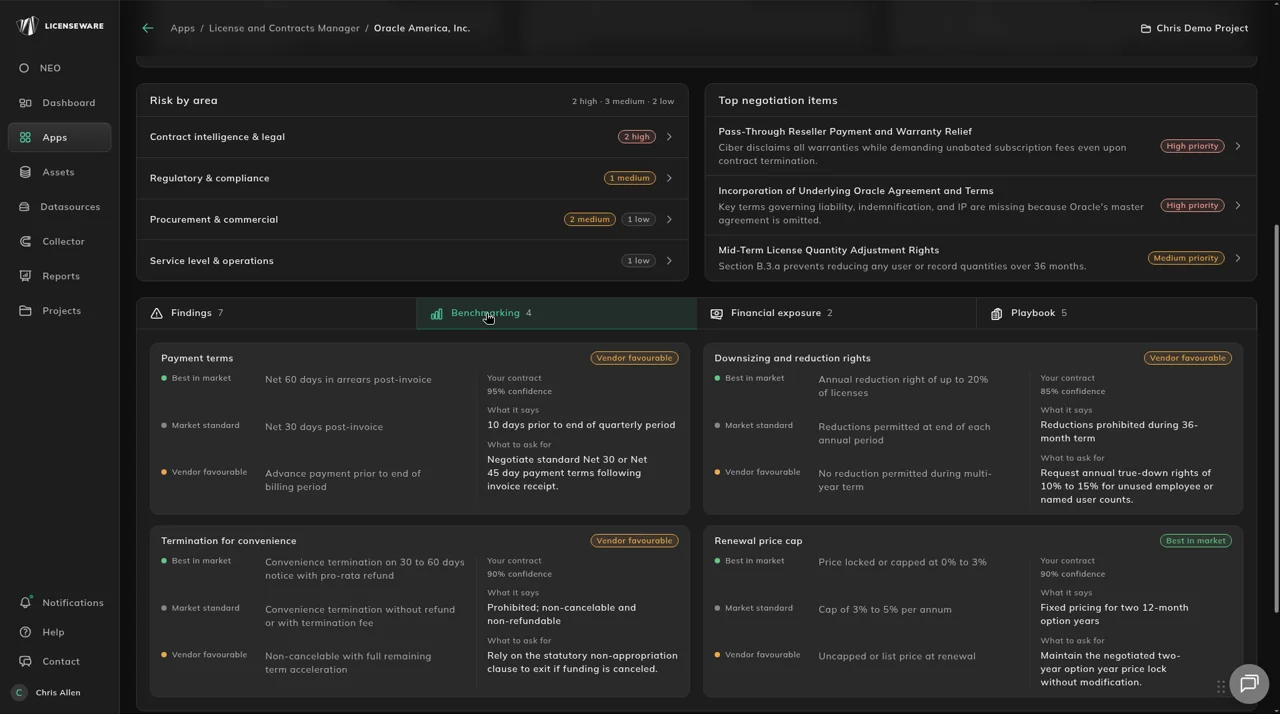
Use What to ask for when Your contract sits on Vendor favourable against Best in market and Market standard.
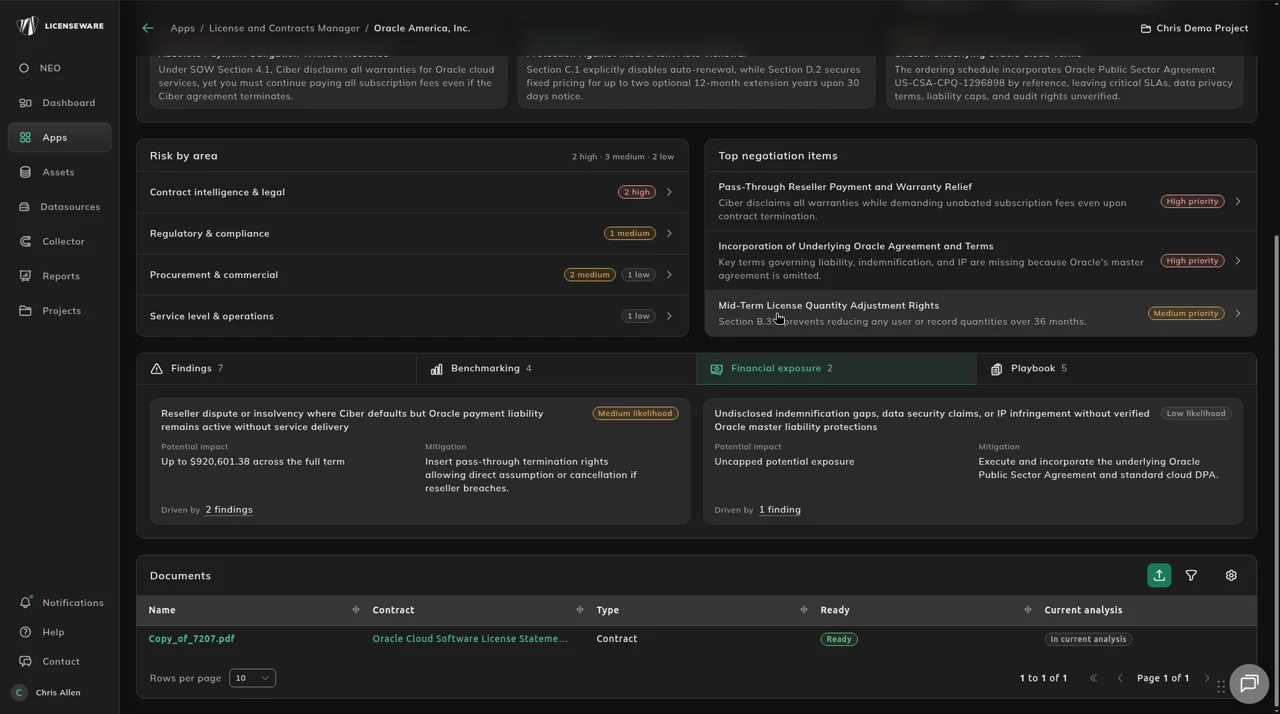
Rank the renewal work by Potential impact so the cost of each risk is clear against budget.
Take Ideal, Acceptable and Minimum into the renewal as your opening position and fallbacks.
Use Upload and analyze for a new file, or Run again after the set of documents changes.
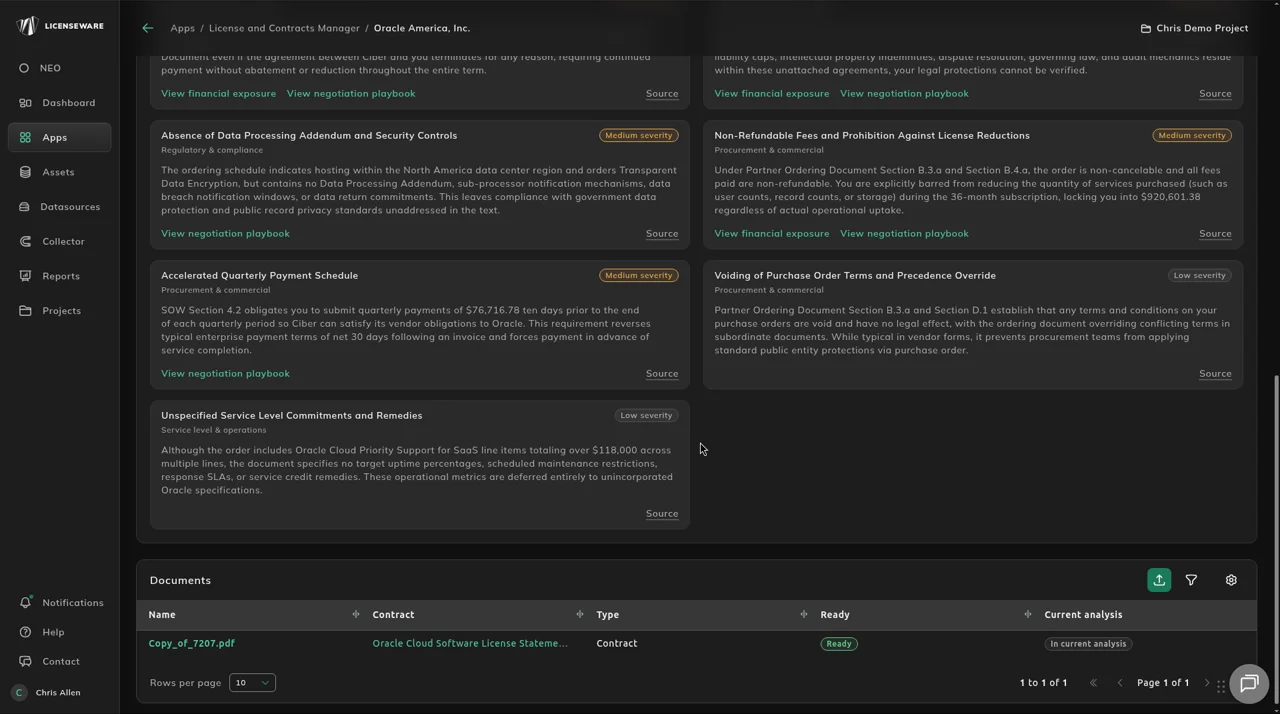
Legal, procurement, executives and IT / SAM each take a different cut of the same analysis. Check the clause in the source before you rely on a line.