

Virtualization Details
Virtualization Details is the relationship list: host to guest, cluster, pool and datacenter. Oracle on VMware and Windows Server both change when a guest can move. A missing parent is a license counted on the wrong machine.
Open it from Apps, then Infrastructure Mapper, on the Reports tab.
At a glance
Section titled “At a glance”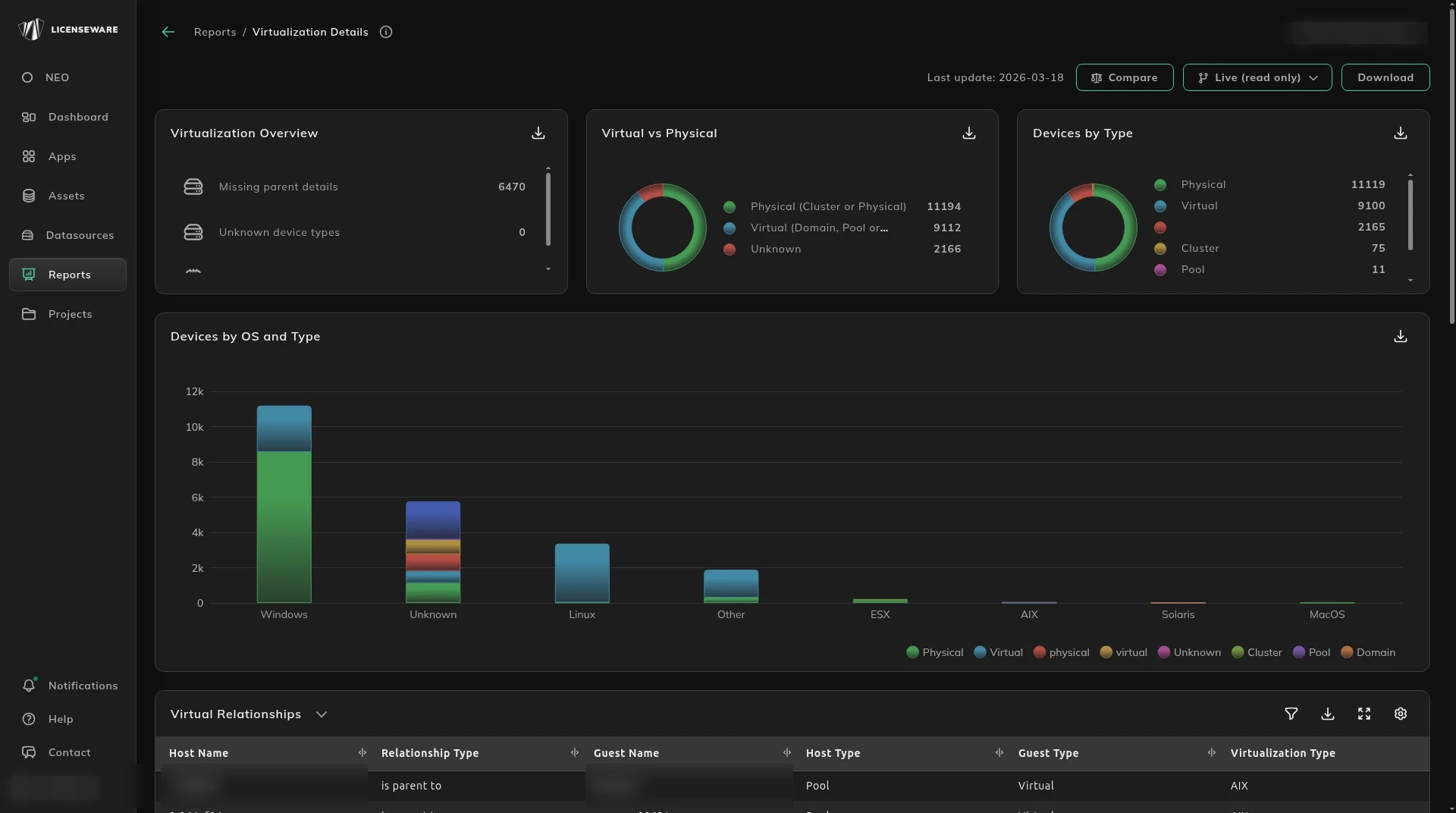
- Virtualization Overview counts Missing parent details, Unknown device types and Missing cores info. Those are the rows to fix before you trust a license number.
- Virtual vs Physical splits physical hosts and clusters from virtual guests, domains and pools, and from Unknown.
- Devices by Type and Devices by OS and Type are the same estate sliced again.
- Actionable Insights names the device, its type, and the total cores on the gap.
Who runs on whom
Section titled “Who runs on whom”Virtual Relationships is host name, relationship type, guest name, host and guest type, virtualization type, datacenter, vCenter, cluster, whether DRS is enabled, and the processor and core totals.
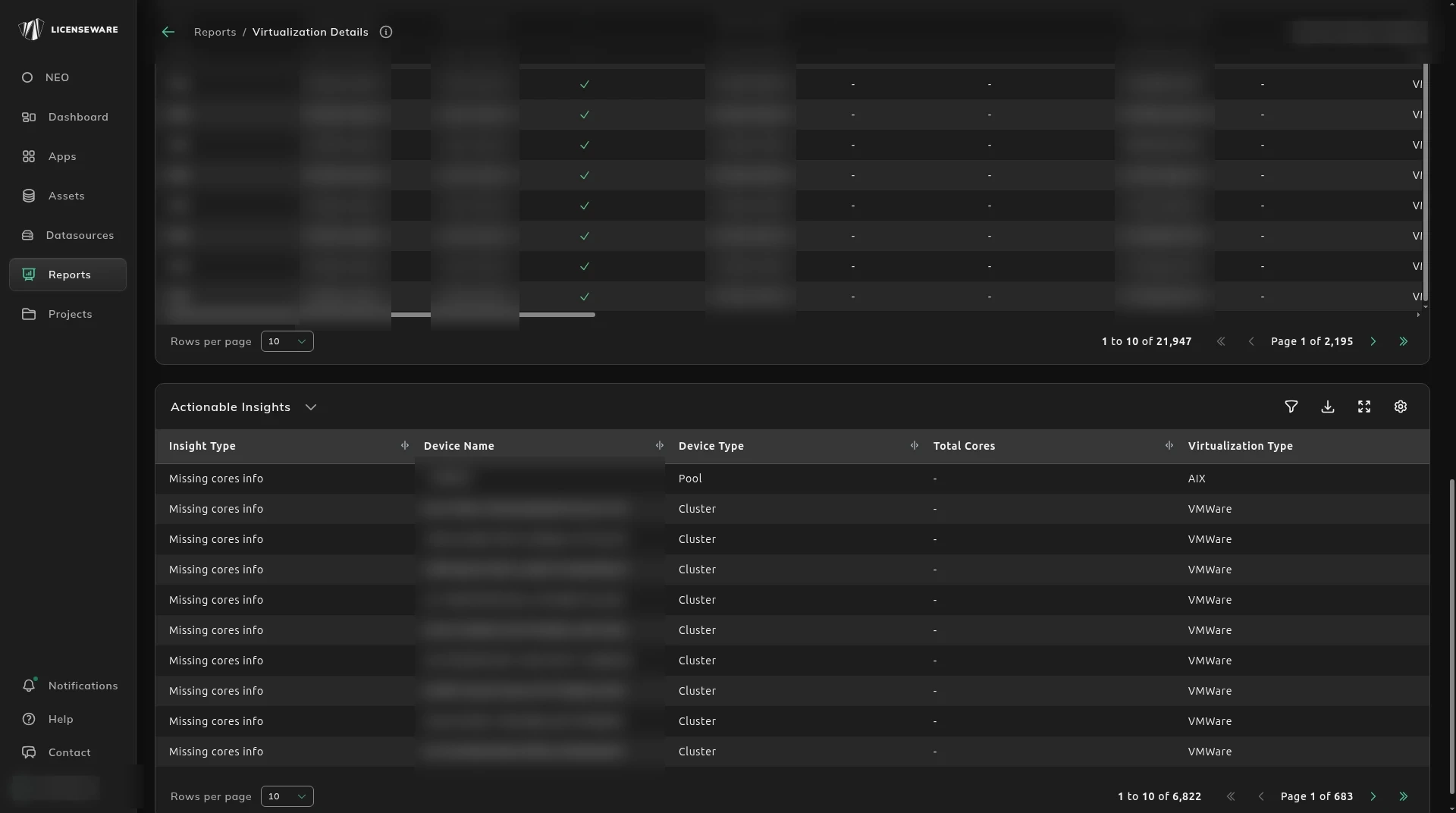
DRS enabled means a guest can move. Count the cluster, not the one host the guest happened to be on.
Download on an aggregated table saves one row per device, with the user. See Using reports.