

Infrastructure Overview
Infrastructure Overview is the estate as hardware: how many devices, what type they are, and whether each row has the cores and the parent a license calculation needs. A virtual machine with no host is a license you cannot place.
Open it from Apps, then Infrastructure Mapper, on the Reports tab, or from Reports.
At a glance
Section titled “At a glance”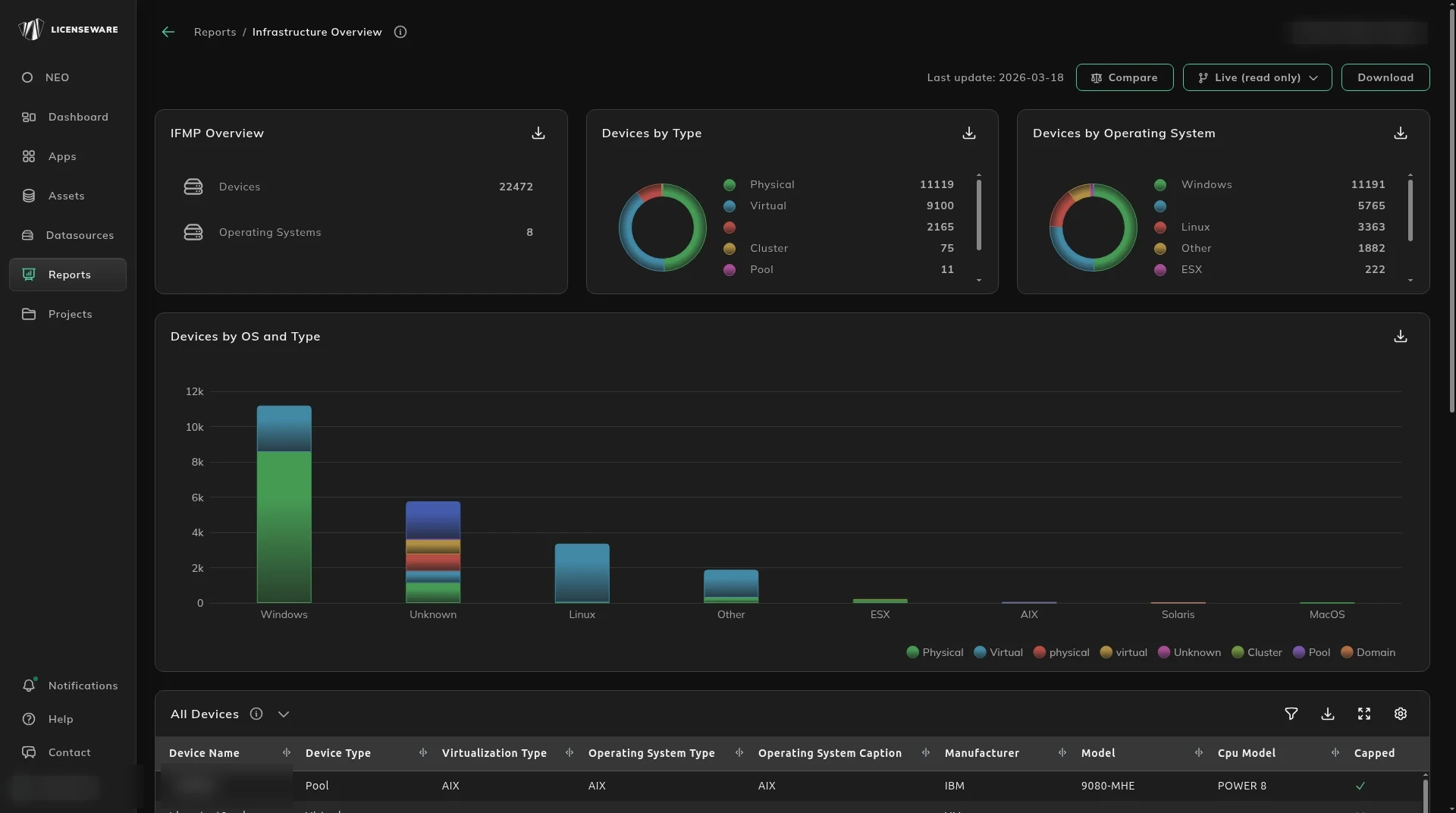
- IFMP Overview is the size of the map: Devices and Operating Systems.
- Devices by Type splits Physical, Virtual, Unknown, Cluster, Pool and Domain.
- Devices by Operating System splits Windows, Linux, Other, ESX, AIX, Solaris and MacOS.
- Devices by OS and Type is the same split stacked, so you can see whether the unknowns are servers or something else.
The inventory the other apps read
Section titled “The inventory the other apps read”All Devices is every device Infrastructure Mapper processed. The columns are device name and type, virtualization type, operating system, manufacturer, model, CPU, whether it is capped, the Oracle core factor, processors, cores and threads, and the datacenter, vCenter, cluster, pool and parent names.
A name that ends in -pool, -domain or -physical was created during analysis. It is not a second device, and it is not a duplicate to delete. The name you recognize is the one without that suffix.
A blank cluster or a blank core count is not a zero. It is a device Oracle Database Manager and Microsoft Deployment Manager cannot size.
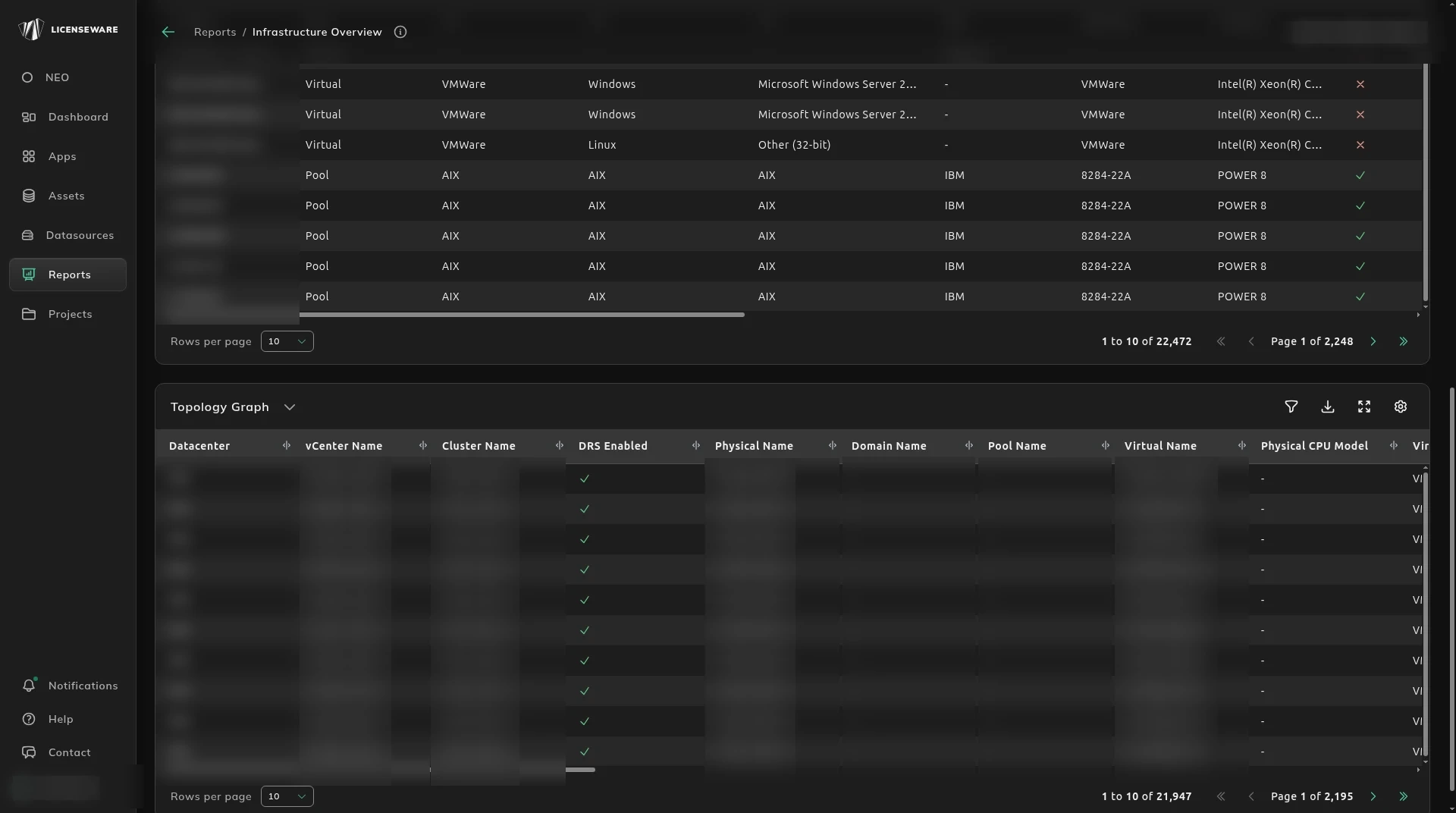
Topology Graph is the same relationships drawn out. Host-to-guest rows are on Virtualization Details.
Download on an aggregated table saves one row per device, with the user. See Using reports.