

What IFMP does and when to use it
Infrastructure Mapper (IFMP) builds one map of the estate: physical hosts, clusters, pools and virtual machines, with the CPU and core counts those relationships depend on.
Use it when a license count is wrong because the virtual machine was treated as its own host:
- Which guests sit on which host, and which hosts sit in a cluster?
- How many cores and processors does that host have, and are they capped?
- Which devices are missing a parent, a core count, or a device type?
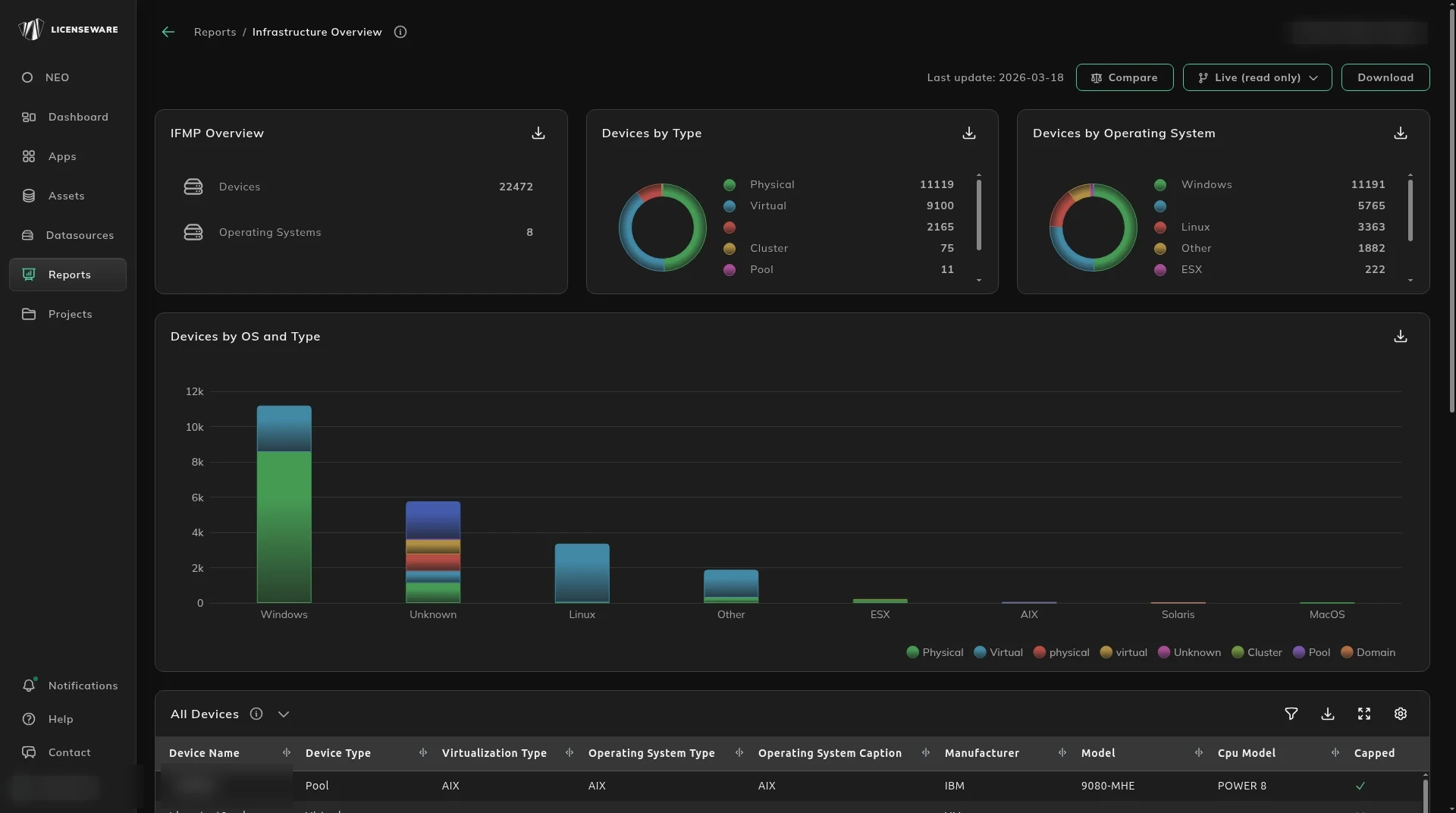
Open it from Apps, then Infrastructure Mapper. The report cards are Infrastructure Overview, Device Details and Virtualization Details.
Oracle Database, Windows Server and SQL Server read this map. Without it, those apps cannot tell a virtual machine from a physical host. The map covers SunOS, IBM AIX, HP-UX, Linux, Oracle VM, Hyper-V and VMware, and it works out CPU capping separately for each software vendor.
Connect an API integration first. The connectors this app reads, including Lansweeper and Microsoft Graph, are on Sources IFMP accepts. Deploy the Collector as well. It covers hosts no integration sees, and Licenseware recommends it on every machine for software metering. RVTools, PowerCLI and the IFMP template are file fallbacks.
Where to go next
Section titled “Where to go next”| Question | Page |
|---|---|
| How big is the estate, and where are the gaps? | Infrastructure Overview |
| What is on the IBM Power and AIX hosts? | Device Details |
| Which guest runs on which host? | Virtualization Details |
That map is what makes a cluster license defensible.
Start, or talk to us
Section titled “Start, or talk to us”Start free creates your account on the EU instance. For the US or AU instance, sign up at us.licenseware.io or au.licenseware.io. See pricing.