

What ADM does and when to use it
Adobe Deployment Manager (ADM) finds users who hold components of a Creative Cloud bundle, so you can decide per user whether single-app plans or the full suite is cheaper.
Use it when someone has some of the suite and you need to know which way to buy it:
- A user with just Photoshop and Illustrator is usually cheaper on two single-app plans.
- From three apps, the full suite is usually the cheaper buy at list price.
- Two installs for the same named user are one license. Read the result per user, not per device.
- The result comes back in minutes. A manual pass over the same estate can take weeks or months.
- It also finds legacy Adobe technology in the estate that should be updated or removed.
At Adobe’s UK teams list prices, checked October 2026, two single apps cost less than the full suite, and from three apps the suite is usually cheaper. Check the price on your own VIP or enterprise agreement. Adobe’s UK teams plans are the public list.
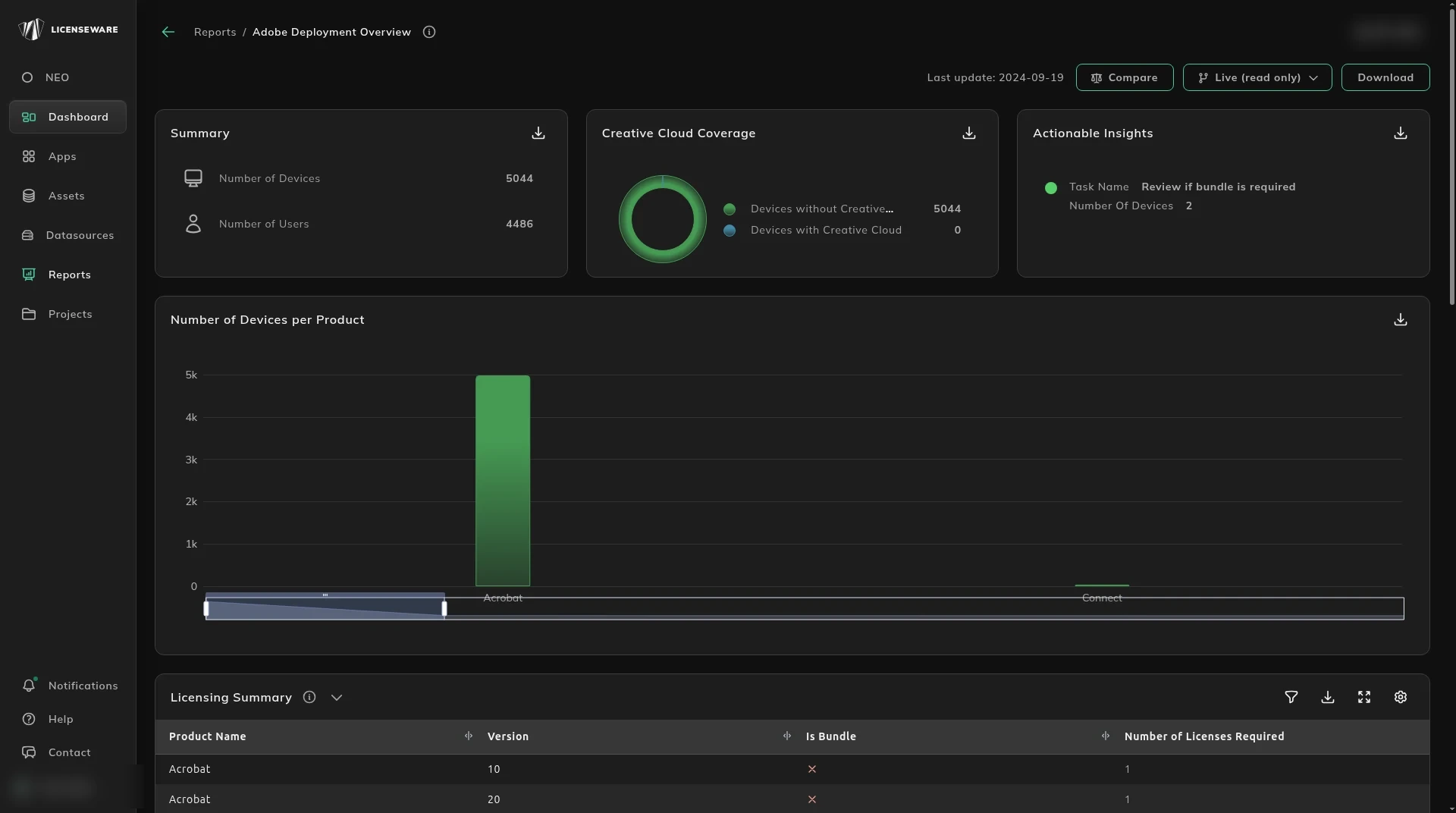
Open it from Apps, then Adobe Deployment Manager. The report card is Adobe Deployment Overview.
If the report has no data yet, the card opens a panel that reads Missing data - click apps to upload, with the ADM icon, instead of the report. Connect an API integration that already sees the desktops, such as Lansweeper or Microsoft Graph, from Data sources. Deploy the Collector on the desktops as well, for usage data and for any the integration does not see. A file upload covers a tool with no API.
Where to go next
Section titled “Where to go next”| Question | Page |
|---|---|
| Who should be on single apps, and who on the suite? | Adobe Deployment Overview |
Start, or talk to us
Section titled “Start, or talk to us”Start free creates your account on the EU instance. For the US or AU instance, sign up at us.licenseware.io or au.licenseware.io. See pricing.